1
4.3 st20cc command line
4.3
st20cc command line
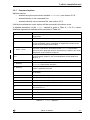
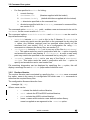
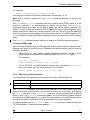
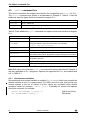
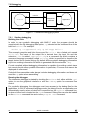
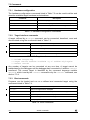
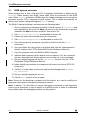
This section describes the support provided by the compile/link tool st20cc for C++.
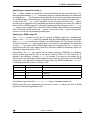
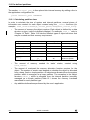
The st20cc command line syntax is as described in Chapter 3. Table 4.1 lists the
additional input file types that are accepted to support C++.
File type
Description
file.cxx
A C++ source file.
file.icc
A C++ preprocessed file.
Table 4.1 C++ input files
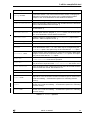
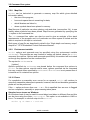
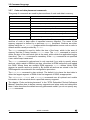
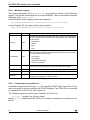
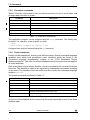
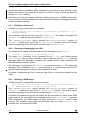
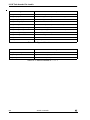
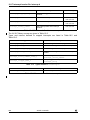
Table 4.2 lists additional st20cc command line options which are provided to support
C++.
Option
Description
-F
Run only the C++ preprocessor.
-CXX=string
Change the default extension of the C++ source files from .cxx to the
string specified as argument of the option. For example:
st20cc -CXX=.xyz fileA.xyz
-diag-suppress list
Suppress the warnings specified by number in list.
-display-error-number
Display error/warning numbers.
-exceptions
Exception handling enabled. Exception handling is not thread safe in
this release of the toolset. By default exception handling is not enabled.
-i
Leave the intermediate .icc files in the current directory during the
compilation process.
-no-rtti
Suppress run-time type information.
-rtti
Enable run-time type information.
Table 4.2 st20cc options for C++
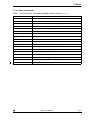
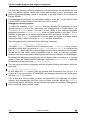
Note that many of the standard st20cc command line options described in Chapter 3
are also applicable to C++ programs. Options not supported for C++, are marked with
a ‘†’ in Table 3.1.
4.3.1
Environment variables
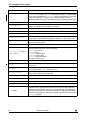
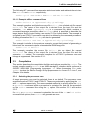
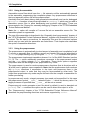
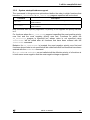
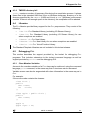
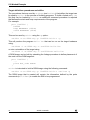
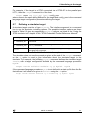
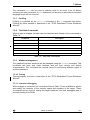
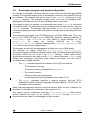
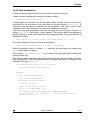
One additional environment variable is supplied (ST20EDGARG) which may contain the
default switches to the C++ preprocessor. For UNIX and Linux use, this should only
contain spaces in the list of values if all the values are enclosed inside double
quotation marks for example, “value list”. Preferably all quotes and spaces
should be removed, for example:
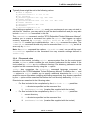
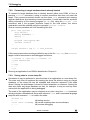
setenv ST20EDGARG “-tused,-i”
set ST20EDGARG=-tused,-i
62
ADCS 7143840G
(UNIX and Linux)
(Windows)