1
6.3 PROGRAMS Tab.
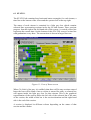
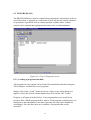
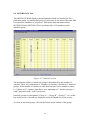
The PROGRAMS tab is used to control what program the Automations will run
for each session. A program is a collection of steps which can contain a number
of operations. Operations such as curtain position, sound format, volume
control can be entered into a program and sent to one or all automations.
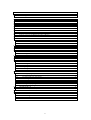
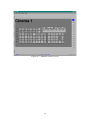
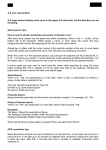
Figure 6.5: View of Programs screen.
6.3.1 Loading a program from disk.
All programs for one cinema can be loaded from hard disk into the workspace.
The workspace can hold one set of programs.
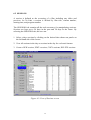
Simply click on the “Load” button at the top of the screen, and a dialog box
appears. Select the desired cinema number and click on the “OK” button.
Program 1 will appear in the list box. If no programs have previously been
saved to disk, a blank program will be shown. Each program is displayed as it is
displayed on the automation. Each line represents one step and is numbered
accordingly. On each line, there are a number of operations that can be
executed.
21