1
AdTrap Anywhere
Installing AdTrap Anywhere on your iDevices (iPhones, iPads)
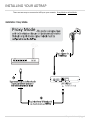
1. If you are in proxy mode, you must log into your router and forward TCP port 5555
to the AdTrap IP address.
2. Use iCloud or any other backup program and backup your iPhone.
3. You’ll need to put your phone into supervised mode with Apple Configurator, this is
a limitation imposed by Apple. https://itunes.apple.com/us/app/appleconfigurator/id434433123?mt=12
4. Plug in to machine with configurator, flip supervision switch to on, then click
prepare.
5. Restore your data once it’s back up.
6. Log into the AdTrap.
7. Click Settings then AdTrap Anywhere.
8. Enable AdTrap Anywhere.
9. Change the username.
10. Change the password and confirm.
11. Copy down the hostname and the port number.
12. Wait 2 hours for DNS to start propagating.
a. To test the DNS, copy(Ctrl+C) the AdTrap Anywhere Hostname located on
your AdTrap Anywhere settings table;
i. Windows – open your command prompt and type in “nslookup ” and
paste(Ctrl+V) the previously copied AdTrap Anywhere Hostname
next to it, click enter.
ii. Mac – Open terminal and type in “nslookup ” and paste(Ctrl+V) the
previously copied AdTrap Anywhere Hostname next to it, click
enterGo to your idevice
13. Click the “download mobileconfig”; it should offer to install; allow it.
14. You can remove the mobileconfig profile like this:
http://www.baylor.edu/its/index.php?id=88047, Just remove the one that says
AdTrap Anywhere. Leave the other one.
AdTrap User’s Manual | Page 15