1
OTHER RECORDING FUNCTIONS
• The remaining recording time value counts down on
the monitor screen as you record.
— Movie audio is recorded in monaural.
— The camera focuses automatically whenever you
have Auto Focus (page 57) or Macro ( ) selected
as the focus mode. Note that the confirmation
tone that sounds during the Auto Focus operation
will be recorded in the audio. If you do not want
confirmation tones in your audio, select Manual
Focus (MF) and manually focus the image before
starting your recording.
— Auto Focus is not performed in the case of the
Manual Focus (MF) and Infinity (∞) focus modes,
and so no confirmation tone sounds. In the case
of the Manual Focus mode, you cannot adjust
focus settings while recording is in progress. Be
sure to make all adjustments before beginning the
record operation.
5. When movie recording is complete, the movie
file is stored in file memory.
• To cancel storage of the movie file, use [왔] to select
“Delete” while file storage is being performed, and
then press [SET].
IMPORTANT!
• The flash does not fire in the Movie mode.
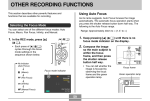
• This camera also records audio. Note the following
points when recording a movie.
— Take care that you do
not block the
microphone with your
fingers.
— Good recording
results are not
possible when the
camera is too far from
Microphone
the subject.
— Operating camera
buttons during
recording can cause
button noise to be
included in the audio.
74