1
CONTENT
1.Introduction..................................................................................................................................................4
2.User interface...............................................................................................................................................5
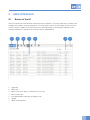
2.1 Basics of the UI.....................................................................................................................................5
2.2 Server icons..........................................................................................................................................6
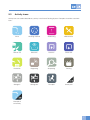
2.3 Activity icons.........................................................................................................................................7
3.Glossary.......................................................................................................................................................8
4. Taking the Server into use..........................................................................................................................11
4.1Installation...........................................................................................................................................11
4.2Settings...............................................................................................................................................11
4.3Users..................................................................................................................................................12
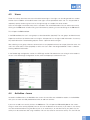
4.4 Activities – Icons..................................................................................................................................12
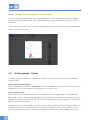
4.5 Article groups – Cycles........................................................................................................................13
4.6Readers..............................................................................................................................................14
5. Using the Server.........................................................................................................................................16
5.1Login...................................................................................................................................................16
5.2Reports...............................................................................................................................................16
5.3Logs....................................................................................................................................................17
5.4Instruments.........................................................................................................................................17
5.5 Editor function buttons........................................................................................................................18
5.6 Instrument sets...................................................................................................................................18
5.7 Template sets......................................................................................................................................19
5.8 Registering new instruments...............................................................................................................19
5.9 HID mode use and registering new instruments through the server......................................................... 19
6.Support......................................................................................................................................................20
3