1
Option Adapters
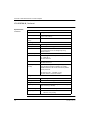
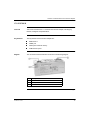
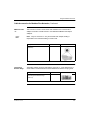
Front Panel Components, Continued
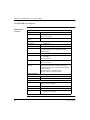
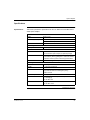
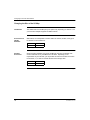
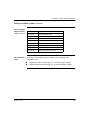
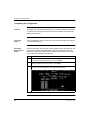
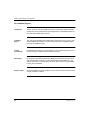
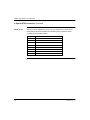
LED Indicator
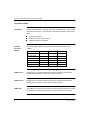
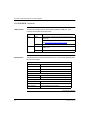
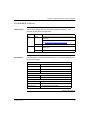
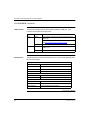
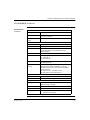
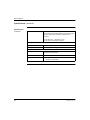
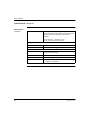
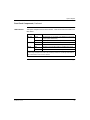
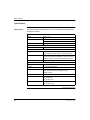
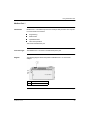
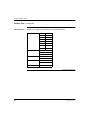
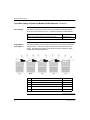
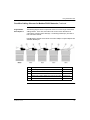
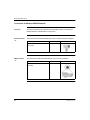
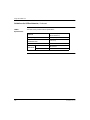
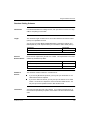
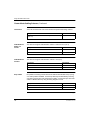
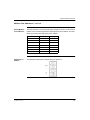
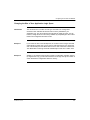
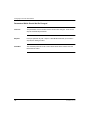
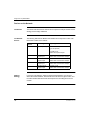
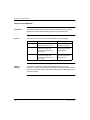
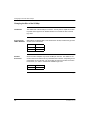
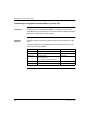
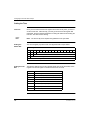
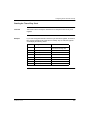
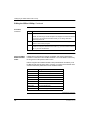
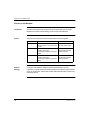
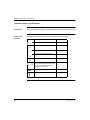
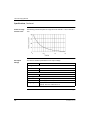
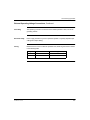
This Option Adapter has one LED indicator, the MB+ ACT indicator. This indicator
flashes the following patterns, based on the status of the Modbus Plus node:
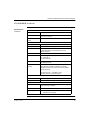
Pattern
Meaning
6 flashes/s
This is the normal operating state for the node. It is receiving
and passing the network token. All nodes on a healthy
network flash this pattern.
1 flash/s
The node is offline just after power-up or after exiting the
6 flashes/s mode. In this state, the node monitors the
network and builds a table of active nodes. After being in this
state for 5s, the node attempts to go to its normal operating
state, indicated by 6 flashes/s.
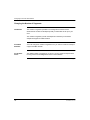
2 flashes, then OFF for 2s
The node detects the token being passed among the other
nodes, but never receives the token. Check the network for
an open circuit or defective termination.
3 flashes, then OFF for 1.7s
The node is not detecting any tokens being passed among
the other nodes. It periodically claims the token but cannot
find another node to which to pass it. Check the network for
an open circuit or defective termination.
4 flashes, then OFF for 1.4s
The node has detected a valid message from a node using a
network address identical to its own address. The node
remains in this state for as long as it continues to detect the
duplicate address. If the duplicate address is not detected
for 5s, the node changes to its 1 flash/s mode.
ON
Indicates an invalid node address.
OFF
Possible fault with Modbus Plus Option Adapter.
Continued on next page
870 USE 101 00 V.2.2
41