1
SIP Endpoint configuration hints
,
- .
The endpoint offers
• CFU
Unconditional Call Forward
• CFB
Busy Call Forward
• CFNR
Delayed Call Forward
Call forwarding is activated/deactivated by feature codes.
Feature Code
Feature
*72
Unconditional Call Forward:
Dial *72 + Phone/Ext. Number followed by the # key. Wait for a dial-tone and then
hang up (dial-tone means input is successful).
Cancel Unconditional Call Forward:
Dial *73 and wait for a dial-tone before hanging up.
Busy Call Forward:
Dial *90 + Phone/Ext. Number followed by the # key. Wait for a dial- tone and then
hang up.
Cancel Busy Call Forward:
dial *91 and wait for a dial-tone before hanging up.
Delayed Call Forward:
Dial *92 + Phone/Ext. Number followed by the # key. Wait for a dial-tone and then
hang up.
Cancel Delayed Call Forward:
Dial *93 and wait for a dial-tone before hanging up.
*73
*90
*91
*92
*93
In addition a configuration via Web-Interface is possible. The timer for CFNR is configurable
using the Web-interface only.
/ 0
+
For this feature the “Account Settings”
• Voice Mail UserID: Access number of VM
• Subscribe for MWI
have to be configured.
A waiting message is signaled by the blue LED on top of the phone.
Voicemail access is possible by dedicated key
correctly
if the Voice Mail UserID is configured
1
Not supported by GXV3140.
The device can configure distinctive ringtones for 3 different caller IDs
2 $
)3
GXV3140 offers a local 3 party conference. Active and held call can be connected to a 3 way
conference by pressing the
4
key.
.
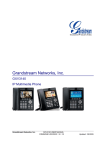
Even if the phone comes with a lot of multimedia features and Web application support, the
current software has some deficiencies in terms of call and feature handling.
SIP Endpoint Configuration
OpenScape Office
2012 02 23
Page 13