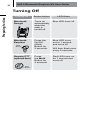
1
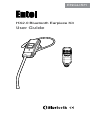
HX2.0 Bluetooth Earpiece Kit User Guide
21
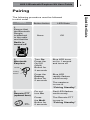
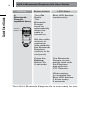
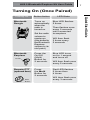
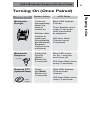
Turning On (Once Paired)
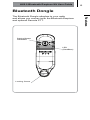
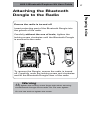
Bluetooth
Dongle
Button Action
LED State
Turns on
automatically
when the
radio is
turned on
Blue LED flashes
5 times
Set the radio
volume to
maximum
(this defaults
the Bluetooth
Earpiece
volume to its
mid point)
Bluetooth
Earpiece
On/Off
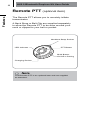
Remote PTT
(optional item)
Main
Button
Then flashes once
every 5 seconds
until connected
to earpiece
Will then flash
3 times every
5 seconds
Press the
On/Off
(Multi)
Button for
2 seconds.
Blue LED turns
on for 1 second
and turns off
Press
the Multi
Button for
2 seconds
Red LED flashes
5 times then
4 times
Will then flash once
every 5 seconds
Will then flash once
every 3 seconds
Preparing for Use
Turning On