1
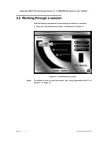
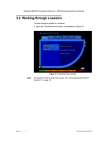
Destination MATH PC User Manual Version 4.0 2001 Riverdeep Interactive Learning Ltd. 1.4.0.2 Selecting a module To select a module: 1 On the selected course opening screen, click the desired module tab. Note: The module tab furthest to the left is the default opening tab for any selected course. 1.4.0.3 Selecting a unit 1 Selecting a module will display the units associated with that module. Click a unit to select it. Note: The units associated with the module tab furthest to the left are the default units for each selected course. 1.4.0.4 Selecting a session 1 Click the unit text to open the session selection screen (Figure 5). Figure 5 Session selection screen Note: Using the System The selected unit is highlighted in yellow on the session selection screen. P a g e 1 - 17