1
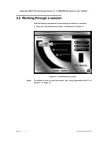
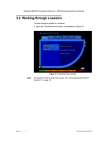
Destination MATH PC User Manual Version 4.0 2001 Riverdeep Interactive Learning Ltd. 1.2.1 Users Destination MATH allows students to log on as: • Individual user • Multiple users • Guest user 1.2.1.1 Individual user To log on to Destination MATH as an individual user: 1 Double-click the Destination MATH icon on the desktop. The program opens the Logon dialog box, as illustrated in Figure 1. Figure 1 Logon dialog box 2 Enter the user’s designated Username, Password, and Class in the appropriate fields. 3 Click the OK button, or press <Return> or <Enter>. The Destination MATH opening screen, as illustrated in Figure 2, is displayed. Using the System Page 1-9