1
Table of Contents
SEC TIONS
1
2
3
4
5
6
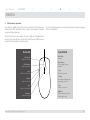
Operation
VDT KM Mode
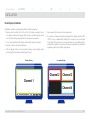
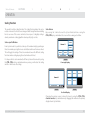
The Virtual Desktop Technology (VDT) KM mode is a unique mode developed
by integrating HSL unique KM technology to the KVM Combiner line. This
mode allows the user to switch active windows simply by dragging the mouse
from one window to another. In this mode the user can positions the channels
windows in any way he see fit and can switch between any adjacent windows by
dragging the mouse from one window to another.
This means that it will be impossible to point to the botton right corner with the
combiner mouse as long in VDT mode and without moving the windows.
Switching is done to mouse, keyboard, audio and fUSB.
When using the SC62HU-3 it is sometimes required to duplicate the display. In
Duplicate mode the Combiner functions as normal with one less displays than
actually connected when the highest connected displays duplicates display #1.
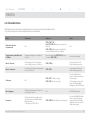
To enter into VDT mode use the CTRL, CTRL, F11, v. once in VDT mode it will
remain in that mode even when switching back and forth from System mode
to User mode. To switch out of VDT mode use the CTRL, CTRL, F11, v key
combination again.
Switching will not be possible between channels which are not adjacent or over
lapping.
Duplicate Displays
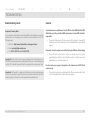
To enter or exist duplicate mode use the CTRL, CTRL, F11, l key combination.
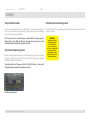
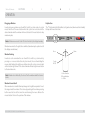
In VDT mode once two windows overlay one another switching will be done via
the boarders on the top window:
Switches from 1 to 2
HSL SC62HU-3/SC102HU-3 Secure KVM Combiner
27