1
50
ProTune II
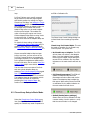
SUMMARY: There are three ways to view the
ECM Information dialog box.
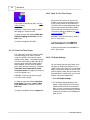
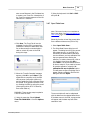
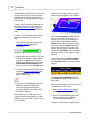
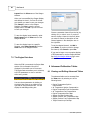
The Stats Overview page shows key overall
statistics for the ECM and engine.
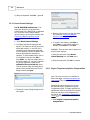
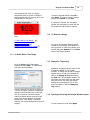
1) Using the tool bar: Click the Info button:
2) Using the menu bar: Select ECM
Information... from the View menu.
3) Using the keyboard: Hold Ctrl + Shift
and press T.
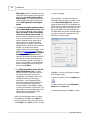
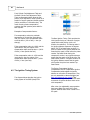
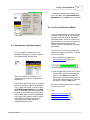
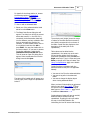
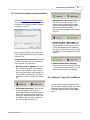
The ECM page shows overall properties and
identifiers of the ECM. Information is also
shown for calibration files that support this
data. The information on this page is mainly
for technical support.
· Model. The model number for this ECM or
file.
· ECM Firmware Version. The ECM
software version for the ECM or file.
· Serial Number. The serial number for the
ECM or file.
· Boot-Block Firmware Version. For
technical support use only.
· Supplier or Type. Identifies the original
supplier of this ECM/file or the warranty
status of the ECM.
· Vehicle Identification Number. The
VIN for this ECM or file (if any).
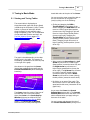
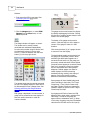
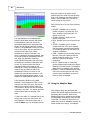
· Since ECM was New... Shows data
logged since the ECM was new.
· Total Engine Mileage. Total miles
logged on the engine.
· Number of Engine Rebuilds. The
number of times the Engine Rebuild
function has been used on this ECM.
See ECM Information 48 for more
details. Warning: Performing an
Engine Rebuild will void any
remaining warranty.
· Total Engine Runtime. The time in
hours:minutes.seconds that the ECM
has run the engine since the ECM was
new.
· Total Revolutions of Engine. The
total number of engine revolutions
since the ECM was new.
· Total Key on/Key off cycles. The
total number of times the ignition key
has been turned on, then off, since the
ECM was new.
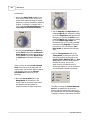
· Since Last Engine Rebuild... Shows
data logged since the last time the Engine
Rebuild function was used. See ECM
Information 48 for more details.
· Engine Mileage. The engine mileage
since the last rebuild.
· Engine Runtime. The time in hours:
minutes.seconds the engine has been
run since the last rebuild.
2010 S&S Cycle® Inc.