1
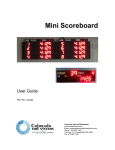
Thank you for purchasing a Colorado Time Systems Mini Scoreboard. If you have
multiple mini scoreboards and you want to set them so that each scoreboard displays two
lanes of race data, you need to set the module codes for those scoreboards. Follow the
instructions in the section below to do this.
If you have only one mini scoreboard, skip ahead to the section on setting up your
scoreboard (page 5 for portable scoreboards, or page 7 for fixed scoreboards).
Setting your scoreboard to
receive specific data
Setting the Module Code
CTS module codes control what information is displayed on a given scoreboard. You’ll
need to set the module codes for scoreboards with 2 lines of race data. Mini scoreboards
for specific uses (water polo, event/heat and single line lane-place-time) are shipped with
the module codes already set.
IMPORTANT!
Turn off the scoreboard and disconnect it from AC power.
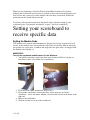
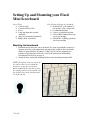
1. You will be removing several items from your scoreboard. Find a safe place to
keep them so they are available for re-installation.
2. If you have fixed mini scoreboards, skip to step 5.
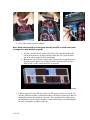
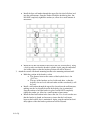
3. For portable scoreboards, unscrew the three screws from one end of the
scoreboard – it does not matter whether you choose the left end of the board or the
right end.
4. Remove the end bracket.
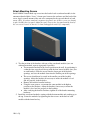
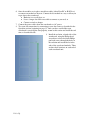
5. Slide the weather cover out of the scoreboard.
1 Set Up