1
Installing Your HD 100 > Installation Instructions
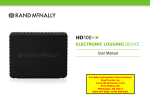
3. Connect the HD 100 to the cable and place it (with the
tray attached) on the flat surface.
4. Make sure the area selected is clean and dry. Peel the protective layer off one side of the adhesive mounting strips and place on
the bottom of the HD 100 tray. Then peel off the other
protective layer, and place the device with tray attached on your
dash in the desired location, pressing firmly to secure it to
the dash surface.
NOTE: Do not cover the HD 100 device or place anything over
it, as this may interfere with the GPS signal.
HD 100 User Manual
9