1
Network Phone Camera User Manual
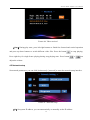
Dial among LAN network: If two devices in same LAN,you can make video calls after dial the last
numbers of the IP address. Example: the IP address of device A or device B in LAN is: 192.168.1.10
and 192.168.1.11, device A can dial “11” to make video call with device B.
Using mobile devices such as cell phone or tablet computer to make video calls with
the device
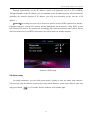
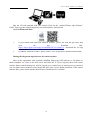
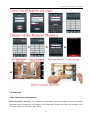
Boot up the application after normally installing Sricctv02 or Skypecam client software to cell
phone or tablet computer etc, click on the dial screen and enter the 3C ID as required, click video
call button to make video call with the Skypecam; If the video call fails, please check whether the
network of mobile device is normal.
22