1
4
O2 DSA Commands
• Renaming a class
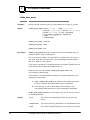
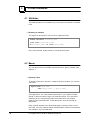
To r en am e t h e cu r r en t or specified class, u se th e com m an d:
rename class [class_name as] new_class_name
• Saving a class
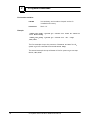
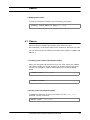
To save a class sou r ce defin it ion in a file:
save class [class_name] path_name
4.4 Libraries
Bin ar y object s ar e pr odu ced wh en you com pile O 2 C code or wh en you
im por t C++ fu n ct ion m em ber s. You can cr eat e libr ar ies t o con t ain all t h e
bin ar y object s of a sch em a. Th e con t en t s of t h ese libr ar ies ar e st or ed in
an O2 dat abase an d ar e t r an sfor m ed in to libr ar ies wh en t h e sch em a is
open ed. You can also st or e a libr ar y in a st an dar d file.
Th e followin g libr ar y com m an ds can n ot be u sed on Spar c st at ion s
r u n n in g Su n OS.
Wh en a libr ar y is st or ed in an O 2 sch em a, it is loaded th e fir st t im e on e
of its m et h ods is u sed. If t h e libr ar y is stor ed in a file it becom es exter n al
t o O2 . You m u st call it in a Mak efile or wh en you star t O2 wit h t h e libpath an d -libs opt ion s.
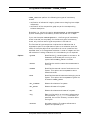
Th e dir ect or y wh er e a libr ar y is t o be st or ed m u st exist. Th e libr ar y is
n ot cr eat ed if t h e pat h n am e for t h e file exist s alr eady.
• Creating a library
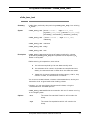
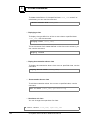
To cr eat e a libr ar y con tain in g all t h e bin ar y object s belon gin g t o a
sch em a called [schema_name], u se t h e followin g com m an d:
create library [schema_name] [path_name]
102
O 2 Syst em Adm in ist r at ion Refer en ce M an u al