1
Eurekify
SageReports
1.5
Exporting reports to other formats
After generating reports, they can be exported to a variety of formats to aid in distribution and use
of the information. Amongst others these formats include PDF, Excel and TIFF file formats. The
available export formats vary according to the version of Microsoft Reporting Services that you
have installed.
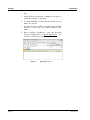
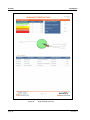
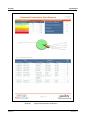
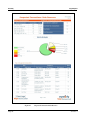
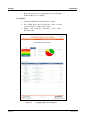
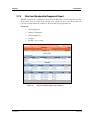
Figure 15
Exporting Files in Various Formats
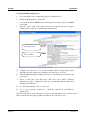
To export a report to another format
1.
Select the desired export format from the Export drop down list.
2.
Click the Export button to the right of the drop down list.
3.
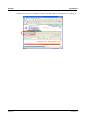
Next you will be prompted to save the exported file.
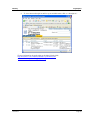
i
Note: .Up to the current release, Microsoft Reporting Services
export capabilities to Excel are limited. This limitation occurs where
the internal arrangement of the report consists of sub-reports. In this
case, the Excel document that is produced displays the following
error message – Sub-reports within table/matrix cells are ignored.
Export to PDF format is fully supported by Microsoft Reporting
Services.
Version 3.1
Page 13