1
Eurekify
SageReports
5.
Web Folder Name
Sage Reports
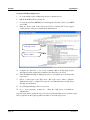
Select Do Not Overwrite to keep all existing reports.
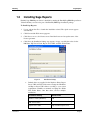
Click Next and the Select Installation Folder step appears. By default the Sage Reports
Folder is placed in the <Installation Drive>\<Installation Folder>.
Click the Browse button and navigate to the folder of your
choice to choose an alternate installation folder.
Page 4
Default Value
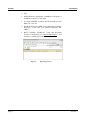
Click Next. The Overwrite Reports step appears.
Select Overwrite if you do not have any previous reports or
if you intend to discard all previous reports.
6.
Installation Setting
Click Disk Cost to view a list of disk drives and available
space on each drive.
Version 3.1