1
Getting Started
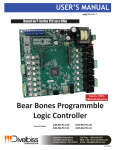
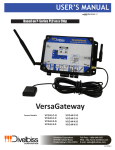
The ICM-BB-P13-XX Controller Overview
The ICM-BB-P13-XX Controller is a powerful upgrade for legacy Bear Bones product line users and is a powerful controller for all
others. The P13 Series Bear Bones is based on the new P-Series PLC on a ChipTM which provides upgraded features over the original
The ICM-BB-P13-XX boasts the following capabilities:
•
•
•
•
•
•
•
•
•
•
•
•
•
•
•
8 to 32VDC Operation / 90-130VAC Operation (Model Dependent)
-40°C to 80°C Operating Temperature Range
8 Digital Inputs, Sinking or Sourcing (in groups) with LED indicators
Digital Inputs debounce is configurable using jumpers.
8 Digital Outputs, rated 2 Amps each, either 8-32VDC or 90-130VAC (Model dependent)
Ethernet Communications via Modbus TCP or Ethernet Port as Programming Port
Micro SD Card for Kernel and Program updates.
One CAN Port, Support Divelbiss OptiCAN for I/O Expansion or to other Controllers
Up to 8 Analog Inputs, Configured as 0-5VDC, 0-10VDC or 0-20mADC, 12 Bit Resolution
Up to 1 Analog Output, Configured as 0-5VDC or 0-10VDC, 10 bit Resolution
Two Programmable LEDs, Power Monitor LED and Status/Watchdog LED
Real Time Clock
Retentive Memory and EEPROM Storage
4 Row / 5 Column / 20 button Keypad Support
LCD Display Support
Some of the features listed above are based on the ICM-BB-P13-XX model purchased. To gain the use of some features, other features may become unusable. Refer to the individual feature sections in this manual for details.
The ICM-BB-P13-XX Models
The following models are available for the P13 Series Bear Bones Controller with supported features
Model
Input
Power
I/O
Power
#
Inputs
#
Outputs
# Analog
Inputs
# Analog
Outputs
CAN
I/O
Ports
Ethernet
Real
Time
Clock
ICM-BB-P13-30
8-32VDC
8-32VDC
8
8
Up to 8
Up to 1
1
Yes
Yes
Yes
Yes
Yes
Yes
ICM-BB-P13-40
90130VAC
90130VAC
8
8
Up to 8
Up to 1
1
Yes
Yes
Yes
Yes
Yes
Yes
LCD Keypad SD
Port
Port
Card
Expandable I/O
Configuring the ICM-BB-P13-XX Target in EZ LADDER Toolkit
Before you can program and use the P13 Series Bear Bones Controller, it must be configured as a target within the EZ LADDER Toolkit. For help with installing or using EZ LADDER, please refer to the P-Series EZ LADDER User’s Manual.
1. In EZ LADDER, from the File Menu at the top, click PROJECT then SETTINGS. This will open the Project Settings Window. Select ICM-BB-P13-XX as the target from the choices. Refer to Figure 1-1. Verify the correct COM Port is selected.
2. Click the PROPERTIES button to the right side of the window. The ICM-BB-P13-XX Properties Window will open.
3. Using the Drop-down Part Number select box, select the model of the P13 Series Bear Bones Controller. Refer to Figure
1-2. With the model selected, the Devices pane will update with the currently selected features for the ICM-BB-P13-XX. The
ADD DEVICE button is used to install and configure additional features such as Ethernet that are not automatically loaded and
configured. For this example, we will not add additional features at this time. These features may be installed and configured by
re-visiting this window. By default, the CAN (I/O port), I2C (Retentive Memory), Low Voltage Sense, Real Time Clock, Analog I/O
and OptiCAN are installed. Additional items must be added and configured if required.
ICM-BB-P13-XX User’s Manual
Document #: 2013008.2.pdf
Divelbiss Corporation • 9778 Mt. Gilead Road • Fredericktown, Ohio 43019 • 1-800-245-2327 • www.divelbiss.com
PAGE 4 of 43