1
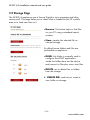
AP-ELP (v3) installation manual and user guide 3.7 Firmware Page This page is used to upgrade/downgrade the appliance's firmware. Normally the new firmwares are published in zip format. Before loading on the appliance, you have to unzip the firmware file on a PC's folder. Browse Firmware file to load Button to perform the Firmware upgrade. The box will automatically perform a reboot after the file is loaded. To check the running firmware version, look on every bottom web pages for a line like After the upgrade, check for changed version. NOTE: The firmware file is also available as RFU format. In this case just send it to the box as a normal job. - 18 www.stethos.com