1
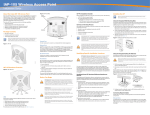
Connecting Required Cables Table 1 AP-105 Series LED Meanings Install cables in accordance with all applicable local and national regulations and practices. z LED Color/State Meaning 11A/N Off 5 GHz radio is disabled Amber 5 GHz radio enabled in WLAN mode Green 5 GHz radio enabled in 11n mode z Green flashing 5 GHz Air Monitor or RF Protect mode z Off 2.4 GHz radio disabled Amber 2.4 GHz radio enabled in WLAN mode Green 2.4 GHz radio enabled in 11n mode Ethernet Ports The RJ45 Ethernet port (ENET) supports 10/100/1000Base-T auto-sensing MDI/ MDX connections. Use these ports to connect the AP to a twisted pair Ethernet LAN segment or directly to an Aruba Controller. Use a 4- or 8-conductor, Category 5 UTP cable up to 100 m (325 feet) long. z The 10/100/1000 Mbps Ethernet port is on the back of the AP. The port has an RJ45 female connector with the pin-outs shown in Figure 6. 11B/G/N Figure 6 Gigabit Ethernet Port Pin-Out 1000Base-T Gigabit Ethernet Port RJ-45 Female Pin-Out 1 2 3 4 5 6 7 8 Signal Name Function BI_DA+ BI_DABI_DB+ BI_DC+ BI_DCBI_DBBI_DD+ BI_DD- Bi-directional pair +A Bi-directional pair -A Bi-directional pair +B Bi-directional pair +C Bi-directional pair -C Bi-directional pair -B Bi-directional pair +D Bi-directional pair -D Green flashing The serial console port (Console) allows you to connect the AP to a serial terminal or a laptop for direct local management. This port is an RJ-45 female connector with the pinouts described in Figure 7. Connect this port in one of the following ways: z z Connect it directly to a terminal or terminal server using an Ethernet cable. Use a modular adapter to convert the RJ-45 (female) connector on the AP to a DB-9 (male) connector, and connect the adapter to a laptop using an RS-232 cable. See Figure 8 for connector details of the adapter. Figure 7 Serial Port Pin-Out Serial Console Port RJ-45 Female Pin-Out 1 2 3 4 5 6 7 8 Direction Input Output RJ-45 TxD 3 4 5 GND RxD 6 5 3 AP Configuration Product Specifications Mechanical DB-9 Male Pin-Out DB-9 2 Provisioning parameters are unique to each AP. These local AP parameters are initially configured on the controller which are then pushed out to the AP and stored on the AP itself. Aruba recommends that provisioning settings be configured via the ArubaOS Web UI only. Refer to the ArubaOS User Guide for complete details. Configuration settings can be configured via the ArubaOS Web UI, ArubaOS CLI, or Aruba MMS. Refer to their respective guides for further details: the ArubaOS User Guide or Aruba Mobility Management System User Guide. TxD GND GND RxD Internal Connections RJ-45 Female Pin-Out 1 2 3 TxD 4 5 GND 6 RxD 7 8 Direction Input Output AP Provisioning/Reprovisioning Configuration parameters are network or controller specific and are configured and stored on the controller. Network configuration settings are pushed out to the AP(s) but remain stored on the controller. Figure 8 RJ-45 (Female) to DB-9 (Male) Modular Adapter Conversion 9 8 7 6 5 4 3 2 1 z Ground RxD TxD Direction Input Output z z z z z Power Connection z The AP-105 has a single 12V DC power jack socket to support powering through an AC-to-DC power adapter. NOTE 2.4 GHz Air Monitor or RF Protect mode Configuring the AP-105 Serial Console Port If both POE and DC power are available, the AP uses POE even when there is not enough POE voltage available to power the AP. z Verifying Post-Installation Connectivity The integrated LEDs on the AP can be used to verify that the AP is receiving power and initializing successfully (see Table 1). Refer to the ArubaOS Quick Start Guide for further details on verifying post-installation network connectivity. Dimensions (antenna stowed) (HxWxD): 5.2 inches x 5.3 inches x 1.8 inches 13.2 cm x 13.5 cm x 4.5 cm Weight: 300g/0.66 lbs. Temperature: Operating: 0ºC to 50ºC (32ºF to 122ºF) Storage: –10ºC to 70ºC (14ºF to 158ºF) Relative Humidity: 5% to 95% non-condensing Altitude: 8,000 ft @ 28ºC (82.4ºF) Mounting: Wall, ceiling, or desktop mountable Antennas: Integrated Visual Status Indicators (LEDs): See Table 1 Electrical z z Direct Sequence Spread Spectrum (DSSS) Radio Modulation Type: 802.11b - CCK, BPSK, QPSK 802.11g - CCK, BPSK, QPSK,16-QAM, 64-QAM 802.11a - BPSK, QPSK,16-QAM, 64-QAM 802.11n draft 2.0 Media Access Control: CSMA/CA with ACK Supported Frequency Bands 2.4GHz: 2.400 ~ 2.4835GHz (Global), channels country specific Supported Frequency Bands 5GHz: 5.150 ~ 5.250GHz (low band), country-specific 5.250 ~ 5.350GHz (mid band), country-specific 5.470 ~ 5.725GHz (Europe), country-specific 5.725 ~ 5.825GHz GHz (high band), country-specific Data Rates: Ethernet: 1 x 10/100/1000Base-T auto-sensing Ethernet RJ-45 Interfaces MDI/MDX IEEE 802.3 (10Base-T), IEEE 802.3u (100Base-T). IEEE 802.3ab (1000Base-T) Power over Ethernet (IEEE 802.3af compliant), 48V DC/350mA (see Table 1 for pin configuration) Power: 12 VDC power interface, supports powering through an AC-to-DC power adapter z 802.11b - 1, 2, 5.5, 11 Mbps per channel 802.11g - 6, 9, 12, 18, 24, 36, 48 and 54 Mbps per channel 802.11a - 6, 9, 12, 18, 24, 36, 48 and 54 Mbps per channel 802.11n - Data rate MCS0 – MCS15 (from 6.5 Mbps to 300 Mbps) Proper Disposal of Aruba Equipment For the most current information about Global Environmental Compliance and Aruba products, see our website at www.arubanetworks.com. Waste of Electrical and Electronic Equipment Aruba products at end of life are subject to separate collection and treatment in the EU Member States, Norway, and Switzerland and therefore are marked with the symbol shown at the left (crossed-out wheelie bin). The treatment applied at end of life of these products in these countries shall comply with the applicable national laws of countries implementing Directive 2002/96EC on Waste of Electrical and Electronic Equipment (WEEE). European Union RoHS Aruba products also comply with the EU Restriction of Hazardous Substances Directive 2002/95/EC (RoHS). EU RoHS restricts the use of specific hazardous materials in the manufacture of electrical and electronic equipment. Specifically, restricted materials under the RoHS Directive are Lead (including Solder used in printed circuit assemblies), Cadmium, Mercury, Hexavalent Chromium, and Bromine. Some Aruba products are subject to the exemptions listed in RoHS Directive Annex 7 (Lead in solder used in printed circuit assemblies). Products and packaging will be marked with the “RoHS” label shown at the left indicating conformance to this Directive. China RoHS 10 Aruba products also comply with China environmental declaration requirements and are labeled with the “EFUP 10” label shown at the left. Safety and Regulatory Compliance Aruba Networks provides a multi-language document that contains countryspecific restrictions and additional safety and regulatory information for all Aruba access points. This document can be viewed or downloaded from the following location: www.arubanetworks.com/safety_addendum ! CAUTION RF Radiation Exposure Statement: This equipment complies with FCC RF radiation exposure limits. This equipment should be installed and operated with a minimum distance of 13.78 inches (35 cm) between the radiator and your body for 2.4 GHz and 5 GHz operations. This transmitter must not be co-located or operating in conjunction with any other antenna or transmitter. When operated in the 5.15 to 5.25 GHz frequency range, this device is restricted to indoor use to reduce the potential for harmful interference with co-channel Mobile Satellite Systems. AP-105 Wireless Access Point Installation Guide Contacting Aruba Networks Table 1 Web Site Support Main Site http://www.arubanetworks.com Support Site https://support.arubanetworks.com Software Licensing Site https://licensing.arubanetworks.com/login.php Wireless Security Incident Response Team (WSIRT) http://www.arubanetworks.com/support/wsirt.php Americas and APAC Support Email [email protected] EMEA Support Email [email protected] WSIRT Email Please email details of any security problem found in an Aruba product. [email protected] Table 2 Telephone Support Aruba Corporate +1 (408) 227-4500 FAX +1 (408) 227-4550 Copyright © 2008 Aruba Networks, Inc. AirWave®, Aruba Networks®, Aruba Mobility Management System®, Bluescanner, For Wireless That Works®, Mobile Edge Architecture, People Move. Networks Must Follow., RFProtect®, The All Wireless Workplace Is Now Open For Business, and The Mobile Edge Company® are trademarks of Aruba Networks, Inc. All rights reserved. All other trademarks are the property of their respective owners. Open Source Code Certain Aruba products include Open Source software code developed by third parties, including software code subject to the GNU General Public License ("GPL"), GNU Lesser General Public License ("LGPL"), or other Open Source Licenses. The Open Source code used can be found at this site: http://www.arubanetworks.com/open_source Legal Notice The use of Aruba Networks, Inc. switching platforms and software, by all individuals or corporations, to terminate other vendors' VPN client devices constitutes complete acceptance of liability by that individual or corporation for this action and indemnifies, in full, Aruba Networks, Inc. from any and all legal actions that might be taken against it with respect to infringement of copyright on behalf of those vendors. Warranty This hardware product is protected by the standard Aruba warranty of one year parts/labor. For more information, refer to the ARUBACARE SERVICE AND SUPPORT TERMS AND CONDITIONS. Altering this device (such as painting it) voids the warranty. Table 1 AP-105 Series LED Meanings LED Color/State Meaning PWR Off No power to AP Green flashing System initializing Red steady System failed to initialize, contact TAC NOTE Wireless LAN z Network Standards: IEEE 802.11b, IEEE 802.11g, IEEE 802.11a, and IEEE 802.11n (draft) Antenna Type: Internal Green steady Power on, device ready Off No link Green on 1000 Mbps link z 2x 802.11a/n Amber on 10/100 Mbps link z 2x 802.11b/g/n Green flashing Ethernet link activity z ENET (10/100/1000 Mbps) If a power adapter other than the one provided by Aruba Networks is used in the US or Canada, it should be cULus (NRTL) Listed, with an output rated 12 VDC, minimum 1.25A, marked “LPS” or “Class 2,” and suitable for plugging into a standard power receptacle in the US and Canada. z z Antenna Gain (Integrated Antennas): 2.4 – 2.5 GHz/2.5 dBi (max) 5.180 – 5.825 GHz/4.0 dBi (max) Radio Technology: Orthogonal Frequency Division Multiplexing (OFDM) www.arubanetworks.com 1344 Crossman Avenue Sunnyvale, California 94089 Phone: 408.227.4500 Fax 408.227.4550 AP-105 Wireless Access Point | Installation Guide Part Number 0510615-02 | September 2009