1
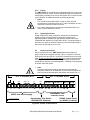
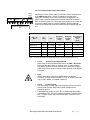
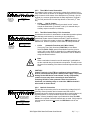
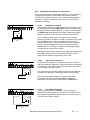
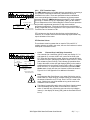
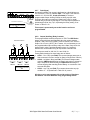
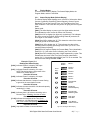
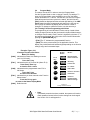
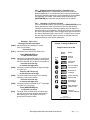
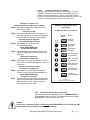
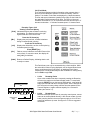
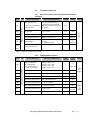
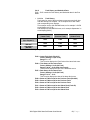
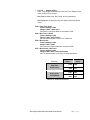
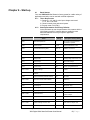
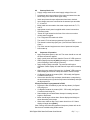
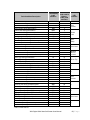
5.6.13 Fault History and Statistical Data F085 – F097 contain the Fault History and Statistical data for the Run Mode. Fault code: (See Chapter 7) Time Stamp (HH.mm) Date Stamp (MM.DD) 5.6.13.a Fault History Fault codes for each of the three latest events are stored with time and date stamps; see Chapter 7 for a complete list of fault codes and corresponding error displays. Time stamps use the 24hr HH.MM format, so for example 3:19 PM would display as [15.19] Date stamps use the MM.DD format, so for example September 3rd would display [09.03] Fault #1 (Latest Fault) Fault #2 (Previous Fault) Fault #3 (Oldest Fault) F085 F088 F091 F086 F089 F092 F087 F090 F093 Table 5.6.13.a: Fault History Configuration F085 = Latest Fault Code (Fault #1) Factory Setting = 0 (No Fault) Range = 0 – 27 This Function displays the Fault Code of the latest fault event. F086 = Time Stamp of the Latest Fault Factory Setting = 00.00 (No Fault) Range = 00.00 – 23.59 (24hr time format) This Function displays the time of the latest fault event. F087 = Date Stamp of the Latest Fault Factory Setting = 00.00 (No Fault) Range = 01.01 – 12.31 This Function displays the date of the latest fault event. F088 = Same as F085 except for the Previous Fault (Fault #2) F089 = Same as F086 except for the Previous Fault. F090 = Same as F087 except for the Previous Fault. F091 = Same as F085 except for the Oldest Fault (Fault #3) F092 = Same as F086 except for the Oldest Fault F093 = Same as F087 except for the Oldest Fault VMX Digital Solid State Soft Starter User Manual 60 | P a g e