1
page 24
Instant Replay Owner’s Manual
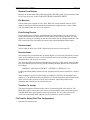
2. Use the arrow keys to select the FILE RECEIVER menu item. Press ENTER and then use the
arrows to select ON to enable receiving of files, or the OFF setting to disable receiving of
files. Press ENTER again to confirm the selection.
3. Use the arrow keys to select the ECHO DURING RECEIVE menu item. Press ENTER and
then use the arrows to select ON to echo received file data through the digital output or OFF
setting to prevent echoing of received file data. Press ENTER again to confirm the selection.
4. Use the arrow keys to select the RECEIVER INPUT menu item. Press ENTER and then use
the arrows to select either the RCA or the XLR-3 connector. Press ENTER again to confirm
the selection.
5. Use the arrow keys to select the RECEIVER NAME menu item. Press ENTER to edit the
receiver name. The name can be blank to receive all file transfers or can have from 1 to 15
characters consisting of any combination of letters, digits, dashes and spaces. Leading and
trailing spaces are not significant and are removed when the name is saved. Press ENTER to
confirm the selection.
6. Use the arrow keys to select the TRANSFERS TO ACCEPT menu item. Press ENTER and
then use the arrows to select the appropriate setting:
•
MAIL BOX ONLY - when only mail box transfers are to be allowed.
•
ALL - when mail box transfers and transfers to specific locations are to be allowed.
Press ENTER again to confirm the selection.
7. Press CANCEL or MENU to exit from the File Transfer Menu.
The machine is now configured, and is ready to be connected to D-NET.
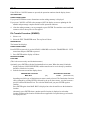
Backup Drive
1. From the FILE TRANSFER menu select BACKUP DRIVE and press ENTER.
2. The MENU button begins to flash and the display shows:
START BACKUP DEVICE
PRESS ENTER/CANCEL
3. Place the DAT machine in record (via its AES/EBU digital input) and press ENTER. (Or
CANCEL to prevent starting the backup). The display shows:
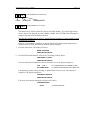
PREPARING TO BACKUP
STOP/CANCEL TO QUIT
Backup begins and the display shows the current file number and the percent completion for
the current file:
FILE
1 OF 193
00% BACKED UP
Backup will proceed until all files are backed up, and the display will show the total number
of files.
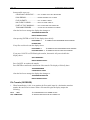
If STOP or CANCEL is pressed during backup the display changes to:
QUIT BACKUP?
PRESS ENTER/CANCEL
Press ENTER to stop backup. An ending summary will be displayed.
Press CANCEL or STOP and the backup will continue.