1
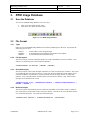
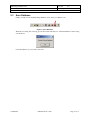
RFID Image Database Tool User's Guide Document ID: DTUG 2. Input Data 2.1 File Format Version: 4.0 Date: April 25, 2002 The input data file is a tabbed delimited text file, a format easily exported from Microsoft Excel and other applications. It is important though, that the first record contains the names of the columns. 2.2 Open the Input Data File You can load the input data file one of two ways: • • Click “Open Data” under the File menu Click on the open data icon on the toolbar Figure 2-1 Open Input Data File Once a data file has been loaded the Open Input Data File icon will turn green. Only one data file can be used at a time. To load a new data file, just click on the icon or menu item again. You do not have to close and reopen the program. Confidential Metalcraft, Inc., 2002 Page 8 of 13