Transcript
Administration set loading, IUI inspection
and Alaris System cleaning instructions
®
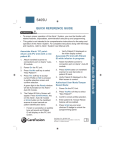
Administration set loading instructions
IUI inspection
When loading the administration set:
Inspect inter-unit interface (IUI) connectors on each Alaris PC
unit and on each module prior to every use.
1. Hold upper fitment above fitment recess and
lower into recess.
2. Press safety clamp fitment into recess in the
Alaris® Pump module.
IUI
connector
3. Firmly press tubing into the air-in-line sensor.
4. Verify that the administration set is free from
kinks/twists and correctly installed.
4 5°
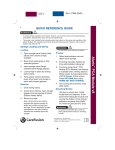
Alaris System cleaning instructions
Do
Do not
• Before cleaning turn the instrument off and unplug
the power cord from the AC power source.
• Do not spray fluids directly onto the instrument or into
rear case of the instrument.
• Keep instrument upright and do not allow any part of
instrument to become saturated with or submersed in
fluid during cleaning operation.
• Do not apply cleaning solution into the metal pins of the
IUI connectors.
• Use a soft cloth dampened with warm water and
a mild nonabrasive cleaning solution* to clean all
exposed surfaces. For sanitizing or antibacterial
treatment, use 10% bleach solution and water.
• Use a soft cloth dampened with water to rinse off
cleaning solution.
• Allow devices to dry before attaching modules.
– Dry time is dependent on temperature,
humidity and ventilation of the area.
*Note: Please consult cleaning solution manufacturer for dilution.
• Do not use hard or pointed objects to clean any part of
the instrument. A soft-bristled brush may be used to clean
hard-to-reach and narrow areas.
• Do not use compressed air to dry the instrument; this
could force fluid into the instrument.
• Do not steam autoclave, EtO2 sterilize, immerse the
instrument in fluids or allow fluids to enter the
instrument case.
• Do not allow solutions to collect on the instrument.
Residue build-up might cause the moving parts to
become sticky and hinder their operation over time.
Cautions:
• All recommended solutions must be diluted per the manufacturer’s recommendation.
• Any dropped or damaged instruments should be sent to the biomedical engineering department.
• This tip sheet is not intended to be comprehensive instructions for cleaning of the Alaris System. It reinforces
points only. For complete instructions, warnings and cautions refer to the Alaris System’s User Manual.
Warning: Failure to follow these instructions may result in an electrical hazard and/or may damage the instrument.
CareFusion Australia
CareFusion New Zealand
Unit 3, 167 Prospect Highway
Seven Hills, NSW 2147
14B George Bourke Drive
Mt Wellington, Auckland 1060
Ph: 1300 729 258
Ph: 0508 422 734
© 2011 CareFusion Corporation or one of its subsidiaries. All rights reserved. Alaris is a trademark or
registered trademark of CareFusion Corporation or one of its subsidiaries. IF0568-01 (0411/QTY) ANZ Lit No: AL097/Sep11/v1
carefusion.com