1
User’s Manual · PVR ST180
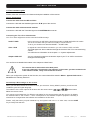
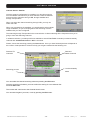
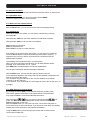
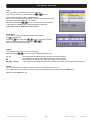
Edit / Add Frequency
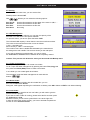
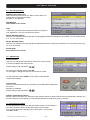
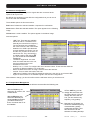
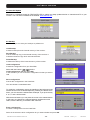
With the Green button Edit you can modify one frequency,
and with the Yellow button Add you can add one new frequency .
The use of Add and Edit is the same.
Please input here the middle frequency of one carrier.
Example:
CH 26 is from 510 up to 518 MHz
The correct frequency is 514MHz
In the line BW you have to select the bandwidth for this frequency.
Normally is in VHF band 7MHz, and in UHF 8MHz.
If everything is done, press OK button.
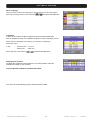
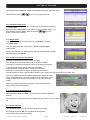
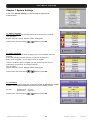
Skip Frequency
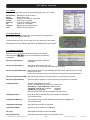
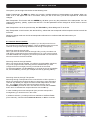
With this function it is possible to skip one frequency in the channels searching process.
The marked frequencies will not be checked when new channels are searched, so make sure before marking these
channels.
and
For marking the frequencies, select it with the buttons
You can mark more than one frequency.
and then press the Blue button Skip.
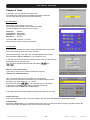
9.7. Channel Search: Terrestrial
This receiver has no pre programmed terrestrial channel list, because DVB-T
configuration changes in every different area.
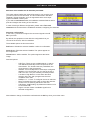
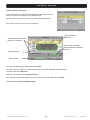
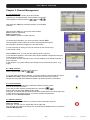
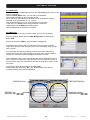
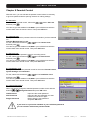
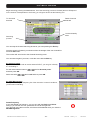
Start the channel searching process by pressing the Green Button.
The receiver searches now in all TV frequencies.
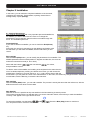
Radio Channels
detected
Channels which the receiver
has found, currently 11
Signal Power and Quality
meter related to the selected
frequency
Current channel
Search status
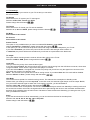
You may stop searching by pressing the button Exit .
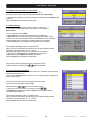
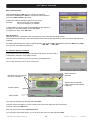
Once the search is finished, you must confirm if the new found channels have to be stored.
Press for confirm the OK-button.
Now you come back to menu Channel Search.
You can start a new search again, or you can close the menu now with the button Exit .
Reserved of technical modifications and/or errors
- 38 -
PVR ST180
Version en_1.0
FTE maximal