1
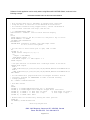
Software for this application can be easily written using Microsoft® MS-DOS Qbasic, as shown in the
following example:
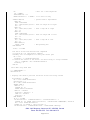
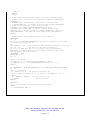
PROGRAM LISTING FOR THE APPLICATION EXAMPLE
'
'
'
'
This program shows how to implement an stepper motor controller
using the built in functions on the WiZ232-A microcontroller.
For further references using stepper motors, consult the WiZ232-A
user’s manual available from http://www.rmv.com
' *** PROGRAM BEGINS HERE ***
CONST ZeroPos = 8388608 ' used for Shaft Position display
CLS
Start:
PRINT "Apply power to the M2 (or reset it) and press a key to start"
WHILE INKEY$ = "": WEND
ON ERROR GOTO ResumeError
ResumeError:
RESUME NEXT 'Otherwise, holding a key down might result
'in an I/O error from QBasic
' Let the user to select which port to open, COM1 or COM2
DO
LOCATE 10, 10
PRINT "Select COM port (1) (2): ";
DO
comport = VAL(INKEY$)
LOOP WHILE comport = 0
LOOP WHILE comport <> 1 AND comport <> 2
PRINT comport
' Now open COM Port as selected with a 2048-byte buffer in Tx and Rx
SELECT CASE comport
CASE 1
OPEN "COM1:9600,N,8,1,CD0,CS0,DS0,OP0,RS,TB2048,RB2048" FOR RANDOM AS #1
CASE 2
OPEN "COM2:9600,N,8,1,CD0,CS0,DS0,OP0,RS,TB2048,RB2048" FOR RANDOM AS #1
END SELECT
' Set the WiZ232-A in program mode with <C>onfigure <R>esults <A>SCII
' <P>rogram, required for READSERIAL in order to decode incoming
' strings properly.
W$ = "CRAP": GOSUB WriteSerial
' Show Main Screen
CLS
PRINT
LOCATE 5, 5: PRINT "RMV Electronics Inc.-*- M2 Engine"
LOCATE 6, 5: PRINT "Application Example: Stepper Motor Controller"
LOCATE 10, 5: PRINT " L: Move Left 100 steps
R: Move Right 100 steps,"
LOCATE 11, 5: PRINT " l: Move left 1 step
r: move rigth 1 step"
LOCATE 12, 5: PRINT "Esc: Exit"
' Enable timer for automatically showing the shaft position
TIMER ON
ON TIMER(1) GOSUB ShowPosition
DO
' Main Loop begins here
#300 - 3665 Kingsway, Vancouver, BC, V5M 5W2, Canada
Phone: 604-299-5173 Fax: 604-299-5174
Page 6 of 11