1
PPS OVERVIEW
Viewing CICS PAN Notifications (INBX)
In order to view a PAN, you must select it from your list of
incoming notifications. This is a two step process: first, you must
view a summary list of your incoming notifications; second, you
select the notification to be viewed.
INCOMING NOTIFICATIONS SCREEN.
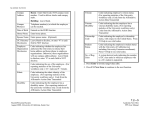
System
Abbreviation indicating the Subsystem where
the notification originated. (PPP is the
abbreviation for the Payroll/Personnel Online
System.)
Tran
The function code of the screen or bundle on
which data was changed.
Prepared By
The name of the preparer who updated the
employee record.
Date
The date the update took place.
Comments
Indication (Yes or No) of whether the
notification includes comments typed by the
user.
Summary
Description of the screen or bundle on which the
data was changed.
Name
The name of the Employee whose record was
updated.
Step 2: Notification Selection
To select the specific notification you want to review:
Procedure
Step 1: Summary List
To view a summary list of your incoming notifications:
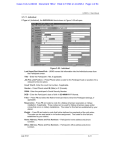
Type INBX in the NextFunc field. Press Enter. A summary list
of your incoming PANs is displayed on the Incoming
Notifications screen.
For each incoming notification, this screen lists the following
summary information:
1. On the Incoming Notifications screen, tab to the notification
you want to view. Type S. Press Enter. If you have more
than one page of notification summaries, you may use F7
Backward and F8 Forward to scroll through the list.
2. To scroll through each page of the notification, use the F8
Forward key. To return to a previous page, use the F7
Backward key.
3. When you finish reviewing the notification, press F3 Return
to return to the Incoming Notification screen. The notification
you just viewed will be a different color or brightness,
depending on your terminal emulation, and will have an
asterisk (*) in the field to its left.
1.8—12
Payroll/Personnel System
May 2003, University of California, Santa Cruz
PAN Overview
PPS User Manual