1
PPS OVERVIEW
4. You can select another notification for review, or you can
return to the PostAuth Notify Function Code Menu by
pressing F3 Prev Menu.
How to Read a CICS PAN
PANs provide some background information about the employee,
most of the changed data elements and additional comments from
the preparer about the action.
•
The PAN is divided into five sections. (See subsection The
PAN Structure, above.)
•
Changes are highlighted with new information on the top and
old or changed information in brackets (< >) below. Changes
in the “Appointment and Distribution Information” section are
also highlighed by a plus (+) to the left of the line which
contains new data and a minus (-) immediately below it to the
left of the line which contains the old or changed data.
•
The new information is displayed above the old data.
•
The word “None” in brackets (<NONE>) indicates that the
information in the line above is new information and the field
previously contained no data.
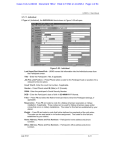
The following PAN example illustrates some of the key elements
to review:
SAMPLE (ANNOTATED) PAN FOR AN ADDITIONAL EMPLOYMENT ACTION
FOR A WORK-STUDY STUDENT:
UCIARV0-I0863
SCT PostAuth Notify
Activity Review
03/17/03 11:13:48
Userid: SCPPSJAG
Page 01 of 04
App: PPP Tran: ADDL Userid: SCTRN44 Date: 03/18/97 Time: 10:18:17
*****************************
Top ******************************
Section
Indicator
-------------------------Employee and Preparer Information -----------------------Employee: HARD TEST WORKING
Preparer: TRAINING USER
ID: 440000911
Phone: ( ) 459-5541
Action: 13-Additional Employment
Email: [email protected]
----------------------------------------- Comments -----------------------------------------Comments
added by the Preparer
Preparer: SCTRN44
Removed Alternate Home Department access & Updated address
1.8—13
Payroll/Personnel System
May 2003, University of California, Santa Cruz
PAN Overview
PPS User Manual