1
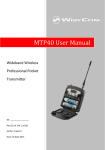
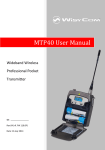
MTP41 User Manual Rev.01 SAFETY INSTRUCTION Read this safety instruction and the manual first Follow all instructions and information. Do not lose this manual. Do not use this apparatus under the rain or near the water. Do not install the apparatus near heaters or in hot environments, do not use outside the operating temperature range. Do not open the apparatus, only qualified service technician are enabled to operate on it. The apparatus needs servicing when it is not properly working or is damaged by liquids, moisture or other objects are fallen in the apparatus. Use only accessories or replacement parts authorized or specified by the manufacturer. Clean the apparatus only with dry cloths, do not use liquids. Report the serial number and the purchasing date in front of the manual. It is needed to have proper replacement parts or accessories from the manufacturer. When replacement parts are needed, use only replacement parts authorized from the manufacturer. Substitution with not authorized parts could result in electric shock, hazards or fire. Keep attention on all the labels with warnings or hazards on the apparatus. MTP41 TRANSMITTER FEATURES Led indications Led indication with bi-colour led (red & green) on front ❷: - Wireless transmission status: green when RF transmission power is on. Battery status: green steady, slowly blinking (< 25%), quickly blinking (<12%). Modulation peak (if activated): red. PTT status: red if active (push to talk “pushed”). Batteries MTP41 is working with 1 AA alkaline or NiMH or Lithium battery (select correct type on setup controls). Battery status can be checked on internal OLED display or looking to LED status on front ❷. BATTERY SUBSTITUTION Open transmitter cover and insert the battery following polarity indicated. 3