1
Table of Contents
Chapter I Product Introduction .................................................................................. 4 1-1 Package Contents ........................................................................................ 4 1-2 Safety Instructions ........................................................................................ 5 1-3 System Requirements ................................................................................. 7 1-4 Highlights of this Wireless Projector Server ............................................. 8 1-5 Familiar with Wireless Projector Server / Remote Controller ................ 9 1-6 Install Wireless Projector Server .............................................................. 16 Chapter II Using Projector Server........................................................................... 19 2-1 Switch the Projector Server On and Check IP address ....................... 19 2-2 Connect to Projector Server by Wireless Ethernet ............................... 21 2-3 Set the IP address of the Computer ........................................................ 22
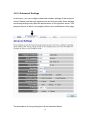
2-3-1 Windows 2000 IP address setup: ........................................ 23 2-3-2 Windows XP IP address setup: ........................................... 23 2-3-3 Windows Vista IP address setup: ....................................... 25 2-4 Download and Install Client Software ..................................................... 28 2-5 Launch Client Software ............................................................................. 30 2-6 Using Client Software ................................................................................ 35 2-6-1 Projector Server ................................................................... 35 2-6-2 On-Screen Keyboard............................................................ 38 2-6-3 About ..................................................................................... 38 2-6-4 Exit......................................................................................... 39 2-7 Using Remote Controller ........................................................................... 39 2-8 Select User .................................................................................................. 40 2-8-1 ‘User Switch’ Button ............................................................ 40 2-8-2 Use Remote Controller ........................................................ 42 Chapter III Configure Projector Server .................................................................. 43 3-1 Connect to Web Configuration Menu ...................................................... 43 3-2 Utility Download .......................................................................................... 46 3-3 Basic Setting ............................................................................................... 47 3-3-1 Password .............................................................................. 48 3-4 Network Setting .......................................................................................... 50 3-5 Wireless Setting .......................................................................................... 52 3-5-1 ‘Basic’ Settings ..................................................................... 53 3-5-2 ‘Advanced’ Settings ............................................................. 56 3-5-3 ‘Security’ Settings ................................................................ 59 2