1
FUNCTION
FUNCTION OPERATIONS
OPERATION
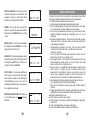
This unit contains the following special functions, press the DEL
button twice to enter the setting mode and press s or t button to
select one. The setting sequence is PHONE BOOK - LCD CONTRAST SET TIME - SET LANGUAGE - SET AREA& LDS - SET FLASH - HOUR
FORMAT- DATE FORMAT. Press the DIAL button to confirm or press the
DEL to exit.
1. PHONE BOOK
a. To add number and name to the phone book
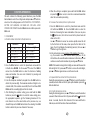
Key
1
Characters
1.
-"
()
Key
6
Characters
MNOmno6OON
2
A B Cabc2 A A E
7
P Q R S pqrs7
3
4
5
D E Fdef3
G H Ighi4
J K Ljkl5
8
T U V tuv8 U
9
0
W X Y Zwxyz9
0 + & @/$%
1. Press the DIAL button to select the phonebook menu and the
LCD will show: REVIEW >>. Press s or t to select the ADD >>
menu. Press the DIAL button to enter the function of adding
name and number. (You can enter it directly by pressing and
holding the
button.)
2. Enter the telephone number by keypad. Press the DEL button to
delete the previous digit. The maximum number of digits to be
entered is 20, if the number exceeds 20, the LCD will show TOO
LONG and the exceeding digits will not be stored.
3. After finishing the number setting, press and hold the DIAL
button (or press the
button) to enter the name setting, press
the appropriate keypad to get the following characters. If the
next character is on the same button as the previous one, you
should first press the DIAL button before the entering. Press DEL
button to delete the previous character if necessary.
7
4. When the setting is completed, press and hold the DIAL button
(or press the
button once) to store the records and meanwhile
enter the next number presetting.
b. To review the number/name in phone book
1. Press the DIAL button to select the phonebook menu and the
LCD will show REVIEW >>. Press the DIAL button to enter the
function of reviewing the name and number. (Also you can press
the
button once, then the last record in the phone book will
show on the LCD.)
Use s or t button to review. You can also quickly review the call
by the first letter of the name, when press the first letter of the
name, the LCD will display the matching name(s), then use s or
t button to get the right one.
2. In the on-hook state, press sequence of the number+# to review.
e.g.: If you want to review the seventh number, just press 7#, the
LCD will show the seventh number and name. In this state, you can
continue review the other numbers by pressing s or t button.
NOTE: If the number is longer than 13 digits, an arrow will show on the
bottom right of LCD, press s or t button to review the other digits,
press s or t button again to move on to the next record.
c. To speed dial the number from the phone book
During the reviewing process, use s or t button to select the number
you want, when it shows on the LCD, pick up the handset or press the
button to dial it out.
d. To modify phone book name
During the reviewing process, use s or t button to select the number
you want. When it shows on the LCD, press and hold the
button for
about 3 seconds, then the first character of the name will flash to
indicate you enter the function of name modification.
8