1
Alpha Lambda Delta
6
My Honor Society User’s Manual
Edit your chapter’s profile
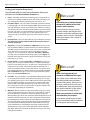
One of the first things you will want to do after logging
in is to check your Chapter Profile for accuracy.
While every effort has been made to ensure the integrity of the data transferred into this new system, errors
do occur. You will note that there are some pieces of
information that you are allowed to edit, some you can
edit that prompt a notification to the National Office
staff, and some you are not allowed to modify. The
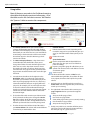
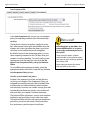
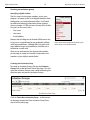
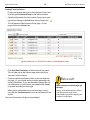
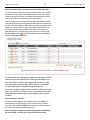
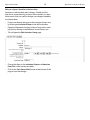
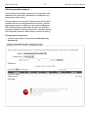
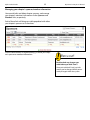
Chapter Profile page is composed of six tabs: the General tab, the Extended tab, the Contact tab, the Sponsors tab, the Officers tab, and the Late Acceptance tab.
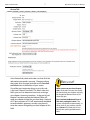
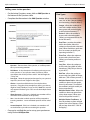
• General - In this tab, you’ll set your chapter’s basic
information, including which of your sponsors is the
primary sponsor, your local dues, your chapter’s and
your school’s website, and payment information.
• Extended - This tab contains information recorded
and maintained by the National Office. Do not
make changes on the Extended tab unless asked
to by National ALD.
• Contact - In this tab, you’ll set telephone numbers
and addresses for the chapter. Note: your contact
information is saved in a different place (see pg. 11)
- this area is for general chapter contact information.
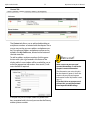
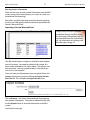
• Sponsors - In this tab, you’ll manage the sponsors
for the chapter, and adding new sponsors when
they come on board.
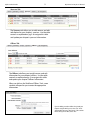
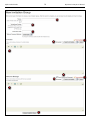
• Officers - In this tab, you’ll manage your chapter’s
officers and update the officer roster for your chapter.
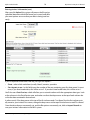
• Late Acceptance - In this tab, you’ll set your chapter’s policies for accepting students’ memberships
after your chapter’s invitation deadline.
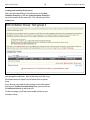
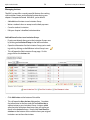
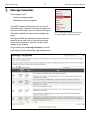
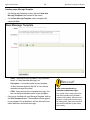
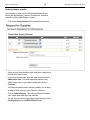
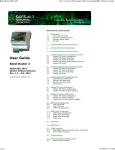
These are the tabs presented to you in the “Chapter Profile” area
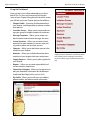
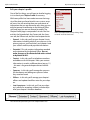
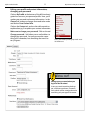
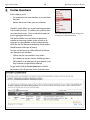
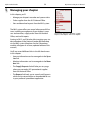
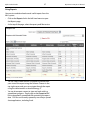
Access the Chapter Profile area by clicking “Chapter Profile” in the left-hand menu