1
May 31, 2012
US 2012/0137254 A1
relating to identi?ed items de?ning a communication context
(e. g., determined location, determined communicator name,
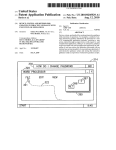
[0052] With reference noW to FIG. 2, there is illustrated a
?rst exemplary embodiment of a graphical user interface area
200 With a plurality of display elements in accordance With
etc.)
In some embodiments, local and/ or online databases
aspects of the presently disclosed technology. As may be
may be con?gured With predetermined or adaptable links
among associated vocabulary elements to readily assist With
the suggestion of communicator-speci?c message and/or
seen, graphical user interface area 200 may correspond to an
initial interface area as presented upon poWer up of an AAC
location-speci?c message items. When links are adaptable, a
user can link Words for future presentation When in a given
Upon poWer up, graphical user interface area 200 provides a
communication context is determined. When speech output
NET, MUSIC, PICTURES, CALENDAR, GAMES, etc.,
and/ or location information is recorded in conjunction With a
and, in accordance With the present subject matter, a CON
TEXT selection button 202. Upon touching the CONTEXT
[0048]
communication context, vocabulary identi?ed from the
speech and/or location can be linked to the communication
context. For example, if location information helps identify as
part of the determined communication context that the user is
in Asheville, NC, then linked location-speci?c vocabulary
elements might include Asheville, North Carolina, Blue
device constructed in accordance With present technology.
number of selection item buttons including EMAIL, INTER
selection button 202, graphical user interface area 200 is
changed to display a CONTEXT graphical user interface area
300.
[0053] With reference to FIG. 3, there is illustrated a second
exemplary embodiment of a graphical user interface area 300
Ridge Parkway, Biltmore House, French Broad River and the
like. Having these location-speci?c message items readily at
With a plurality of display elements in accordance With
hand can facilitate a user’s communication regarding his
determined location. In another example, if a communicator
larly, graphical user interface area 300 provides an enlarged
is determined to be a user’s acquaintance Tommy and speech
output While Within that communication context frequently
references a dog named Spike and certain items related to the
presentation from Which vocabulary may be extracted in
aspects of the presently disclosed technology. More particu
screen area 302 on Which may be vieWed a live or recorded
accordance With present technology. Exemplary operational
presented as suggested message items to a user. In this fash
ion, While in a given communication context, some or all
selection buttons are provided to, for example, select from
buttons for a GPS 304, COMPASS 306, GEOLOCATION
308, AUDIO VIDEO INPUT 310, LIVE VIEW 312, and to
activate or disable the context-aWare vocabulary process via
CONTEXT AWARE ON/OFF 302. As is evident from an
speech output and softWare navigation locations can be
recorded and used to determine suggested language When
also available and provide other relevant operational options.
game of golf, then keyWords from such speech (e.g., “dog,”
“Spike,” “golf”) With optional symbols or pictures may be
inspection of FIG. 3, a number of other exemplary options are
next in the same communication context.
Those of ordinary skill in the art Will appreciate that other or
[0049] Once particular message items (e. g., Words,
phrases, symbols, pictures, and other language items) are
additional options may also be provided.
identi?ed for suggestion to a user, such message items may be
provided as output to a user. More particularly, such items
may be displayed on a screen associated With theAAC device,
preferably in an array of selectable items. In one example, a
scrollable, selectable format can be used on a display screen
for suggested message items. Additional aspects of hoW
exemplary language suggestions 124 may be presented to an
ACC device user Will be explained more fully later With
respect to FIG. 4.
[0050]
It should be appreciated at this point that While the
present exemplary embodiments are described in terms of a
present context, the present technology may be equally Well
applied to past contexts that may be contained Within the
communication context data structure 120 and may, for
example, become part of a searched database from Which
vocabulary suggestions may be offered to an AAC device
user. For example, the AAC device user may have previously
visited some other famous home so that vocabulary sugges
tions relative to that previous visit may be presented, possibly
based on optional settings selected by user speci?cations 114.
[0054] Selection of button 310 for and AUDIO VIDEO
INPUT Will enable inputs from a peripheral device, e. g.,
peripheral device 507 illustrated in FIG. 5, as Will be further
discussed later. Alternatively, selection of button 312 for
LIVE VIEW, may activate camera 519 and/or microphone
508, also shoWn in FIG. 5.
[0055] Upon selection of button 302 to activate the context
aWare process, a third exemplary embodiment of a graphical
user interface area 400 With a plurality of display elements in
accordance With aspects of the presently disclosed technol
ogy Will be presented to the AAC device user.
[0056] Upon selection of DISPLAY CONTEXT VOCAB
button 406, a number of Words, phrases, symbols and/ or other
message items may appear on SUGGESTED VOCABU
LARY area 404 corresponding to suggestions based on data
contained in communication context data structure 111 (FIG.
1A). Generally these Words and phrases Will correspond to
Words and phrases not normally included in an AAC device
user’s MY WORDS 410 or MY PHRASES 412 selection
areas or in some other static vocabulary source initialiZed by
[0051] The present technology also may be equally applied
the AAC device. Although not presently illustrated in FIG. 4,
the Words or phrases displayed in the SUGGESTED
in other context-aWare situations such as ?le or document
VOCABULARY area 404 may additionally or alternatively
management. For example, static or interactive ?les or docu
ments may include elements susceptible of association With a
be shoWn With associated symbols. By providing the sug
present or past context. Exemplary elements may include, but
are not limited to, graphic, audio, video, multi-media, Word
processing, database, or other ?les, documents, or elements
Within such items. Such provision is Well Within the scope of
the present technology and is Well suited to situations Where
an AAC device user Would Wish to discuss a related visit or a
planned future visit to a neW location.
gested Words and phrases, an AAC device user’s communi
cation capabilities are signi?cantly enhanced When commu
nicating With other individuals regarding the experienced
presentation.
[0057]
It is noted that the AAC device user does retain the
option of selecting a KEYBOARD input 408 through Which
she may type any desired Word or phrase. It should be appre
ciated that upon selection of any of the buttons 406, 408, 410,