1
Switch Menu
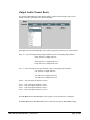
The 5000-AVD contains two programmable switches that can be used to switch the video, audio or both signals to
avoid objectionable material. Switch 1 and Switch 2 can be externally controlled by BNC connectors GPI-1 and GPI-2.
A closure to ground on either BNC will activate the corresponding switch.
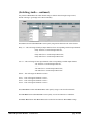
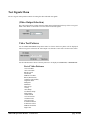
Censor Switch Configuration
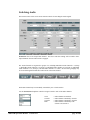
The top section of the Switch menu contains controls for configuring Switch 1 and Switch 2.
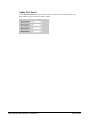
The Enable check boxes allow the GPI input BNCs to externally control Switches 1 and 2.
When Switch 1 Enable is checked, then a closure to ground on the GPI-1 BNC will activate Switch 1.
When Switch 2 Enable is checked, then a closure to ground on the GPI-2 BNC will activate Switch 2.
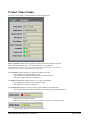
The Mode dropdown controls configure how each switch behaves.
In Instant mode, the switch activates simultaneously with the GPI closure
(Delay – Reaction Time is ignored).
In Delayed mode, the activation of the switch is delayed by the programmed Audio/Video
Delay time (see Delay & System menu). This allows the switch to activate in time with the
delayed Audio/Video output.
In this mode the Delay – Reaction Time control is used to advance the start time of the
switch activation. This feature is used to compensate for human response time in recognizing
an objectionable incident. The Reaction Time has a range of 0 to 3 seconds in 0.1 second
steps.
The Delayed mode is designed for censoring applications where profanity and other
objectionable material must be removed. In this mode, the operator monitors the input source
(non-delayed). When an incident occurs the operator immediately engages a GPI-switch and
holds the GPI-switch until the incident has passed. Since the operator may not recognize the
incident until after it has occurred, a reaction time is programmed to compensate for this.
When viewing the delayed A/V outputs, the main program will switch away to some other
―safe‖ material before the offending incident occurs and will switch back to the main
program after the incident is over.
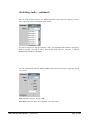
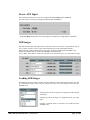
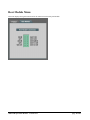
The PREVIEW buttons can be used to test each Switch’s configuration, instead of using the GPI.
PREVIEW ON engages the Switch as if the GPI port has a closure to ground.
PREVIEW OFF releases the Switch as if the GPI port is open.
5000-AVD Operations Manual – Version 2.0.0
page 21 of 48