1
Save Profile 4-24
Select Printer, Windows 2-7
Send Calibration 3-23
Send Profile 4-25
Help Text
Macintosh 2-4
Windows 2-8
how to use 3-2
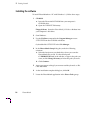
installing
Macintosh 2-2
Windows 2-5
locating the software
Macintosh 2-1
Windows 2-5
menu bar
Macintosh 2-3
Windows 2-7
on-line tutorial 1-3
reference card, Gray Balance 3-7
software files 5-3
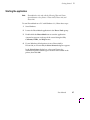
starting the application
Macintosh 2-3
Windows 2-7
User Mode 2-10
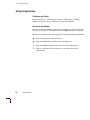
using the application
Macintosh 2-4
Windows 2-8
when to use 3-1
PHSRMTCH, Windows 2-6
printer drivers, selecting edited or modified
profiles 4-22
prints, test
Calibration Curves 3-19
Densitometry 4-13
Dot Gain 4-6
errors 5-1
Gray Balance 3-4
Gray Linearity 3-11
Paper Color 4-16
Profile Curves 4-11
target values 5-4, 5-7
Profile Curves
command overview 4-2
dialog box 4-9
selecting preferences 4-29
test print 4-11
using 4-8
Profile Preferences dialog box 4-29
profiles
Densitometry
overview 4-2
using 4-12
Dot Gain
overview 4-2
using 4-4
overview 1-2, 4-1
Paper Color
Add Paper Color 4-17
Delete Paper Color 4-21
Modify Paper Color 4-19
overview 4-2
using 4-15
preferences 4-29
Profile Curves
overview 4-2
using 4-8
using edited profiles in driver 4-22
User Manual
Index-3