1
CLICK Pro User Manual
4.10.3 – Copy to copy
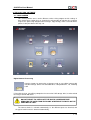
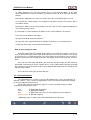
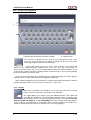
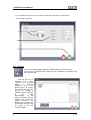
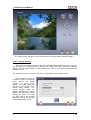
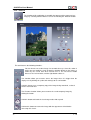
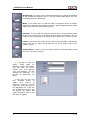
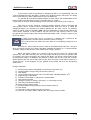
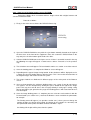
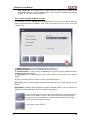
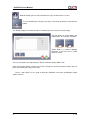
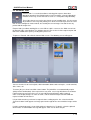
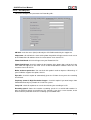
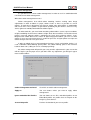
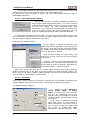
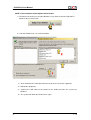
On this screen you will select the scanner type for each mode, be it flatbed scanner or
35mm/slides. It also lists all the scanners installed on the system.
To the right of the box of the flatbed scanner and the film scanner selected you can also
check whether you wish to work with it in Advanced Mode (see section 4.7.1.2). It’s also
possible to set the path where the .exe file of the scanner is. For some scanners it’s better
to work directly with its own .exe file, instead of work through TWAIN protocol. Remember
also that when the images are scanned they must be saved into work directory (or new
directory inside work directory) to be retrieved from CLICK Pro.
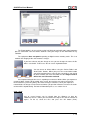
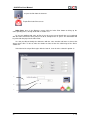
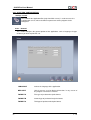
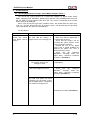
Flatbed scanner
Type of Scanner selected for flatbed scanner.
Advanced Mode
CLICK Pro works with the device manufacturer'
s own
TWAIN interface and .exe file, also.
Scanner 35mm/Slides
Type of Scanner selected for slides or films.
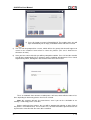
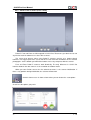
TWAIN drivers
List of scanners installed on the system.
IMPORTANT: this list will be automatically updated depending on the drivers (TWAIN)
installed on the system.
To add a new Scanner simply install its drivers (have them installed by duly authorised
personnel) and the CLICK Pro system will detect it automatically and display it in the
list.
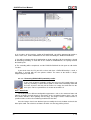
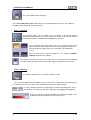
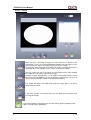
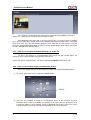
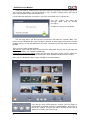
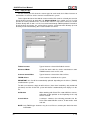
Calibration
When working with Prime Film 1800 LAB film scanner,
calibration of film position at the beginning of the strip
can be selected.
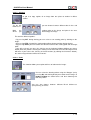
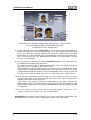
Scratch Clean
It activates software dust cleaning procedure for the
Prime Film 1800 LAB film scanner, in two modes: hard
and soft.
NOTE: Only TWAIN type Scanners may be used. Please, contact your dealer for more
information.
v. 1.0