1
CLICK Pro User Manual
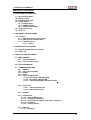
CONTENTS OF THE MANUAL
1 – FUNCTIONAL DESCRIPTION
1.1 – General Description
1.2 – Product target
1.3 – Handling the system
1.4 – Image capture
1.4.1 – Digital inputs
1.4.2 – Supported Files
1.4.3 – Paper and film inputs
1.5 – Image processing
1.6 – Print out
2 – TECHNICAL SPECIFICATIONS
2.1 – Scanner
2.1.1 – Approved and Tested Scanners
2.1.2 – Film Scanner for Index Print.
2.1.3 – Flatbed scanner
2.1.3.1 – Others
3 –STARTING UP THE SYSTEM
3.1 – Initializing equipment and software
3.2 – Power–off
4 – THE CLICK PRO SOFTWARE
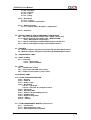
4.1 – MAIN SCREEN
4.1.1 – Common buttons
4.1.2 – The Selection Screen
4.2 – APPLICATION BAR
4.3 – COMMON FUNCTIONS
4.3.1 – Browser
4.3.2 – On–screen keyboard
4.3.3 – Export
4.3.4 – Print
4.3.5 – Recording DVD/ CDs
4.3.5.1 – Recording a PhotoClickCD
4.3.5.2 – Recording a BackUp CD
4.3.5.3 – Formatting CD-RW (rewritable) media.
4.3.6 – Index Print
4.3.6.1 – Film Strip Index Print
4.3.6.2 – General Index Print
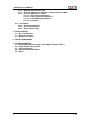
4.3.7 – Explorer
4.3.8 – Adjustments
4.3.8.1 – General Adjustment
4.3.8.2 – Histogram Adjustment
4.3.8.3 – Sepia, Black and White, Auto Color, Sharpness
4.3.8.4 – Sharpness
4.3.8.5 – Saving changes
4.3.9 – Retouch
4.3.9.1 – Cropping
v. 1.0