1
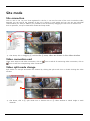
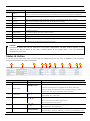
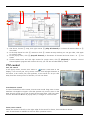
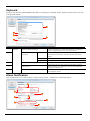
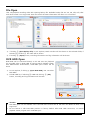
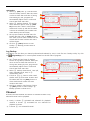
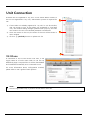
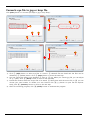
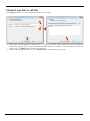
protection, ③ password window appears and after the password authentication, you can move to the
next step. You can decide the converting interval and whether to include audio. Decide the interval ④
and decide the channel and audio ⑤. After the selection, move to the next step by clicking ⑥ [Next].
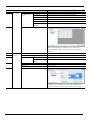
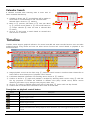
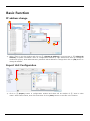
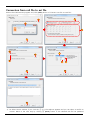
2) You can select avi compression method and quality at Setting avi condition window. Select the
compression Type ⑦, Bitrate ⑧, Quality ⑨. Note that compression bitrate and quality can be changed
only when compression type was selected as XVID. Click [Next] button and move to the next step.
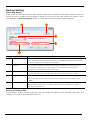
3) At Destination Folder window, decide the place where the converted file to be saved. Same folder with
original file ⑪ or you may select a folder. To select a folder, click ⑬ […] button to open the file explorer.
After decision the folder, click ⑭ [Convert!] button to start file conversion.
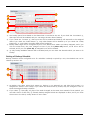
4) After confirmed the 100% of converting, click ⑮ [Finish] button to close the window.
69