1
Command Line Protocol (CLP)
<options>
Command options modify the action or the behavior of a verb. Options
can immediately follow the verb in a command line and must always be
introduced by a dash ("-").
Options allow you to, for instance,
– define the output format,
– permit recursive execution of a command,
– display the version of a command or
– request help.
<target>
<target> specifies the address or the path of the object to be manipulated
by the command, i.e. the target of the command. This can be a single
managed element such as a hard disk, a network adapter (Network
Interface Card, NIC), or the management program (Management
Assistance Program, MAP) itself. Targets can, however, also be services
such as a transport service.
Several managed elements which can be managed by the management
program can be subsumed under a single <target>, for instance the
entire system.
Only one <target> may be specified for each command.
<properties>
<properties> describe the properties of the target of the command which
are required to execute the command. Thus, <properties> identify the
properties of the target’s class that are to be retrieved or modified by the
command.
User data in the CLP (overview)
Data within the CLP is structured hierarchically. The command cd allows you to
navigate within this structure.
Hierarchy of the CLP commands
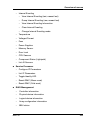
An overview of the CLP command hierarchy is shown in table 23 on page 385.
384
iRMC S4