1
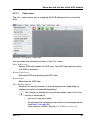
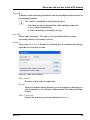
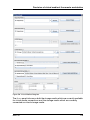
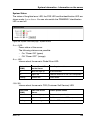
Network Settings - Configure the LAN parameters IPMI over LAN “IPMI-over-LAN” is the specification of the LAN interface in the IPMI standard. This specification stipulates how IPMI messages can be sent to or from the iRMC - encapsuCIM lated in RMCP (Remote Management Control Protocol) data packets. These RMCP data packets are transferred via an Ethernet LAN connection using UDP under IPv4 or IPv6. RCMP supports the management of system statuses in systems without running operating system. The interface for such a connection is provided on the integrated LAN controller of the iRMC. IPMI over LAN enabled This option is enabled by default. Allows you to disable the IPMI over LAN feature. CIM The Common Information Model (CIM) is a standardized, hierarchical, objectoriented data model which ensures a uniform representation of the managed resources. CIM enabled This option is enabled by default. Allows you to disable the CIM protocol. Ê Click Apply to store the configured settings. iRMC S4 261