1
Introduction
The level of detail needed when entering data into pharOS means that the information available is very comprehensive.
Reports can be as simple or complex as necessary. This manual gives the user the tools to interrogate the database and
save commonly-used Queries.
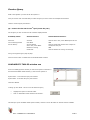
Types of Report:
There are 3 levels of reporting within pharOS.
Reporting Windows
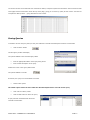
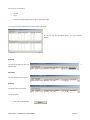
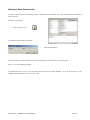
There are standard windows which provide reports to be run with little or no user intervention. At the most basic level a
reporting window would load, for example, all personnel who are due for a medical.
Most windows however will allow for search criteria to be entered in order to restrict the results. These generally include a
date range, and may include options to restrict location, rank, post type (ie Whole Time, Retained, APTC) or service
number/person’s name. This type of report is always specific to the individual modules and will be covered in detail in the
corresponding manuals.
QueryBuster
This is the next level in complexity, which also means greater flexibility.
Query Busters are standard reports that are
published by SOPHTLOGIC. The fields and search criteria can be defined by the user.
User Defined Reporting
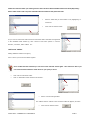
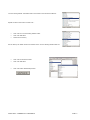
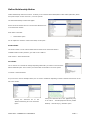
This offers the greatest flexibility, but requires a higher level of competency. Reports have to be generated by choosing
the tables, fields and search criteria.
SOPHTLOGIC – COMMERCIAL IN CONFIDENCE
PAGE: 4