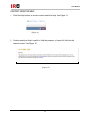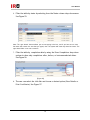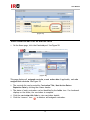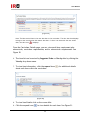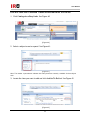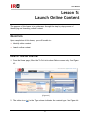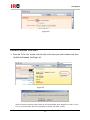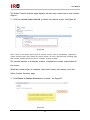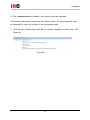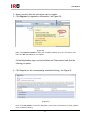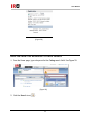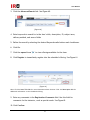
1
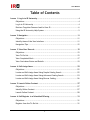
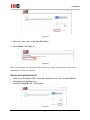
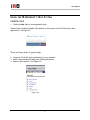
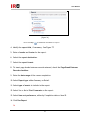
User Manual User Manual Table of Contents Lesson 1: Log In to IR University.............................................................. 4 Objectives ................................................................................. 4 Log In to IR University ................................................................... 4 Retrieve Forgotten Password and/or User ID ......................................... 6 Using the IR University Help System ................................................... 9 Lesson 2: Navigation ...........................................................................11 Objectives ................................................................................ 11 Identify Areas of the User Interface .................................................. 11 Navigation Tips .......................................................................... 12 Lesson 3: View User Records .................................................................15 Objectives ................................................................................ 15 View To-Do List .......................................................................... 15 View Completed Work .................................................................. 17 View Curriculum Status and Details................................................... 19 Lesson 4: Self-Assign Items ...................................................................22 Objectives ................................................................................ 22 Locate and Self-Assign Items Using Simple Catalog Search ........................ 22 Locate and Self-Assign Items Using Advanced Catalog Search .................... 23 Locate and Self-Assign Items Using Browse Catalog ................................ 26 Lesson 5: Launch Online Content ...........................................................27 Objectives ................................................................................ 27 Identify Online Content ................................................................ 27 Launch Online Content ................................................................. 28 Lesson 6: Self-Register in a Scheduled Offering ..........................................31 Objectives ................................................................................ 31 Register from the To-Do List ........................................................... 31 IR University Confidential 2 User Manual Register from the Calendar of Offerings ............................................. 33 Register from the Advanced Catalog Search ......................................... 36 Confirm Registration .................................................................... 39 Lesson 7: Withdraw From A Scheduled Offering..........................................40 Objectives ................................................................................ 40 Withdraw from A Scheduled Offering................................................. 40 Lesson 8: Launch and Complete Assigned Survey ........................................43 Objectives ................................................................................ 43 Launch and Complete Assigned Survey ............................................... 43 Lesson 9: Run Standard Reports .............................................................46 Objectives ................................................................................ 46 Run Standard Report .................................................................... 46 IRU System Support: .................................................................... 49 IR University Confidential 3 User Manual Lesson 1: Log In to IR University The purpose of this lesson is to guide users through the step-by-step process of logging into the IR University system, retrieving your forgotten password and/or user ID, and using the IR University Help system. OBJECTIVES Upon completion of this lesson, you will be able to: Log In to IR University Retrieve Forgotten Password and/or User ID Using the IR University Help System LOG IN TO IR UNIVERSITY 1. Enter www.irf.com/iru into your browser Address field and press the Enter key. 2. Click IR University Login. See Figure 1. 3. Enter your user ID in the User ID textbox. Enter your password in the Password textbox. 4. Click Sign In. See Figure 2. IR University Confidential 4 User Manual [Figure 1] [Figure 2] You are taken to the IR University User Home page. A new welcome screen with News appears if this is your first time logging in. 5. Select the “Do not show this page every time I sign in” checkbox to configure the news page to display only if there is new content. 6. Click Continue to close the news page. See Figure 3. IR University Confidential 5 User Manual [Figure 3] Enter Security Question and E-Signature The first time you login to IRU, the system will prompt you to set up your electronic signature (PIN) and security question. PIN is used when an electronic approval is needed for course completion. Not every course requires a PIN. Your security question will be used to retrieve your password. RETRIEVE FORGOTTEN PASSWORD AND/OR USER ID Retrieve Forgotten Password 1. Enter the web address (URL) of the user application into your browser Address field and press the Enter key. 2. Click the Forgot Password? link. See Figure 4. IR University Confidential 6 User Manual [Figure 4] 3. Enter your user name in the User ID textbox. 4. Click Submit. See Figure 5. [Figure 5] Note: If you are unable to receive email from IR University, contact your Supervisor or IR University Administrator to reset your password. Retrieve Forgotten User ID 1. Enter the web address (URL) of the user application into your browser Address field and press the Enter key. 2. Click the Forgot ID? link. See Figure 6. [Figure 6] IR University Confidential 7 User Manual 3. Enter your email address in the Email Address textbox. 4. Click Submit. See Figure 7. [Figure 7] Note: If you are unable to receive email from IR University, contact your Supervisor or IR University Administrator to reset your password. Your user ID is automatically entered into the User ID textbox. See Figure 8. [Figure 8] IR University Confidential 8 User Manual USING THE IR UNIVERSITY HELP SYSTEM GENERAL HELP 1. Click the Help link to access general help. General help contains helpful information on every area of the IR University User application. See Figure 9. [Figure 9] There are three areas of general help: 2. Contents: Click the topic pertaining to your question. 3. Index: Keyword search using pre-existing keywords. 4. Search: Open search. See Figure 10. [Figure 10] IR University Confidential 9 User Manual CONTEXT-SENSITIVE HELP 1. Click the Help button to access context-sensitive help. See Figure 11. [Figure 11] 2. Context-sensitive help is useful to find the purpose of a specific field on the current screen. See Figure 12. [Figure 12] IR University Confidential 10 User Manual Lesson 2: Navigation The purpose of this lesson is to guide users through the step-by-step process of navigating and identifying areas of the IR University user interface, and identifying some commonly used navigation icons. OBJECTIVES Upon completion of this lesson, you will be able to: Identify areas of the User Interface Navigation tips IDENTIFY AREAS OF THE USER INTERFACE 1. Top Menu: Use the Home, My Employees, Organization menu options in the top menu to navigate within IR University. Note: Some of these main menu headings may not display depending on your IR University User role. See Figure 13. 2. Delegators: Contains all of the users who have identified you as a delegate. 3. User Card: Click the user name to navigate to the user‟s Profile screen. 4. Alerts: Indicates that the user must take action on something. 5. To-Do List: The Home page contains a To-Do List as a consolidated view of tasks requiring action. All tasks are in one place. Use the filter option to limit the list, for example, to show learning only, a list of current registrations, or assessments that are due, etc. 6. Catalog: Enter keywords in the textbox to perform a quick search for related items in your catalog. IR University Confidential 11 User Manual 7. Easy Links: The Home page contains a panel with Easy Links which support easy navigation. Users can access a link to locate and perform their activities. Users can configure some links to be hidden by using the wrench icon in the corner of the Easy Links panel. The user must show at least one link. 8. Status Pods: The Home page contains a Status Pods panel which is a way for users to view a snapshot of progress on learning and performance activities. [Figure 13] NAVIGATION TIPS Mouse over an entry to reveal a pop-up that shows additional information and available actions. See Figure 14. [Figure 14] IR University Confidential 12 User Manual Use the top menu and the Back link to navigate throughout IR University. See Figure 15. Note: Do not use the back browser arrow to go back to previous screen. [Figure 15] SORTING DATA IN TABLES When IR University displays data in tables, you can sort some columns in ascending or descending order. The Completed Work table (below) is sorted by the Completion Date (indicated by the sort order arrow). The icon ( ) indicates the column is sorted in ascending order. To change the sort order to descending, click the Completion Date column header. The arrow changes to ( ) and re-sorts the table contents. See Figure 16. [Figure 16] FILTERING DATA Filtering data prevents rows from displaying in a table or list. This is useful if the page contains a large amount of data and you are interested in only specific information. Filtering options vary depending on the page. IR University Confidential 13 User Manual For example, the To-Do List below can be filtered to show only All Learning, Registrations, Online Courses, etc. Also, using the “type ahead” search box, you can filter your current view. See Figure 17. [Figure 17] Another example of filtering is on the Completed Work page, which can be filtered by Type by selecting from the Type column drop-down list; filtered by Title by using the „type ahead‟ text entry box; filtered by Status by selecting from the Status column drop-down menu -See Figure 18; or by Completion Date by using the Show Completions drop-down options to show only completions after, before, or between selected dates. See Figure 19. [Figure 18] [Figure 19] IR University Confidential 14 User Manual Lesson 3: View User Records The purpose of this lesson is to guide users through the step-by-step process of viewing their records. Each task demonstrates viewing of different records. OBJECTIVES Upon completion of this lesson, you will be able to: View To-Do List (filter, view) View Completed Work View Curriculum Status and Details VIEW TO-DO LIST 1. On the Home page, you are able to view the To-Do List. This panel displays a consolidated view of tasks requiring action. This means that all tasks are in one place. The To-Do List can be filtered and viewed in different ways. See Figure 20. [Figure 20] IR University Confidential 15 User Manual 2. Click the Show drop- down menu to select a filter option. See Figure 21. 3. Enter text into the „type ahead‟ search box to filter the To-Do List. Note: Mouse over each title in the To-Do List for additional information. [Figure 21] 4. Users may prefer to display the To-Do List actions as a card view. Selecting the Card View ( ) icon from the top left menu gives full details. The card view displays navigation links for each relevant action. See Figure 22. [Figure 22] IR University Confidential 16 User Manual VIEW COMPLETED W ORK 1. On the Home page, click the Completed Work status pod. See Figure 23. Completed Work displays a combined list of all tasks completed. It combines learning activities such as courses. [Figure 23] 2. Sort the table by selecting the column header. The table to the right is sorted by the Completion Date. The sort order arrow ( ) indicates the column is sorted in ascending order. 3. Click any column header to sort the display based on Title, Status, or Completion Date. See Figure 24. [Figure 24] 4. The Completed Work list can be filtered by type by selecting from the Type column drop-down menu. 5. Filter the table by title by using the „type ahead‟ text entry box. IR University Confidential 17 User Manual 6. Filter the table by status by selecting from the Status column drop-down menu. See Figure 25. [Figure 25] Note: The „type ahead‟ feature allows you to start typing in the box, and if you have one or more list items that contain the text that you typed, then the system will show only those list items. The type ahead filter is not case sensitive. 7. Filter the table by completion date by using the Show Completions drop-down options to show only completions after, before, or between selected dates. See Figure 26. [Figure 26] 8. The user can select the title link and choose a desired option (View Details or Print Certificate). See Figure 27. IR University Confidential 18 User Manual [Figure 27] VIEW CURRICULUM STATUS AND DETAILS 1. On the Home page, click the Curricula pod. See Figure 28. [Figure 28] This page displays all assigned curricula, a next action date if applicable, and who assigned the curricula. See Figure 29. 2. The curricula list can be sorted by Curriculum Title, Next Action Date or Expiration Date by clicking the column header. 3. The status of each curriculum can be identified by the folder icon. If a checkmark displays on the folder, the curriculum is complete. 4. Click the curriculum title links to view curriculum details. 5. Click the “remove” icon ( ) to delete a self-assigned curriculum. IR University Confidential 19 User Manual [Figure 29] Note: The Next Action Date is the next due date in the curriculum. The due date that displays belongs to the item that has the nearest due date. If there is an issue with the next action date, the Alert icon ( ) displays. From the Curriculum Details page, you can view each item requirement plus subcurricula, curriculum requirements, and/or subcurricula requirements. See Figure 30. 6. The item list can be sorted by Suggested Order or Due by date by clicking the View by drop down menu. 7. To view item information, click the expand icon ( ) for additional details about each item within the curriculum. [Figure 30] 8. To view Item Details click on the course title. 9. Click the expand icon ( ) to view details for each item. See Figure 31. IR University Confidential 20 User Manual [Figure 31] IR University Confidential 21 User Manual Lesson 4: Self-Assign Items The purpose of this lesson is to guide users through the step-by-step process of using the catalog to find and assign items to their To-Do List. Each task demonstrates a different method of searching the catalog. OBJECTIVES Upon completion of this lesson, you will be able to find and self-assign items: Using simple catalog search Using advance catalog search By browsing catalog LOCATE AND SELF-ASSIGN ITEMS USING SIMPLE CATALOG SEARCH 1. Navigate to the Catalog search box above Easy Links. See Figure 32. [Figure 32] IR University Confidential 22 User Manual 2. Enter keywords to search for in the item‟s title and description. 3. Click the Search icon ( ). See Figure 33. [Figure 33] 4. Find the item you want to add and click Add to To-Do List. See Figure 34. Note: To revise the search, enter new keywords or check/uncheck search criteria checkboxes at the top of the Search Results page. [Figure 34] LOCATE AND SELF-ASSIGN ITEMS USING ADVANCED CATALOG SEARCH 1. Navigate to the Catalog search box above Easy Links. See Figure 35. IR University Confidential 23 User Manual [Figure 35] 2. Enter keywords to search for in the item‟s title and description. 3. Click the Search icon ( ). See Figure 36. [Figure 36] 4. Select or de-select the checkboxes to refine your search. See Figure 37. 5. Click Advanced Search. [Figure 37] 6. Refine the search by selecting the desired Keywords radio buttons and checkboxes. 7. Enter any other defining keywords for title, description, ID, subject area, delivery method, and source. See Figure 38. IR University Confidential 24 User Manual 8. Select the Search All Languages (Applies to Title, Description, and Subject Area) checkbox, if applicable. [Figure 38] 9. Click Go 10. Locate the result you want to add and click the associating Action button. See Figure 39. [Figure 39] IR University Confidential 25 User Manual LOCATE AND SELF-ASSIGN ITEMS USING BROWSE CATALOG 1. Click Catalog above Easy Links. See Figure 40. [Figure 40] 2. Select a subject area to expand. See Figure 41. [Figure 41] Note: The number in parenthesis indicates how many items are currently available for that subject area. 3. Locate the item you want to add and click Add to To-Do List. See Figure 42. [Figure 42] IR University Confidential 26 User Manual Lesson 5: Launch Online Content The purpose of this lesson is to guide users through the step-by-step process of identifying and launching online content. OBJECTIVES Upon completion of this lesson, you will be able to: Identify online content Launch online content IDENTIFY ONLINE CONTENT 1. From the Home page, filter the To-Do List to show Online courses only. See Figure 43. [Figure 43] 2. The online icon ( ) in the Type column indicates the content type. See Figure 44. IR University Confidential 27 User Manual [Figure 44] LAUNCH ONLINE CONTENT 1. From the To-Do List, mouse over the title of the item you wish to launch and then click Go to Content. See Figure 45. [Figure 45] Note: Previous revisions of online items can now be launched when assigned to a user‟s To-Do List. If a revision exists, the user is prompted to access the newer version. IR University Confidential 28 User Manual The Online Content Structure page displays. An item may contain one or more content objects. 2. Click the content object title link to launch the content object. See Figure 46. [Figure 46] Note: If there is one content object within an item the content opens up immediately, skipping the content structure page. Upon closing the content window, the user is presented with a landing page that contains multiple links for the user to complete a logical workflow. The content launches in a separate window. Complete the content as prescribed in the course. When the content object is complete, the window closes, and returns you to the Online Content Structure page. 3. Click Return to Content Structure to continue. See Figure 47. [Figure 47] IR University Confidential 29 User Manual 4. The completion date and time of the content object are captured. If the online item contains more than one content object, all objects typically must be completed in order for the item to be in complete status. 5. Click the next content object title link to continue completion of the course. See Figure 48. [Figure 48] IR University Confidential 30 User Manual Lesson 6: Self-Register in a Scheduled Offering The purpose of this lesson is to guide users through the step-by-step process of finding scheduled offerings and self-registering from the To-Do List, the Calendar of Offerings, and the Advanced Catalog. Each task below demonstrates a different method of registration. OBJECTIVES Upon completion of this lesson, you will be able to: Register from the To-Do List Register from the calendar of offerings Register from the advanced catalog search Confirm registration REGISTER FROM THE TO-DO LIST 1. From the Home page, filter the To-Do List to show All Learning. See Figure 49. [Figure 49] IR University Confidential 31 User Manual 2. Mouse over the item into which you want to register. 3. Click Register for registration information. See Figure 50. [Figure 50] Note: Click Request Schedule if there is no scheduled offering given at a convenient time. Enter the date and reason for the request. On the Registration page, review the Dates and Times section and find the offering you prefer. 4. Click Register for the corresponding scheduled offering. See Figure 51. 1. [Figure 51] Note: Click View Details to view the description, exact times, and locations for each segment of the scheduled offering. IR University Confidential 32 User Manual 5. Enter any optional comments in the Registration Comments field. Use this field for comments for the instructor, such as special needs. 6. Click Confirm REGISTER FROM THE CALENDAR OF OFFERINGS 1. From the Home page, click the Catalog link. See Figure 52. [Figure 52] 2. Select the Calendar of Offerings tab. See Figure 53. [Figure 53] IR University Confidential 33 User Manual 3. Display the desired month by using the Month of drop-down menu or scroll through months using the arrows. Or... 4. Click the Calendar Search link to use a keyword search. See Figure 54. [Figure 54] The subject area of the scheduled offering and the number of scheduled offerings that are scheduled for that day are displayed. 5. Click the Subject Area link. See Figure 55. [Figure 55] Note: Subject areas may be color-coded. 6. Review the offerings and click Register for the corresponding offering. See Figure 56. IR University Confidential 34 User Manual [Figure 56] Note: Click the Title or Description link to view information about the item. 7. Enter any comments in the Registration Comments field. Use this field for comments for the instructor, such as special needs. See Figure 57. 8. Click Confirm. [Figure 57] A confirmation screen displays. See Figure 58. IR University Confidential 35 User Manual [Figure 58] REGISTER FROM THE ADVANCED CATALOG SEARCH 1. From the Home page, type a keyword in the Catalog search field. See Figure 59. [Figure 59] 2. Click the Search icon ( ). IR University Confidential 36 User Manual 3. Click the Advanced Search link. See Figure 60. [Figure 60] 4. Enter keywords to search for in the item‟s title, description, ID, subject area, delivery method, and source fields. 5. Refine the search by selecting the desired Keywords radio buttons and checkboxes. 6. Click Go. 7. Click the expand icon ( ) to view offerings available for the item. 8. Click Register to immediately register into the scheduled offering. See Figure 61. [Figure 61] Note: Click the Item Title link for more information about the item. Click the Description link for additional information on the scheduled offering. 9. Enter any comments in the Registration Comments field. Use this field for comments for the instructor, such as special needs. See Figure 62. 10. Click Confirm. IR University Confidential 37 User Manual [Figure 62] The confirmation screen appears, indicating your registration status. See Figure 63. [Figure 63] IR University Confidential 38 User Manual CONFIRM REGISTRATION 1. From the Home page, filter the To-Do List to show Registrations. See Figure 64. [Figure 64] 2. Mouse over the item you wish to check your registration. 3. Click View Registration for registration information. See Figure 65. [Figure 65] IR University Confidential 39 User Manual Lesson 7: Withdraw From A Scheduled Offering The purpose of this lesson is to guide users through the step-by-step process of withdrawing from a scheduled offering. OBJECTIVES Upon completion of this lesson, you will be able to: Withdraw from a scheduled offering W ITHDRAW FROM A SCHEDULED OFFERING 1. From the Home page, filter the To-Do List to show Registrations. See Figure 66. [Figure 66] 2. Mouse over the item from which you wish to withdraw. 3. Click Withdraw. See Figure 67. IR University Confidential 40 User Manual [Figure 67] A warning pop-up displays. 4. Click Yes to continue. See Figure 68. [Figure 68] Note: Users who withdraw from an offering will see a warning if this item is a prerequisite for another enrollment. Then the system will automatically withdraw the user from the dependent offering. 5. If you wish to remove the associated item from your To-Do List, click Yes. See Figure 69. [Figure 69] You have successfully withdrawn from a scheduled offering. See Figure 70. IR University Confidential 41 User Manual [Figure 70] IR University Confidential 42 User Manual Lesson 8: Launch and Complete Assigned Survey The purpose of this lesson is to guide users through the step-by-step process of launching and completing assigned surveys. OBJECTIVES Upon completion of this lesson, you will be able to: Launch and complete assigned survey LAUNCH AND COMPLETE ASSIGNED SURVEY 1. From the Home page, filter the To-Do List to show only Course Evaluations. See Figure 71. [Figure 71] 2. Mouse over the course evaluation title. 3. Click Open. See Figure 72. IR University Confidential 43 User Manual [Figure 72] 4. Complete the survey by selecting the radio button for the appropriate rating for each survey question. See Figure 73. 5. Click Next Page to answer additional survey questions. 6. When you have completed the survey, click Submit. [Figure 73] You are returned to your To-Do List, which no longer shows a pending course evaluation. See Figure 74. IR University Confidential 44 User Manual [Figure 74] IR University Confidential 45 User Manual Lesson 9: Run Standard Reports The purpose of this lesson is to guide users through the step-by-step process of running standard reports in IR University. OBJECTIVES Upon completion of this lesson, you will be able to: Run standard reports RUN STANDARD REPORT 1. From the Home page, click the Reports easy link. See Figure 75. [Figure 75] In the Report Name table, find the report you want to generate. See Figure 76. 2. Click the expand icon ( ) to expand the report group. 3. Click the title link. For this example, select Learning History Legacy report. IR University Confidential 46 User Manual [Figure 76] Note: Click Help ( ) for additional information on reports. 4. Modify the report title, if necessary. See Figure 77. 5. Enter a header and footer for the report. 6. Select the report destination. 7. Select the report format. 8. To insert page breaks between records returned, check the Page Break Between Records checkbox. 9. Enter the date range of the course completion. 10. Select Report type either Summary or Detail. 11. Select type of events to include in the report. 12. Select Yes or No to Print Comments on the report. 13. Select Item sort preference, either by Completion date or Item ID. 14. Click Run Report Or IR University Confidential 47 User Manual 15. Click the Back to Browse Reports link to return to the list of reports. [Figure 77] Note: Available criterion will vary depending on the report. IR University Confidential 48 User Manual IRU SYSTEM SUPPORT: IR University Confidential 49