1
USER’S MANUAL. PROLITE-75
3.1.2 Recommendations using the battery
If anticipating a long period of inactivity of the instrument, it is advisable to store it
with battery fully charged and at temperatures below 25 °C.
It is advisable in these cases doing every 3 months a cycle of charging /
discharging and a subsequent half charge (i.e. 50 %).
3.2
Installation and starting up.
The PROLITE-75 has been designed for using as a portable equipment.
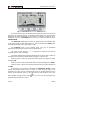
A fully charged battery can power the device for more than 11 hours. The screen
) indicating the status of the battery charge. Four vertical
shows a battery icon (
black lines indicate the battery is full charged. As the battery decreases, the lines
) the battery should be recharged.
disappear. When shows a single line (
When starting up with a very low level battery, may be the PROLITE-75 could
start up, because of residual energy remaining at the battery, but the equipment will be
disconnected automatically BEFORE displaying on the screen the low level battery
indicator.
3.2.1 Adjusting contrast
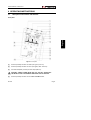
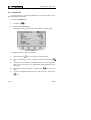
LCD adjustment contrast is done via the dial ( see Figure 3.- [10] ) located at the
right side panel of the instrument.
By turning the dial is possible to adjust the screen contrast to get the best display
in any environmental condition. By turning anti-clockwise, the contrast decreases. By
turning clockwise, it increases. The new value of contrast is kept when the instrument
turns off.
Page 8
04-2009