1
LDB-1 Kit Instructions
Page 3 of 8
Electrolytic Capacitors (±)
There are three electrolytic capacitors. Each one is a different value, which is clearly printed on the capacitor.
Electrolytic capacitors are polarized, so which lead goes in which hole is important. The negative lead on the
capacitor is the shorter one and it is marked with a gray stripe on its body. The positive lead is longer. The positive
hole on the PCB has a square pad and is marked with a plus sign.
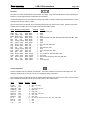
Value
2.2 uF
4.7 uF
100 uF
Quantity
1
1
1
Refdes
C14
C36
C37
Transistors (±)
There are three 2N3904 transistors. All three of the transistors are the same value, so they have no refdes on the
PCB, just a distinctive outline. Note that the outline for U5 is similar to that of a transistor, but it is clearly labeled “U5”
on the PCB.
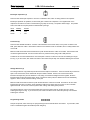
Make sure that the flat side of the transistor lines up with the flat side of the outline on the PCB. The transistors will
not sit flush against the PCB. Do not force them down any further than they will go with a little pressure.
Transistors are more heat sensitive than most of the parts in this kit, so take care not to let the soldering iron linger
too long. If you are unsure, then solder one lead at a time and let the part fully cool off before soldering the next lead.
Voltage Reference (±)
The voltage reference chip (refdes U5) has the same basic shape as a transistor. There are several ways to tell them
apart. First and foremost, U5 is marked with the part number TLE2426. Second, U5 is loose and the three
transistors are taped to a piece of cardboard. And, finally, U5’s leads are straight and close together, while the
transistor leads are bent and further apart. When you put them side by side, the differences become immediately
apparent. When in doubt, read the marking on the part.
Make sure that the flat side of U5 lines up with the flat side of the outline on the PCB. The leads on U5 are closer
together than the holes in the PCB. Gently spread the leads out and press down on the part. It will not sit flush
against the PCB. Do not force it down any further than it will go with a little gentle pressure.
The voltage reference chip is more heat sensitive than most of the parts in this kit, so take care not to let the
soldering iron linger too long. If you are unsure, then solder one lead at a time and let the part fully cool off before
soldering the next lead.
Programming Header
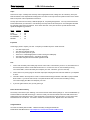
This part is optional, and is used only for reprogramming the microcontroller brain of the LDB-1. If you install it, make
sure it is seated flush against the PCB and points straight up.