1
Using ADVance MS and ModelSim
...
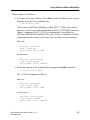
NEW_ADC12= NEW_ADC12/MS
work = NEW_ADC12/MS
others = ../MS/modelsim.ini
• For each of the DUs that have to be visible in ADVance MS, place them in
a separate file and modify them as explained below:
o Keep the entities and packages as they are
o Replace the architectures by empty ones, or keep them as they are if
they can be compiled by vacom.
• When finished, compile them using the -link option of the vacom
command:
$ vacom -link "multi_clock(modelsim) dlatch(modelsim)
sar(modelsim)"
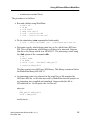
• The test bench and the new VHDL-AMS description can now be written
and compiled as usual:
$ vacom ../adc12-all-adms.vhd
$ vacom ../adc12-adms-ms.vhd
• Do the simulation (in batch mode):
cp ../adc12test_mixed_ms.cmd .
$ vasim -c -cmd adc12test_mixed_ms.cmd TEST
ADC12TEST_MIXED_MS -do ../adc12test-adms-ms.do
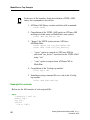
This example demonstrates the main flow when there is a need to import libraries
developed using ModelSim in ADVance MS environment. It highlights how to
create the mirroring between ADVance MS and ModelSim.
Example 6—Mixed VHDL-AMS, Spice and ModelSim
description, top VHDL-AMS, using the -ms option
The simulation of test(adc12test_mixed_eldo_ms) can be achieved in the
following way.
16
Getting Started with ADVance MS, v1.5_1
December 2001