1
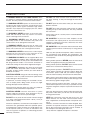
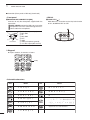
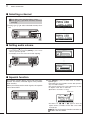
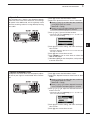
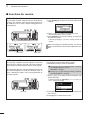
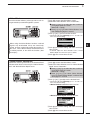
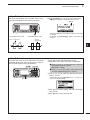
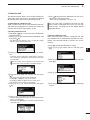
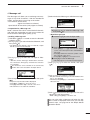
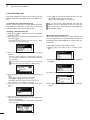
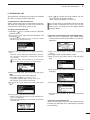
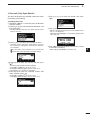
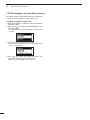
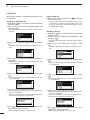
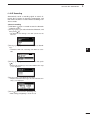
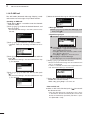
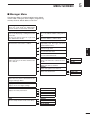
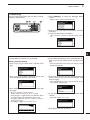
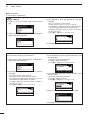
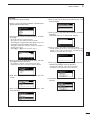
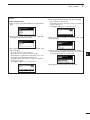
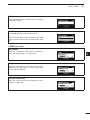
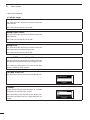
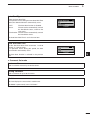
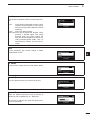
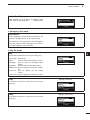
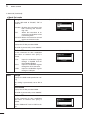
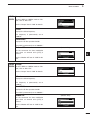
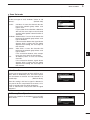
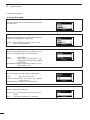
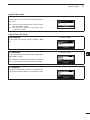
RECEIVE AND TRANSMIT DDNoise Blanker The noise blanker reduces pulse-type noise such as that generated by automobile ignition systems. / 3 qqPush [8] to enter the Main Menu screen. wwSelect the “Noise Blanker” item of “Setmode.” q Push [r] or [s] to select the item, and then push [4] to open the screen. (Setmode > Config) w Push [r] or [s] to select “Noise Blanker,” and then hold down [4] for 1 second. eePush [r] or [s] to turn ON the function. • If desired, hold down [Default](§§) for 1 second to return to the default setting. [Default] When using the Noise Blanker function, received signals may be distorted if they are excessively strong, or when used on noise other than pulses. In this case, set the Noise Blanker threshold level to a shallow position, or turn OFF the function. (See next topic.) 3 rrPush [4] to save the setting, and return to the previous screen. • If desired, adjust the Noise Blanker Level or Noise Blanker Depth. See the next topic for details. ttPush [8] one or more times to exit. DDNoise Blanker adjustment To deal with various types of noise, the threshold level and attenuation level can be set by the “Noise Blanker Level” and “Noise Blanker Depth” items. / qqPush [8] to enter the Main Menu screen. wwSelect the “Noise Blanker Level” or “Noise Blanker Depth” item of “Setmode.” q Push [r] or [s] to select the item, and then push [4] to open the screen. (Setmode > Config) w Push [r] or [s] to select “Noise Blanker Level” or “Noise Blanker Depth,” and then hold down [4] for 1 second. eePush [r] or [s] to adjust to the desired level. [Default] • If desired, hold down [Default](§§) for 1 second to return to the default setting. Noise Blanker Level: Between 0 and 15. Noise Blanker Depth: Between 0 and 9. rrPush [4] to save the setting, and return to the previous screen. ttPush [8] one or more times to exit. 15