1
Arkeia Utilities
Recover the Arkeia database: arkrstdb
on the same tape, all versions are restored with a different numerical
extension — for example foo.1, foo.2, foo.3, and so on. When the -u option
is specified, only the newest version of foo is be restored.
-v
Verbose.
How to list the contents of a tape
To list the files present on a tape, type:
./readarkeia tvf /dev/st0
How to extract all the files on a tape
To extract all the files present on a tape, type:
./readarkeia xvf /dev/st0
!
readarkeia extracts data locally and creates a subdirectory for
each host backed up.
readarkeia scans a tape completely. This operation can take some
time, especially if the tape to be read has a large capacity.
How to extract a specific file
To extract a specific file available on a tape, type:
./readarkeia xvf /dev/st0 [computer_name]/[path]/[file_name]
!
readarkeia scans a tape completely, even if the requested file is at
the beginning of the tape itself. Therefore, this operation can take
some time, especially if the tape has a large capacity.
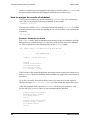
Example
If you want to extract a file named: /usr/src/kernel/make from a computer named
ariane, you have to type (under Linux):
./readarkeia xfv /dev/st0 ariane/usr/src/kernel/make
16.2 Recover the Arkeia database: arkrstdb
If your backup server crashes, the Arkeia database may be corrupted. In order to be
able to use your backup history again, you may have to rebuild the index, based on
the files and directories that have been backed-up on tapes. This is the purpose of
the arkrstdb utility.
!
This restoration is a long process, since arkrstdb needs to read
all the tapes contained in the tape pools to completely rebuild the
Arkeia database
General usage and syntax
The following is the correct syntax is:
Arkeia 5 User Manual
215