1
Asentria TeleBoss 850 User Manual
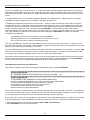
Passthrough
Passthrough (also known as “Bypass”) is a bi-directional communication link for either a modem or Telnet connection
through the T850 to a device attached to a serial port. Pass-through is useful for configuring or maintaining devices
connected to the T850 without having to be in the same physical location.
Passthrough to a serial port is available on TCP ports 210n where ‘n’ is the number of the serial port.
Passthrough to a serial port is available via modem using the BYPASSn command where ‘n’ is the number of the serial
port.
To terminate a passthrough session, press the Escape Key three times.
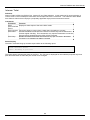
Following is a table showing what passthrough sub-features/behaviors are applicable to the T850 and a detailed
description of each sub-feature below the table.
Sub-feature
T850
Bypass command
Yes
Adjustable end sequence pause
Yes
End sequence for network passthrough
3 escapes (via login menu) or 1 escape (via
bypass command)
End sequence for modem passthrough
1 escape (via bypass command)
Joinable sessions
Yes
Buffered pass-through
No
Bypass command
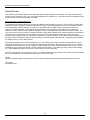
The command BYPASSn, where 'n’ is the number of the serial port, is used on a modem passthrough connection.
Adjustable end sequence pause
This feature means you can control the minimum amount of time between entering escape characters that the unit
will register as an authentic escape sequence. That is, you can set this to 1/4 second, meaning that in order to
escape passthrough, you must enter the escape sequence with at least 1/4 second between each escape. The
point is to make the unit disregard escape sequences that happen from the pass-through data itself, which is
assumed to travel across the link without pauses between the escape characters. The sys.pt.endpause setting
controls this.
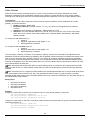
Joinable sessions
Up to 3 pass-through sessions can be joined in that they all connect to the same serial port. Data arriving on the
serial port gets passed through to all parties, and data arriving from any one party gets passed through to the
connected serial port as well as the other parties.
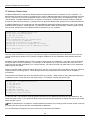
Buffered pass-through
Buffered pass-through is where upon connecting to a passthrough session, the first thing the unit does is dump all
data that has been buffered in that port's database file, instead of connecting to the port right away. Once all data
from that file is output then unit connects you to the port. If no data has been buffered (or this feature is turned off)
then the unit initially connects you to the port. This option is not available on the T850.
By default the unit provides passthrough access to anyone and can be further defined in the User Profile Settings
menus. Various settings control its behavior, as discussed above with each sub-feature.
60