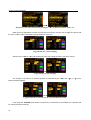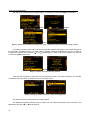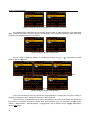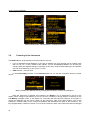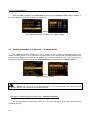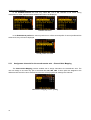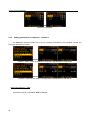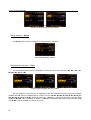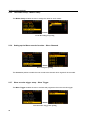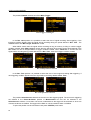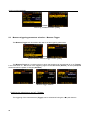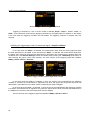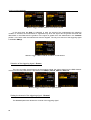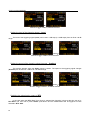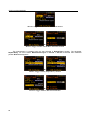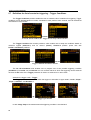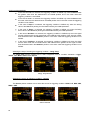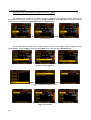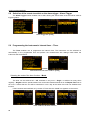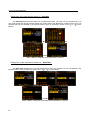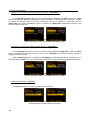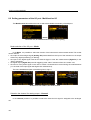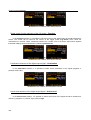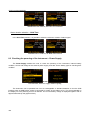
1
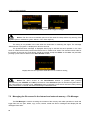
SVAN 106 User MANUAL
_
SVAN 106
Vibration Meter
USER’S MANUAL
SVANTEK Sp. z o.o.
WARSAW, February 2010
1
SVAN 106 User MANUAL
_
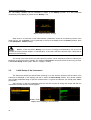
Notice: This
user’s
manual
presents
the
software
revision
named
3.13.1
(cf. the description of the Unit Label position of the Instrument list). The succeeding software revisions
(marked with the bigger numbers) can slightly change the view of some displays presented in the text of the
manual.
2
SVAN 106 User MANUAL
_
CONTENTS
1 INTRODUCTION
4
2 MANUAL CONTROL OF THE INSTRUMENT
7
3 SETTING THE INSTRUMENT
14
4 FUNCTIONS OF THE INSTRUMENT – Function
27
5 MEASUREMENT PARAMETERS SETTING – Measurement
34
6 DATA AVAILABLE ON THE DISPLAY – Display
73
7 SAVING THE MEASUREMENT RESULTS – File
86
8 Settings of the instrument parameters – Instrument
109
9 AUXILIARY SETTINGS – Auxiliary Setup
117
10 1/1 AND 1/3 OCTAVE ANALYSER
125
3
SVAN 106 User MANUAL
1
_
INTRODUCTION
The SV 106 is a new six-channel human vibration meter and analyser. Instrument meets ISO
8041:2005 standard and it is an ideal choice for measurements according to ISO 2631-1,2&5 and ISO 5349.
This pocket-size instrument performs simultaneous measurements with two triaxial accelerometers
(e.g. both-hands vibration or triaxial SEAT transmission measurements are possible).The RMS, Peak, PeakPeak, VDV, MTVV or Dose results with all required weighting filters for the HVM measurements are
available with this instrument. Advanced time-history logging and time-domain signal recording (according to
the ISO 2631-5) to built-in Micro SD flash card give almost unlimited capabilities of data storage. Results can
be easily downloaded to PC using USB interface and SvanPC+ software.
The Whole-Body vibration measurement is easier thanks to SV 38 seat-accelerometer which can be
placed directly on the seat-cushion, floor or fixed to the back of the seat.
The SV 50 set with triaxial accelerometer enables Hand-Arm vibration measurements regardless of
the type of evaluated tool.
Additionally, for measurements of very high impulse vibration the special adapter SA 55, with low pass
mechanical filter protecting accelerometer from DC shift effect, is available. Evaluation of the grip force will
be accessible with dedicated “integrated adapter” SV 105 (under development stage).
Fast USB 1.1 interface (12 MHz) creates real time link for the PC "front-end" application of the SVAN
106 instrument. The measurement results can be downloaded to PC using all mentioned above interfaces.
The instrument is powered from four AA standard or rechargeable batteries (i.e. NiMH - separate
charger is required). The powering of the instrument from the USB interface is also provided. Robust and
lightweight design accomplishes the exceptional features of this new generation instrument.
1.1.
SVAN 106 main features
•
Human Vibration measurements meeting ISO 8041:2005,
•
ISO 2631-1,2&5 (including VDV and MTVV) and ISO 5349
•
Six channels for acceleration (IEPE type) and two channels for force measurements
•
Whole-Body measurements:
- Low-cost seat accelerometer SV 38V
•
Hand-Arm measurements:
- SV 50 triaxial accelerometer with set of adapters
- SA 55 adapter with triaxial mechanical filter
- SV 105 integrated triaxial accelerometer adapter including grip force sensor (under development)
4
•
Time-domain signal recording (meeting ISO 2631-5)
•
Advanced data logger including spectral analysis
•
Micro SD flash card for mass data storage
•
USB 1.1 Client interface
•
Integration time programmable up to 24 h
•
SvanPC+ software for easy instrument setup and data download
•
Easy in use, user friendly interface with colour display
SVAN 106 User MANUAL
_
•
Pocket size (140 x 83 x 33 millimetres)
•
Weight only 390 grams including batteries
1.2.
Accessories included
The SV 106 set consist of the following parts:
•
SV 106 instrument with 4 AA batteries or 4 rechargeable AA batteries installed.
•
SC 56 cable
•
SV 38V low cost triaxal accelerometer for Whole—Body measurements (MEMS type)
•
SV 105 integrated triaxal Hand-Arm adapter with grip force sensor (under development)
1.3.
Accessories available
• SV 50 set for Hand-Arm measurement (Dytran accelerometer 3023M2; adapters SA 50, SA 51, SA 52
• SV 111 – vibration calibrator (100 rad/1ms-2, 500 rad/10ms-2, 1000 rad/10ms-2)
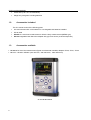
SVAN 106 instrument
5
SVAN 106 User MANUAL
_
2 MANUAL CONTROL OF THE INSTRUMENT
The control of the instrument is developed in the fully dialogue way. The user can operate the
instrument by selecting the proper position from the Menu list. Thanks to that, the number of the control
push-buttons of the instrument is reduced to nine.
2.1 Control push-buttons on the front panel
On the front panel of the instrument, there are located the following control push-buttons:
•
<ENTER>, (<Menu>), [<Save>],
•
<ESC>, (<Cal.>), [<S/P>],
•
<Shift>, [Markers]
•
<Alt>, [Markers]
•
<5>,
•
<3>,
•
<4>,
•
<6>,
•
<Start/Stop>.
The name given in (...) brackets denotes the second push-button function which is available after
pressing it in conjunction (or in sequence) with the <Shift> push-button. For the first two push-buttons the
name given in square brackets […] denotes also the third push-button function which is available after
pressing it in conjunction (or in sequence) with the <Alt> push-button.
<Shift>
The second function of a push-button (written in red colour on a push-button) can be used when the
<Shift> push-button is pressed. This push-button can be used in two different ways:
•
as Shift in the keyboard (e.g. while typing the filename); both <Shift> and the second pushbutton must be pressed in parallel;
•
as 2nd Fun; this push-button can be pressed and released before pressing the second one or
pressed in parallel (while operating in “2nd Fun” mode, see the following notice) with the second
push-button.
The <Shift> push-button pressed in conjunction with the <Alt> one enables the user to enter the
Markers on the plots during the measurement.
Notice: The operation of this push-button can be set as the “Direct” mode or the “2nd Fun.”
mode in the Shift/Alt position (path: Menu / Instrument / Keyboard Settings) - see description of the
Instrument list.
6
SVAN 106 User MANUAL
_
<Alt>
This push-button enables one to choose the third push-button function in case of [<Save>] and
[<Pause>] push-buttons. In order to select the third function the user must press the <Alt> and the second
push-button simultaneously.
Notice: The simultaneous pressing of the <Alt> and <Start/Stop> push-buttons switches the
instrument on and off.
<Start/Stop>
This push-button enables one to start the measurement process, when the instrument is not measuring
or to stop it, when the instrument is in course of the measurement. It is also possible to set such mode of this
push-button, in which in order to start or stop the measurements the user has to press it simultaneously with
the <Shift> one.
Notice: The change of the <Start/Stop> push-button mode is performed
Keyboard Settings window of the Instrument list (see description of the Instrument list).
in
the
<ENTER>
This push-button enables one to enter the selected operation mode or to confirm the control options.
Some additional functions of this push-button will be described in the following chapters of this manual.
(<Menu>)
This push-button (pressed together with the <Shift> one) enables the user to enter the main list
containing six sub-lists: Function, Measurement, Display, File, Instrument, Auxiliary Setup. Each of the
mentioned above sub-lists consists of the sub-lists, elements and data windows. These main sub-lists will be
described in details in the following chapters of the manual. Double pressed <Menu> push-button enters the
list containing eight last opened sub-lists. It often speeds up the control of the instrument as the user has the
faster access to the frequently used sub-lists.
[<Save>]
This push-button (pressed together with the <Alt> one) enables the user to save measurement results
as a file in the internal instrument’s memory or on the SD-card.
<ESC>
This push-button closes the control lists, sub-lists or windows. It acts in opposite to the <ENTER>
push-button. When the window is closed pressing the <ESC> push-button, any changes made in it are
ignored in almost all cases.
7
SVAN 106 User MANUAL
_
([Cal.])
This push-button (pressed together with the <Shift> one) enters the Calibration sub-list in which the
user can enter one of the available sub-lists (Calibr. by Sensitivity, Calibr. by Measurement,
Last Calibration and Clear Calibr. History).
[<S/P>]
This push-button enables one to jump to the Setup Manager window or to break the measurement
process temporarily.
<S/P>
Measurement window with Pause message
<3>, <4>
•
•
•
•
•
•
These push-buttons enable one, in particular, to:
select the column in a multi column parameter list;
select the parameters value in an active position (e.g. filter Z, A or C, Integration period: 1s, 2s, 3s, …
etc.);
control the cursor in Spectrum and Logger modes of result’s presentation;
select the position of the character in the text edition;
activate markers 2 and 3
speed up the changing of the numerical values of the parameters when pressed and hold.
(<3>, <4>)
The <3>, <4> push-buttons pressed in conjunction (or in sequence) with the <Shift> enable one, in
particular, to:
• speed up the changing of the numerical values of the parameters (i.e. the step is increased from 1 to 10
in the setting of Start Delay - path: Menu / Measurement / General Settings / Start Delay);
• jump to the end or first character of edited text line in the text edition modes,
Some other possible reactions of the instrument on the pressing of these push-buttons will be
described in details in the following chapters.
8
SVAN 106 User MANUAL
_
[<3>, <4>]
The <3>, <4> push-buttons pressed in conjunction (or in sequence) with the <Alt> enable one, in
particular, to:
• select the parameters value in the multi column list,
• insert or delete a character in the text edition modes.
Some other possible reactions of the instrument on the pressing of these push-buttons will be
described in details in the following chapters.
<5>, <6>
The <5>, <6> push-buttons enable one, in particular, to:
• select lines in the list;
• select the proper character from the list in the text edition mode;
• activate markers 1 and 4
Some other possible reactions of the instrument on the pressing of these push-buttons will be
described in details in the following chapters.
(<5>, <6>)
The <5>, <6> push-buttons pressed in conjunction (or in sequence) with the <Shift> enable one, in
particular, to:
• change the relation between the Y-axis and X-axis of all plots presented on the screen
Some other possible reactions of the instrument on the pressing of these push-buttons will be
described in details in the following chapters.
[<5>, <6>]
The <5>, <6> push-buttons pressed in conjunction (or in sequence) with the <Alt> enable one, in
particular, to:
• change the mode of result’s presentation;
Some other possible reactions of the instrument on the pressing of these push-buttons will be
described in details in the following chapters.
[Info]
The Info (simultaneous pressing the <3>, <4> push-buttons) opens the window with the help
information in the measurement display modes.
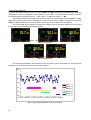
[Markers]
The Markers enable the user to mark special events, which occurred during the performed
measurements. In order to activate the markers the logger has to be switched on (path: <Menu> /
Measurement / General Settings / Logger Mode: Logger) and one or more logger results (PEAK, P–P, MAX,
RMS, VDV) in profiles have to be activated (path: <Menu> / Measurement / Data Logging / Logger Results).
9
SVAN 106 User MANUAL
_
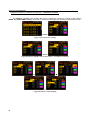
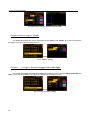
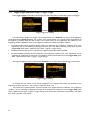
In order to enter the marker the user must press <Shift> and <Alt> push-buttons simultaneously during the
measurement. Then four available markers appears on the screen. To choose marker number 1 the user
must press <5> push button (number 2 - <3>, number - 3 <4> and number 4 - <6>).
The markers disappear automatically and chosen marker is activated (after pressing <Shift> + <Alt>
again active marker number will be highlighted). In order to switch off the marker, the user has to pressing
<Shift> + <Alt> and press the arrow push-button, which refers to the marker to be switched off.
The current state of the markers is indicated in the logger’s file (cf. App. B for details) and can be used
to show them using dedicated presentation software.
<Shift> / <Alt>
<5>
Marker 1 activation
<5>
Marker 1 deactivation
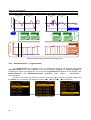
The exemplary presentation of the markers on the time history plot is shown below (to view a plot with
markers the user has to transfer data to the proper software).
80
70
60
50
Leq
Marker 1
40
Marker 2
Marker 3
30
Marker 4
20
13:30:00 13:30:09 13:30:17 13:30:26 13:30:35 13:30:43 13:30:52
History plot with the indication of the active markers
10
SVAN 106 User MANUAL
_
2.2 Input and output sockets of the instrument
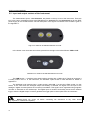
The measurement inputs, called Channels, are placed on the top cover of the instrument. There are
two 5-pins Lemo compatible sockets type ENB.0B.304 for Channels 1–3 and Channels 4-6, all with IEPE
power supply for the accelerometers. The full description of the signals connected to the sockets is given in
the Appendix C.
Top cover of the SVAN 106 instrument in 1:1 scale
In the bottom cover there are two sockets, placed from the right to the left as follows: USB and I/O.
Bottom cover of the SVAN 106 instrument in 1:1 scale
The USB Device 1.1 interface is the serial interface working with 12 MHz clock. Thanks to its speed, it
is widely used in all PC. In the instrument, the standard 4-pins socket is used described in details in
Appendix C.
The additional multi purpose input / output socket, called I/O, is a two-pins LEMO socket. On this
socket, in the case when the Analogue Output functionality is selected, the signal from the input of the
analogue / digital converter (before the correction) is available. This signal can be registered using magnetic
recorder or observed on the oscilloscope. The Digital Input as another functionality serves as the external
trigger, while the Digital Output is used to generate the trigger pulse or alarm pulse from the instrument.
Notice: Switch the power off before connecting the instrument to any other device
(e.g. a printer or a Personal Computer).
11
SVAN 106 User MANUAL
_
3 SETTING THE INSTRUMENT
In order to perform the measurements using the instrument the user has only to plug-in the proper
transducer and to switch the power on.
Notice: The user has to press the <Alt> and <Start/Stop> push-buttons in parallel in order to
switch the power On/Off.
3.1.
Basics of the instrument’s control
The instrument is controlled by means of nine push-buttons of the keyboard. Using these push-buttons
one can access all available functions. The functions are placed in the system of lists and sub-lists which are
also called windows. The main list contains the headers of six lists, which also contain sub-lists or positions.
The main list is opened after pressing the <Menu> push-button. This list contains the following sub-lists:
Function, Measurement, Display, File, Instrument and Auxiliary Setup. The elements of each list are
described in details in Chapters 4 ÷ 9. Only one list can be accessed at a time, the one which name is
highlighted (displayed inversely). The change of the highlighted line is done after pressing the <5>, <6>
push-buttons.
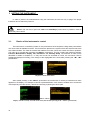
<Menu>
Displays with the main menu
After double pressing of the <Menu> push-button the scrolled list of recently accessed menu items
appears on the display. The example of this list is presented below. Such solution enables one to access the
most frequently used lists quickly, without the necessity of passing the whole path.
<Menu> <Menu>
Display with the recently accessed menu items (after double pressing of the <Menu> push-button)
12
SVAN 106 User MANUAL
_
The instrument's menu consists of different type of windows, which may be: main menu list, sub-menu
list, option list, parameter list, text editor window, information window and file manager window with file
command list. All windows and control options are described just below, exception is the file manager
window, which is described in chapter 7 (description of menu File).
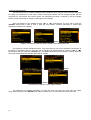
After the selection of the desired list (the <5> or <6> push-buttons), the user has to press the
<ENTER> push-button in order to enter it. After this new sub-lists, positions (elements) or various data
specification appear on the display.
<6>
<ENTER>
Displays with the main Menu list and the elements of the Measurement list
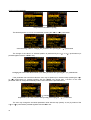
The option list consists of different options, from which the only one may be selected. The selection of
the option is performed next way. The user has to highlight the desired option by means of <5> or <6>
push-buttons and then press the <ENTER> one. This option became active and the list is closing. When the
user enter this list again the selected option will be marked.
<6>
<ENTER>
<ENTER>
Spectrum Type windows; Velocity option selection
The parameter list contains parameters for which the user may select the value from the certain
range. Next pressing of the <ENTER> push-button enables one to access mentioned above sub-lists.
13
SVAN 106 User MANUAL
_
<ENTER>
The parameter list window opening
The desired position of a list is accessed after pressing the <5> or <6> push-button.
<6>
General Settings window; changing the parameter after pressing the <6> push-button
The change of the value in a selected position is performed by the <3> or <4> push-buttons (or
pressed together with the <Shift> one).
<4>
Changing the value of the Measurement Cycle Time parameter after pressing the <4> push-buttons
If the parameter has numerical value the user may to speed up it’s selection keep pressing the <3>
or <4> push-buttons (or pressed together with the <Shift> one) longer than 1 second. In this case
parameter starts to change automatically until the user releases the pressed buttons.
<4> and keep
Repetition Cycles value selection after pressing and keeping the <4> push-button
The user may change the numerical parameter value with the step (usually 10, 20) by means of the
<3> or <4> push-buttons pressed together with the <Alt> one.
14
SVAN 106 User MANUAL
_
<Shift/4>
Repetition Cycles value selection after pressing the <4> push-button with the <Shift> one
When the list of parameters consists of more than one column the user may change the column with
the use of <3> or <4> push-buttons staying within the same line.
<4>
Logger Results list; column changing
With the use of <5> or <6> push-buttons the user may change the line in the same column.
<6>
Logger Results list; line changing
The change of the value in a selected position is performed by the <Alt> and <3> or <4> pushbuttons pressed together.
<Alt/4>
Logger Results list; Peak result for the second profile deactivation
In all cases the <ENTER> push-button is used for the confirmation of the selection in a position and
for closing the opened sub-list.
15
SVAN 106 User MANUAL
_
The sub-list is closed ignoring changes made in a sub-list by pressing the <ESC> push-button.
<ESC>
<ENTER>
<ESC>
Displays after three consecutive pressing of the <ESC> push-button from the General Settings sub-list
As it was mentioned, some of the sub-lists end with the windows informing the user about the state of
the instrument, available memory, not existing files or loggers, standards fulfilled by the unit, etc. In order to
scroll the list, the user has to use the <5> or <6> push-button. In order to close such window, the user has
to press the <ESC> push-button.
<ENTER>
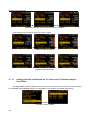
Displays with the accessed Unit Label position
There are also windows, in which the user may edit some text (i.e. the name of the file). This window
consists the help information to guide the user how to edit the text.
<4>
Displays during the edition of the text – name of the logger file
The edition process is presented on the Figures below.
The displayed inversely character may be edited. One can select the position of the character in the
edited text using the <3>, <4> push-buttons.
16
SVAN 106 User MANUAL
_
<4>
Display during the selection of the character’s position to be edited
The available ASCII characters can be changed using the <5> or <6> push-button. The subsequent
digits, underline, big letters and space appear on the display in the inversely displayed position after each
pressing of the mentioned above push-buttons.
<5>
Display during the edition of the file name
One can insert or delete the position in the edited text using the <3>, <4> push-buttons pressed
together with the <Alt> one.
<Alt /4>
< Alt /3>
Display during the edition of the file name
In the most windows the last line consists the help information. It informs the user how to select or
modify the parameter’s value, change the character in the text line etc.
If some functions or parameters are not active, the positions in the menu or parameter lists linked with
this function or parameter became not active (their colour became grey). For example, if Logger (path:
<Menu> / Measurement / General Settings / Logging Mode: Off) is switched off the Logger presentation
mode is not active!
17
SVAN 106 User MANUAL
_
=>
=>
Measurement window when Dosimeter is swithed Off and On
3.2.
Powering of the instrument
The SVAN 106 can be powered by one of the following sources:
• Four AA standard internal batteries. In the case of alkaline type, fully charged set can operate more
than 12 h (6.0 V / 1.6 Ah). Instead of the ordinary, four AA rechargeable batteries can be used (for
charging them the separate charger is required). In this case, using the best NiMH type, the operation
time can be increased up to 16 h (4.8 V / 2.6 Ah)
• USB interface – 500 mA HUB
In the Power Supply window of the Instrument list one can see the information about the power
source.
Battery windows for different sources powering the instrument: batteries and USB power
When the instrument is powered from batteries, the “Battery” icon is presented on the top of the
display. When voltage of the batteries is too low, the icon is flashing or during attempt of switching on the
Low Battery message occurs on the display for 2 seconds and the instrument switches off by itself. To
change the batteries the user has to switch off the instrument, take off the black bottom cover of the
instrument, unscrew battery cover, change the batteries and reassemble the parts of the instrument. The
fully charged battery ensures more than 12 hours of the continuous work of the instrument (with the backlight
18
SVAN 106 User MANUAL
_
off). The battery condition can be checked by means of the Battery function. It is also presented
continuously on the display by means of the “Battery” icon.
Display with Low Battery message
When there is a connection to the USB interface (USB Device socket is connected by means of the
cable to a PC), the “Computer” icon is presented on the top of the display and in the Battery window, there
is the USB Power: 0.00V message.
Notice: In the case when “Battery” icon is red, it is strongly recommended to use as soon as
possible the external power adapter or USB interface. In the other case the instrument after a while will be
switched off automatically!
The saving of the internal source of the instrument’s power can be achieved by means of reducing the
brightness of the screen when possible. The settings of Brightness and power saver function may be done
in the Screen Setup window (path: <Menu> / Display / Screen).
3.3.
Initial Setup of the instrument
The instrument passes the self-test after switching on (in this time the producer and the name of the
instrument is displayed on the display) and then it enters the Select Setup window. This window enables
one to select predefined setup for specific measurements. To ignore the selection one should press <Esc>
push-button.
After selection or skip the predefined setup the unit has to warm-up during one minute and then the
measurement screen with two results appears.
<ENTER> / <ESC>
Displays after switching on the instrument
19
SVAN 106 User MANUAL
_
To start the measurements the user has to press the <Start/Stop> push-button. The result of the
measurement is displayed with the unit of the measurement in so-called two profiles mode.
Displays in two results mode when second profile is swithed Off and On
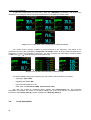
Two results mode is always available for most Functions of the instrument. The results of the
measurements can be also presented in 6 Channels or 3 Profiles modes. In these modes the results for six
channels or 3 profiles are presented on the screen. The user can switch the presentation modes by means
of <Alt> and <5>, <6> push-buttons pressed simultaneously.
<Alt/6>
<Alt/6>
Displays in two profiles and 6 Channels presentation modes
The default settings (set up by the producer) for the profiles of all channels are as follows:
−
signal type: Type: IEPE;
−
weighting filter: Filter: Wd;
−
type of the RMS detector: 1.0s;
−
dose meter: 1-3 Dosemeter: WBV; 4-6 Dosemeter: HAV.
The user can change all mentioned above settings using Measurement list. The instrument
remembers all changes. The return to the default settings (set up by the producer) is possible after the
execution of the Factory Settings position available in the Auxiliary Setup list.
3.4.
20
Icons description
SVAN 106 User MANUAL
_
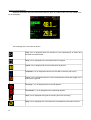
Additional information about the instrument’s state are given by means of the icon’s row visible in the
top of the display.
Display with available icons
The meanings of the icons are as follows:
“play” icon is displayed when the instrument is the measurement is started and
executed the measurement.
.
“stop” icon is displayed when the measurement is stopped.
“pause” icon is displayed when the measurement is paused.
“computer” icon is displayed when there is the USB connection with the PC.
“curve” icon is presented when the current measurement results are logged in the
instrument’s logger file.
“arrow up” icon is displayed when overload appears.
“arrow down” icon is displayed when underrange appears.
“tone” icon is displayed during wave recording and event recording.
“plug” icon is displayed when the instrument is powered from the external source.
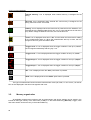
21
SVAN 106 User MANUAL
_
“Internal memory” icon is displayed when internal memory is assigned for file
saving.
“SD Card” icon is displayed when external SD card memory is assigned for file
saving. Micro SD card is connected.
“battery” icon is displayed when the instrument is powered from the batteries. Icon
corresponds to the batteries state (three, two, one or none vertical bars in side of the
icon). When voltage of batteries is too low, the icon became red.
“clock” icon is displayed when timer is On. Is active when the instrument is waiting
for the measurement start up. When the measurement start up is close, the icon
change its colour to green and stats to blink.
“Trigger Level +” icon is displayed when the trigger condition is set up to „Level+”.
The icon appears alternately with the „play” icon.
“Trigger Level –“ icon is displayed when the trigger condition is set up to „Level-”.
“Trigger Slope +” icon is displayed when the trigger condition is set up to „Slope+”.
“Trigger Slope –“ icon is displayed when the trigger condition is set up to „Slope-”
“Alt” icon is displayed when the <Alt> push-button is pressed.
“Shift” icon is displayed when the <Shift> push-button is pressed.
The type of measurement function and the measurement mode (LM, DLM, 1/1 and 1/3 etc.) as well as
RTC is also displayed in the same line together with icons.
3.5.
Memory organisation
All available measurement results as well as measurement and device settings can be stored in the
internal FLASH type memory of the instrument (16 MB) or in the external Memory (SD Card). Logger, wave
and event results can be save only in the external Memory.
22
SVAN 106 User MANUAL
_
The SD Card external memory is activated automatically after insertion of the card. The SD Card
memory is organised as standard memory with directories and sub-directories. It is possible to create and to
delete the directory.
The content of each memory type can be checked with the help of the File Manager or
Setup Manager function of the File menu.
<ENTER>
Checking the content of the memory
To change the memory type one should press the <3> push-button in the File Manager window,
select the memory type by means of the <5>, <6> push-buttons and press the <4> one.
<3>
<6>
<4>
Changing the memory type for checking the content
The file are saved in the Memory and in the catalogue which was set up as a working. The working
Memory type is displayed as the icon in the left position of the icon line.
“Internal” memory icon is displayed when internal memory is
saving.
assigned for file
“SD Card” icon is displayed when external SD card memory is assigned for file
saving. Micro SD card is connected.
The working directory is described in the bottom line of the File Manager window.
23
SVAN 106 User MANUAL
_
To change the working directory and/or working memory one should select the Memory type and in
case of SD Card the desired directory and press the <ENTER> push-button. After the new window is
opening one should select the Set Working Directory position and press the <ENTER> push-button again.
The icon on the upper line and the directory path on the bottom line will be changed accordingly. Same
algorithm is applied for directory changing for SD Card memory.
<ENTER>
<ENTER>
Setting the internal memory as working memory
<ENTER>
<ENTER>
Setting the new directory as working one
There are two options for storing result data in the internal or external memory. One option is to press
<Save> push-button right after the measurement performance. Another option is to create <New File> in the
File Manager.
After pressing the <Save> push-button the Save Results window appears.
<Save>
Save Results window opening
In the Save Results window the user can give the name for the result file, or to choose automatic
name generation option: Auto Name: Number, which saves a file with the name increased by one. The
Auto Name: Off function saves a file with the edited name. These functions can be selected by means of
the <3>, <4> push-buttons. The Setup files can be stored also by means of <S/P> push-button and
creating the <New File> in the Setup Manager list.
The Setup files can be stored also by means of <S/P> push-button and creating the <New File> in the
Setup Manager list.
The logger, wave and event files are created automatically in the assigned directory on the external
memory drive.
The user can copy or move data from the internal memory of the device and store new data in the
external memory.
24
SVAN 106 User MANUAL
25
_
SVAN 106 User MANUAL
_
4 FUNCTIONS OF THE INSTRUMENT – Function
In order to select the Function list one has to press the <Menu> push-button, select the Function text
and press <ENTER>. The Function list contains two elements: Measurement Function and Calibration.
<ENTER>
Function window; Measurement Function selection
4.1.
Measurement functions of the instrument - Measurement Function
The main function of the instrument is the measurement of Vibration level (Level Meter) meeting the
ISO 8041:2005 standard. The instrument can also be used for the long-term vibration monitoring using for
this purpose the huge logger, in which the measurement results are stored.
The user may also use 1/1 and 1/3 octave analysis functions. These functions broaden the main Level
Meter functions of the instrument, because 1/1 and 1/3 analysis is performed together with all calculations of
Level Meter functions.
In all functions it is possible to perform additionally dose measurements. Dose parameters are setting
up in HAV/WBV Dose window (path: <Menu>/ Measurement).
In order to select the required function the user has to enter the Measurement Function list. After
entering the Measurement Function list, the set of the available functions appears on the display:
Level Meter. Currently active function is marked.
<ENTER>
Measurement Function window
The type of measurement function and the measurement mode is displayed at the upper line of the
screen:
- LM
Level Meter,
- 1/1
1/1 Octave,
- 1/3
1/3 Octave,
26
SVAN 106 User MANUAL
_
Optional functions that broadening the applications of the instrument can be install. These options can
be supported by the producer or purchased later.
Note: It is not possible to change the measurement function during the measurements. The
instrument displays in this case for about 3 seconds the text: “Measurement in Progress”. In order to
change the mode of the instrument the measurement must be finished!
4.2.
Instrument’s calibration – Calibration
The instrument is factory calibrated with the supplied accelerometers. In case of using other
transducers the calibration of the measurement channels has to be done. Periodic calibration of standard
accelerometers is also required. In order to select a calibration function the user has to enter the Calibration
sub-list.
The Calibration list consists of six positions: Channel 1, Channel 2 … Channel 6 which are used to
perform the calibration of each channel of the unit.
<ENTER>
Calibration list opening
4.3.1.
Downloading and uploading TEDS data – TEDS
If accelerometer with new TEDS system is connected before switching the instrument on the TEDS
data are downloading automatically. TEDS data usually include: serial number, producer name, calibration
factor, etc.
The TEDS position enables the user to Download TEDS Data, when accelerometer is connected
during instrument’s working session. It enables also to Upload TEDS Data from the instrument to the
accelerometer’s TEDS memory - calibration results, performed by user.
<ENTER>
Instrument list; the TEDS window opening
27
SVAN 106 User MANUAL
4.3.2.
_
Calibration of the instrument channels – Channel x
The Channel x sub-list consists of three positions: Calibr. By Sensitivity, Calibr. By Measurement,
which are used to perform the calibration and Calibration History used for checking the parameters of the
previous calibrations.
<ENTER>
Channel calibration menu opening
Note: The calibration factor is always added to the results in the Level Meter, 1/1 Octave,
1/3 Octave, FFT and other modes.
Note: The calibration level and the calibration result is expressed in different units depending
on the settings of the instrument. The metric or non-metric Vibration units are set in the Vibration Units
(path: Menu / Auxiliary Setup / Vibration Units). Additionally, the Linear or Logarithm units are set in the
Display Scale (path: Menu / Display / Results Scale).
Note: It is not possible to calibrate the instrument during the execution of the measurements. It
is possible to open different lists and sub-lists but the positions in these lists are not displayed inversely and
so - not accessible. The “play” icon indicates that the instrument is in the measurement process. In order to
change the sensitivity the measurement must be finished!
4.3.3.
Calibration by transducer's sensitivity – Calibr. By Sensitivity
The calibration by the accelerometer’s sensitivity introduction can be done in the following way:
1. Select this type of the calibration (highlight the Calibr. By Sensitivity text) from the Calibration sub-list
and press the <ENTER> push-button.
28
<ENTER>
SVAN 106 User MANUAL
_
Selection of the Calibr. By Sensitivity calibration mode
2. Set the sensitivity of the accelerometer taken from its calibration certificate using the <3>, <4> pushbuttons (or combination of the <Shift> and <3>, <4> push-buttons).
The calibration factor is calculated, after pressing the <3>, <4> push-buttons, in the relation to
10.0 mV / ms-2. For the sensitivity of the accelerometer higher than 10.0 mV / ms-2 the calibration factor is
negative.
<4>
Setting the sensitivity higher than 10.0 mV / ms-2
For the sensitivity of the accelerometer lower than 10.0 mV / ms-2 the calibration factor is positive.
<3>
Setting the sensitivity lower than 10.0 mV / ms-2
The lowest applicable value of the sensitivity to be introduced is equal to 10.0 μV / ms-2 (it conforms to
the calibration factor equal to 60.0 dB) and the highest one – 10.0 V / ms-2 (calibration factor equal to 60.0 dB).
In order to save the selected calibration factor the user has to press <ENTER>. In order to return to
the Calibration sub-list the user has to press the <ESC> push-button.
4.3.4.
Calibration by measurement – Calibr. By Measurement
The calibration by measurements can be done in the following way:
1. Select the calibration by measurement (highlight the Calibr. By Measurement text) from the Calibration
sub-list and press the <ENTER> push-button.
29
SVAN 106 User MANUAL
_
<ENTER>
Selection of the Calibr. By Measurement calibration mode
2. Select filter: for whole-body transducer - BL Wk or equivalent, for hand-arm transducer – BL Wh.
<4>
Filter selection
3. Select the calibrator signal level.
<4>
<Shift /4>
Selection the calibration level
4. Attach the vibration calibrator to the instrument’s accelerometer.
5. Switch on the calibrator and wait approximately 30 seconds before starting the calibration measurement.
6. Start the calibration measurement by pressing the <Start/Stop> push-button.
The measurement starts after 5 seconds delay. The measurement time is also predefined to
5 seconds. During the calibration period, the <ESC> and <Pause> push-buttons do not operate but it is
possible to stop the measurement using the <Start/Stop> push-button. Waiting for the calibration
measurement to begin, a Start Delay is counted down. At the end of the measurement, the result is
displayed on the display in the bottom line.
30
SVAN 106 User MANUAL
_
<Start>
Displays during the calibration measurement
The calibration procedure should be repeated a few times to ensure the integrity of the calibration. The
obtained results should be almost identical (with ±0.1 dB difference). The reasons for unstable results are as
follows:
•
the calibrator is not properly attached to the instrument,
•
there are external disturbances,
•
the calibrator or the measurement channel (the accelerometer or the instrument itself) are damaged.
Note: During the calibration period, external disturbances (vibrations or acoustic noise) should
not exceed 100 dB.
7. Press the <ENTER> push-button in order to accept the measurement result.
The calibration factor is calculated, stored and displayed after pressing the <ENTER> push-button.
<ENTER>
Acceptance of the calibration factor value
4.3.5.
History of the calibrations – Calibration History
The Calibration History window displays up to ten last calibration records.
31
SVAN 106 User MANUAL
_
<ENTER>
Opening the Last Calibration window with calibration records
In order to review all calibration record, the user has to use the <5>, <6> push-buttons. The opened
window contains the date and time of the performed calibration measurement, the way the calibration was
done (Calibr. By Measurement or Calibr. By Sensitivity) and the obtained calibration factor
(Calibration Factor).
<6>
Calibration records review
In the case when the calibration measurements were not performed, the Calibration History window
does not contain any record. The contents of this window is cleared after the Factory Settings operation.
Display with the empty calibration records
32
SVAN 106 User MANUAL
_
5 MEASUREMENT PARAMETERS SETTING – Measurement
The Measurement list contains the elements, which enable one to programme the measurement
parameters for all channels and profiles. The Measurement list appears after pressing the <Menu> pushbutton, selecting the Measurement text and pressing <ENTER>.
<ENTER>
Main list; Measurement window opening
Notice: Any parameter in the Measurement list can be changed only when the instrument does
not execute a measurement. The parameters are displayed with different colour and any marker movement
is impossible. The blinking “play” icon indicates that the instrument is performing the measurements.
Display with not active parameters of Measurement list during measurement
Notice: The parameters can be presented in Logarithm (decibels) or Linear (m/s2) units. It
depends on the Scale position value (path: Menu / Display / Results Scale), e.g. 10 m/s2 can be presented
as 140 dB.
5.1
Selection of measurement parameters - General Settings
The General Settings list is opening from the Measurement list.
33
SVAN 106 User MANUAL
_
<ENTER>
Displays with the General Settings list
The General Settings list consists of the following parameters: the delay of the start of measurements
(Start Delay), the integration period (Meas. Cycle Time) and the repetition of the measurement cycles
(Repetition Cycles).
Setting time delay before the start of measurements - Start Delay
The Start Delay defines the delay period from the <Start/Stop> push-button pressing to the start of
the measurements (the digital filters of the instrument analyse constantly the input signal even when the
measurements are stopped). This delay period can be set from 0 second to 60 seconds (with 1 second
step by means of the <3>, <4> push-buttons and with 10 seconds step with the <3>, <4> push-buttons
pressed together with the <Shift> one. The <ENTER> push-button must be pressed for the confirmation of
the selection, which closes simultaneously the General Settings window.
<4>
General Settings windows; the setting of the Start Delay
Notice: The minimum delay period is equal to 0 second. In the Calibration mode, the delay
period is equal to 5 seconds.
Setting the integration period – Meas. Cycle Time
The Meas. Cycle Time defines the period in which the signal is being averaged during the
measurements. The definitions of the measurement results in which the integration period is used is given in
App. D. The required value of this parameter can be set in the range of:
- from 1 s to 59 s (with 1 second or 10 seconds step),
from 1 m (min) to 59 m (with 1 minute or 10 minutes step),
- from 1 h to 24 h (with 1 hour or 10 hours step).
34
SVAN 106 User MANUAL
_
It is also possible to set Inf value. The Inf value denotes the infinite integration of the measurements
(until the pressing the <Start/Stop> push-button or after receiving the remote control code).
<4>…
<4>…
General Settings windows; Integration Period selection
Additionally, the predefined periods: 1 m, 5 m, 15 m, 1 h, 8 h, 24 h and Inf, which are enumerated in
the standards, are also available (by pressing the <3> push-button or <3> with <Shift>; these values are
placed in the mentioned above sequence on the left in relation to 1 s).
Notice: In the case of switching on the Auto Save function, the minimum value of the
integration period should be equal to 10 seconds.
If the user wants to switch on Auto Save option (path: Menu / File / Save Options) the integration
period value has to be greater or equal than 10 seconds. When Auto Save option was switched on and new
entered integration period value is less than 10 seconds Auto Save option switches off and
Integration Period Too Short / Autosave Not Available message appears on the display.
Display, when the Integration Period is too short for Auto Save option
Setting the number of repetition of measurement cycles – Repetition Cycles
The Repetition Cycles defines the number of cycles (with the measurement period defined in the
Meas. Cycle Time), which should be performed by the instrument. The Repetition Cycles values are within
the limits [1, 1000].
35
SVAN 106 User MANUAL
_
<4>
<Shift /4>
Repetition Cycles selection
Activation of the measure trigger – Measure Trigger
The Measure Trigger position activates or deactivates the measure trigger function. If the
Measure Trigger function is swithed off, then the Measure Trigger position in the Measurement list will be
not active.
<4>
<ENTER>
Measure trigger activation
Activation of the dose meter function – Dosimeter
The Dosimeter position activates or deactivates the dose meter function. If the Dosimeter function is
swithed on, then all channels will be assigned for whole-body or hand-arm dose measurement. Dosimeter
parameters can be setup in the HAV/WBV Dose window, opened from the Measurement list. If the
Dosimeter function is swithed off, then the HAV/WBV Dose position in the Measurement list will be not
active.
<4>
<ENTER>
Dosimeter function deactivation
36
SVAN 106 User MANUAL
_
Setting the Logger mode – Logger Mode
The Logger Mode position enables one to deactivate the logger function (Off) or to activate this
function by choosing the logger mode (Logger or Wave). In case the Logger was selected the history of
results are saved in the special file, defined in the Logger Setup window. If Wave was selected the wave
signals for selected in the window Wave Channels channels are recording in the file with the predefined
name &REC#.WAV. Depending on what parameter of Logger Mode was choosen some positions in the
Measurement and Data Logging lists are not active.
<4>
<4>
Logger Mode parameter selection
<ENTER>
Measurement screen after Logger swithed off
<ENTER>
<ENTER>
Data Logging screen when Wave mode is switched on
Activation of the event recording function – Event Recording
The Event Recording position enables one to activate the event recording function. If the
Event Recording function is swithed off, then the Event Recording position in the Data Logging list will be
not active.
37
SVAN 106 User MANUAL
_
<4>
<ENTER> =>
Event recording activation
5.2
Setting the parameters for dose measurements – HAV/WBV Dose
The HAV/WBV Dose list is opening from the Measurement list. This list enables one to set up the
parameters for dose measurements, like: exposition period, type of measurement (whole body or hand arm),
performed in channels 1-3 and 4-6, used limits for some standards (U.K., Italy, Poland, France and
Germany), as well as limits, defined by the user (User).
<ENTER>
HAV/WBV Dose list opening
Setting the exposure time – Exposure Time
The Exposure Time enables the user to set the desired value of the exposure time that is used for
the calculation HAV/WBV Dose results. The Exposure Time values are within the range [00h01, 24h00].
<4>
<Shift/4>
HAV/WBV Dose window; Exposure Time selection
38
SVAN 106 User MANUAL
_
Setting the measurement type for channels 1-3 and 4-6 – 1-3 Dosemeter & 4-6 Dosemeter
Positions 1-3 Dosemeter and 4-6 Dosemeter enable the user to set the desired type of the
measurement, performed with the use of channels 1,2,3 and 4,5,6 – hand-arm (HAV) or whole-body (WBV)
vibration. Dose measurements may be also switched off (Off).
<4>
HAV/WBV Dose window; dosemeter type selection
Setting the standard for dose measurements – Standard
The Standard position enables the user to set the standards for the measurements of the
HAV/WBV Dose. The available values of this position are U.K., Italy, Poland, France, Germany and User.
<4>
<4>...
HAV/WBV Dose window; Standard selection
Depending of settings in the position Standard it is possible to view (U.K., Italy, Poland, French,
Germany) or edit (User) limits for dose calculation.
View or edition of the limits for dose calculation – View Standard Limits / Edit User Limits
The View Standard Limits position opens the window with the coefficients for the selected standard.
<ENTER>
View Standard Limits window opening
39
SVAN 106 User MANUAL
_
When the User is selected in the Standard position then the Edit User Limits position appears on
the screen where the user can set up its own coefficients.
<ENTER>
HAV/WBV Dose window; Standard: User window opening
5.3
Setting parameters in a channels – Channels Setup
The Channel x position enables the user to assign the axis of three-axial accelerometer for the
specific channels, switch on or off channels or second profiles, and to program the channels parameters as:
transducer type (Type) and weighting filter (Filter). The measurement range cannot be changed and is
displayed only for information purpose. The Channels Setup list is opened from the Measurement list.
<ENTER>
Channels Setup list opening
Notice: The change of the profile parameters is not possible when the measurement is
performed. The user has to finish the current measurement.
Activation of channels and second profiles - Enabled Channels
The first two positions enable one to switch on or off some channels and the second profile from the
calculation process.
40
SVAN 106 User MANUAL
_
In the Enabled Channels the user may select All, 1-3 or 4-6 channels to be active during
measurement. Other channels will be disabled and will not be displayed.
<4>
<4>
Channels activation
In the Enabled 2nd profiles the user may switch on or off the second profile. If second profiles will be
switched off, they will not be displayed.
Second profiles activation
5.3.1
Assignment channels for the accelerometer axis - Channel/Axis Mapping
The Channel/Axis Mapping position enables one to assign channels to the transducer’s axis. The
user can assign to one axis only pair of channels like 1&4, 2&5, 3&6. If same pairs are assigned to the
different axis there will be error detected and the user will be proposed to reassign the channels.
Channel/Axis Mapping window opening
41
SVAN 106 User MANUAL
_
<4>
Channel/Axis Mapping;
5.3.2
Setting parameters for channels – Channel x
The Channel x positions enable one to set up or display parameters for the individual channel, like
input type and filters for profiles.
<ENTER>
Channel x window in case of disabled second profiles while Dosemeter is Off and On
<ENTER>
Channel x window in case of active second profiles while Dosemeter is Off and On
Input type selection - Type
The following inputs are available: IEPE and Direct.
42
SVAN 106 User MANUAL
_
<4>
Selection of the input type for the Cnannel 1
Range selection - Range
The Range value cannot be changed; it is always equal to 141 m/s2. .
Selection of the Range position
Weighting filter selection – Filter
The following weighting filters are available for the first profile of the instrument: Wh, Wk, Wd, Wc,
Wj, Wm, Wg, Wb and Wf.
<4>
…
Selection of the weighting filter for profile 1
The set of filters for the profile two is depending of the filter selected for profile one. There is always
available filter HP. Second available filter for profile 2 is one of: BL Wh, BL Wk, BL Wd, BL Wc, BL Wj, BL
Wm, BL Wg, BL Wb and BL Wf; according to the rule – if Wb filter is selected in the profile 1 then the apart
of HP only BL Wh, filter is available for profile 2. If Wk filter is selected in the profile 1 then the apart of HP
only BL Wk, filter is available or profile 2. And so on.
43
SVAN 106 User MANUAL
_
<3>
<3>
Selection of the weighting filter for profile 2
The characteristics of the filters are given in App. D.
RMS detector
In the instrument the only one 1.0s RMS detectors is available.
5.4
Setting the vector calculations – Vector Setup
The Vector Setup position enables the user to select the coefficients to calculate the vector for
channels 1, 2, 3 and 4, 5, 6. There are two options for vector calculation – with the use of standard
coefficients (Dosimeter) and with defined coefficients (User, MTVV and PPV (2)).
<ENTER>
<ENTER>
Vector 1-3 window opening
<4>
<4>
Vector 1-3 window; Mode selection
44
SVAN 106 User MANUAL
_
When the user needs to calculate vector with other than standard coefficients, it is possible to select
the coefficient within the values from 0.00 to 2.00.
<4>
<Shift/4>
Vector 1-3 window; coefficients for channels selection
The values presented above are taken into account during the calculations of the measurement
results. VECTOR is calculated according to the formulae:
VECTOR = k12 x12 + k 22 x 22 + k 32 x32
Where k1, k2 and k3 are the coefficients and x1, x2 and x3 are RMS results for different channels. It is
important that the user should choose only coefficients corresponding with the proper channels.
5.5
Setting of the logging functionality – Logging
The Data Logging list enables one to program the logger functions. It is opening from the
Measurement list.
<ENTER>
Logging window opening
The Data Logging list consists of seven positions. First three positions: Logger Setup,
Logger Results and Logger Trigger enable one to program the results history saving. The
Event Recording and Markers Setup positions enable one to program recordings and identification of
events, occurred during whole measurements cycles, while logging data to the logger file. The
Wave Channels and Wave Trigger positions enable one to program the parameters of signal (wave)
recording.
45
SVAN 106 User MANUAL
5.5.1
_
Data logger programming – Logger Setup
The Logger Setup list enables the user to edit the name of the logger file and to set the logger step.
<ENTER>
Logger Setup list opening
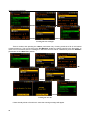
The Logger Step defines the interval of the data logging in a file. It can be set from 100 milliseconds
to 1 hour.
<4>
Logger Step settings
The Logger Name enables the user to name the logger file. The default one is LOG. The name
cannot be longer than eight characters. After pressing the <3>, <4> push-buttons, the special window with
text editor function is opening.
<4>
Logger Name edition in Logger Setup window
The edited name is accepted and the file is saved after pressing the <ENTER> push-button. The
special warning is displayed in the case the file with the edited name already exists in the memory. The
instrument waits then for a reaction of the user (any push-button should be pressed except the <Shift> or
the <Alt> one).
46
SVAN 106 User MANUAL
_
<5>
<ENTER>
<ENTER>
Displays during the attempt of overwriting the existing file
The main measurement results (cf. App. B) are calculated in the period set on in the
Meas. Cycle Time. These results can be saved in the result files in the instrument’s or external memory. In
the case the Meas. Cycle Time is greater than 9 seconds, it can be done also by means of the Auto Save
operation. In the case the Repetition Cycles is greater than one, the Auto Save operation will be performed
after the period set on in the Meas. Cycle Time. The name of the file with the main results is increased by
one after each saving.
In the same, when the Logger Mode is switched on (On), the partial measurement results are
calculated in the period set on in the Logger Step. Up to 60 results can be logged simultaneously from all
channels and profiles of the instrument (PEAK / P–P/ MAX / RMS / VDV) and two vectors (VEC13 and
VEC46) with time step down to 100 ms. These results are saved in one logger file. The name of the file is set
on in the Logger Name position. The registration in the logger’s memory is stopped after the period, which is
equal to Meas. Cycle Time multiplied by Repetition Cycles, after pressing the <Start/Stop> push-button or
after stopping the measurements remotely.
47
SVAN 106 User MANUAL
_
REP. CYCLE
n=1
0
REP. CYCLE
n=1
T
2T
INTEGR. PERIOD INTEGR. PERIOD
T
T
start
AUTO SAVE
@sig1.svn
PEAK, MAX, MIN or RMS
(N-2)T
REP. CYCLE
n=N
(N-1)T
NT
AUTO SAVE
AUTO SAVE
@sigN-1.svn
main results
integration period
from T to 2T
AUTO SAVE
@sigN.svn
main results
integration period
from (N-2)T
to (N-1)T
time
measurements
end
INTEGR. PERIOD INTEGR. PERIOD
T
T
@sig2.svn
main results
integration period
from 0 to T
time history
REP. CYCLE
n=N-1
main results
integration period
from (N-1)T
to NT
main results
files
signal amplitude
Measurements started by <START/STOP> push-button, ended by last repetition cycle
LOGGER: ON
&logger1.svn
RMS results logged
with LOGGER STEP.
Number of results
equal NT / LS
0
LS
NT
LOGGER STEP
time
Relations between Integration Period and Logger Step
5.5.2
Results selection – Logger Results
The Logger Results list enables the user to activate the results for all channels and profiles
(Channel x Profile x), for vectors (Vector) and for forces (Force 1-3 Logger and Force 4-6 Logger) for
recording their history in the logger file. The view of the Logger Results list depends on the settings of the
Enabled Channels and Enabled 2nd profiles parameters (path: <Menu> / Measurement /
Channels Setup).
Activation / deactivation can be done by means of the <3>, <4> push-buttons pressed together with
the <Shift> one. The position is changed by means of <3>, <4> and <5>, <6> push-buttons.
<ENTER>
<Shift/6>
Logger Results list opening
48
SVAN 106 User MANUAL
_
Selection results for channels and profiles – Channel x Profile x
The Channel x Profile x list enables the user to activate the results for channel x and profile x
(PEAK, P-P, MAX, RMS and VDV), which will be recorded to the logger file, activate plot and select its color.
<ENTER>
Logger Chan 1 Prof 1 list opening
<Shift/4>
Logger Results list; PEAK result for the Profile 1 of Channel 1 activation
<4>
<4>
<6>
Logger Results list; result changing
49
SVAN 106 User MANUAL
_
=>
Example display of Logger with two selected results
Selection vectors for logging – Vector
The Vector list enables the user to activate the vectors (VEC13 and VEC46), which will be recorded to
the logger file, activate plot and select its color.
<ENTER>
Vector window opening
Selection …… for logging – Force 1-3 Logger & Force 4-6 Logger
The Force 1-3 Logger and Force 4-6 Logger lists enable the user to activate (PEAK, MAX, MIN and
Aver.), which will be recorded to the logger file, activate plot and select its color.
<ENTER>
Force 1-3 Logger window opening
50
SVAN 106 User MANUAL
5.5.3
_
Logger trigger parameters setup – Logger Trigger
The Logger Trigger parameters influence the way the measurement results are saved in the logger.
<ENTER>
Logger Trigger list opening
In this sub-list the triggering in logger can be switched off or on (Enabled), the source of the triggering
signal determined (Select Sources), the number of the results saved in the logger before the fulfilment of
the triggering condition (Pre) and the number of the results saved in the logger after the fulfilment of the
triggering condition (Post) be select. If the triggering condition is fulfilled, the logger contains:
•
the measurement results registered directly before the fulfilment of the triggering condition; time of the
registration can be calculated by multiplying the value set in the Pre by the time period taken from the
Logger Step (path: Menu / Measurement / Data Logging / Logger Setup);
•
all measurement results up to the moment the triggering signal falls down the Level;
•
the results registered directly after the fulfilment of the triggering condition; time of the registration can be
calculated by multiplying the value set in the Post by the time period taken from the Logger Step (path:
Menu / Measurement / Data Logging / Logger Setup).
The logger triggering of the measurements (Enabled) can be switched on with the <4> push-button.
<4>
Logger Trigger enabling
In the Pre line the number of the results registered in the logger’s file before the fulfilment of the
triggering condition can be set. This number is within the limits 0..20.
The period of the measurements, which are saved in the logger before the fulfilment of the triggering
condition, can be calculated multiplying the value set in the Pre by the value set in the Logger Step (path:
Menu / Measurement /Data Logging / Logger Setup). The result of the calculation is presented in the same
line, at the right side of the display.
51
SVAN 106 User MANUAL
_
=>
<4>
Logger Trigger windows with the Pre selection with Logger Step equal to 10 s
=>
<4>
Logger Trigger windows with the Pre selection with Logger Step equal to 1 s
In the Post line the number of the results registered in the logger’s file after the fulfilment of the
triggering condition can be set. This number is within the limits 0..200.
The period of the measurements, which are saved in the logger after the fulfilment of the triggering
condition, can be calculated multiplying the value set in the Post by the value set in the Logger Step (path:
Menu / Measurement / Logging / Logger / Logger Setup). The result of the calculation is presented in the
same line, at the right side of the display.
=>
<4>
Logger Trigger windows with the Post selection with Logger Step equal to 1 s
The position Select Sources determines the source of the triggering signal. The sources for triggering
are defined in the Trigger Conditions position of Measurement list and can be selected in the
Select Sources window. If more than one source is selected, then the trigger will be switched on when one
of these conditions are fulfilled. The logger will be filled on until all conditions are ceased.
To open this position one should select it and press <ENTER> push-button.
52
SVAN 106 User MANUAL
_
<ENTER>
Select Sources list opening; Logger Events windows with defined events and events not defined
5.5.4
Event recording setup – Event Recording
The Event Recording enables the user to activate and to set the parameters of event signal recording
on the external memory (SD Card).
<ENTER>
Event Recording list opening
The Sampling Rate position displays the sampling frequency of event recording.
When Trigger position is selected then event recording will start by the measurement trigger. When
Trigger On Marker position is selected then event recording will start by the marker initiated by the user.
When Trigger and Trigger On Marker event recording were chosen then event recording will start when
one of these triggering conditions are fulfilled.
When Trigger or Trigger On Marker event recording is chosen then additional positions appears.
These positions enable one to programme additional parameters for the event recording.
<4>
Trigger parameter selection
53
SVAN 106 User MANUAL
_
<4>
Trigger On Marker parameter selection
When Pre Trigger position is switched on then the signal is recorded before the triggering condition
with interval, defined by the position Pre of the Logger Trigger window (path: <Menu> / Measurement /
Data Logging).
<4>
Pre Trigger parameter selection
In the Rec. Limit position it is possible to select the time of signal recording after triggering. If the
triggering condition appears then the signal will be recording during the period defined in Rec. Time. The
available values are: Max Length, Fixed Len. or Off.
When Off is chosen then the event signal will be recording as long as memory is filling or until the
trigger condition ceased. When Max Length is chosen then the signal will be recording during period defined
in the Rec. Time, but can be stopped earlier if trigger condition ceased. When Fixed Len. is chosen then the
signal will be recording during period defined in the Rec. Time, even when trigger condition ceased.
<3>
<3>
Rec. Limit parameter selection
In the Rec. Time position it is possible to select the time of signal recording after triggering. If next
triggering condition appears then the signal will be recording additional Rec. Time.
54
SVAN 106 User MANUAL
_
<4>
Rec. Time parameter selection
The position Select Sources determines the source of the triggering signal. The sources for triggering
are defined in the Trigger Conditions position of Measurement list and can be selected in the
Select Sources window. If more than one source is selected, then the trigger will be switched on when one
of these conditions are fulfilled. The logger will be filled on until all conditions are ceased.
To open this position one should select it and press <ENTER> push-button.
<ENTER>
Select Sources position opening; Event Recording Cond. window opening
<4>
Selection Channel 1 for record
<6>
Selection all channels for record
55
SVAN 106 User MANUAL
5.5.5
_
The marker setup – Marker Setup
The Marker Setup enables the user to assign the name for each marker.
<ENTER>
Event Recording list opening
5.5.6
Setting-up the Wave recorder function – Wave Channels
<ENTER>
Wave Setup list opening
The Channel x positions enable the user to select the channels which signal will be recorded.
5.5.7
Wave recorder trigger setup – Wave Trigger
The Wave Trigger enables the user to activate and programme the wave recorder trigger.
<ENTER>
Wave Recorder Trigger list opening
56
SVAN 106 User MANUAL
_
The position Enabled switches on/off the Wave Trigger.
<4>
Wave Trigger switching on
In the Rec. Limit position it is possible to select the time of signal recording after triggering. If the
triggering condition appears then the signal will be recording during the period defined in Rec. Time. The
available values are: Max Length, Fixed Len. or Off.
When Off is chosen then the signal will be recording as long as memory is filling on until the trigger
condition ceased. When Max Length is chosen then the signal will be recording during period defined in the
Rec. Time, but can be stopped earlier if trigger condition ceased. When Fixed Len. is chosen then the
signal will be recording during period defined in the Rec. Time, even when trigger condition ceased.
<3>
<3>
Rec. Limit parameter selection
In the Rec. Time position it is possible to select the time of event signal recording after triggering. If
next triggering condition appears then the signal will be recording additional Rec. Time.
<4>
Rec. Time parameter selection
The position Select Sources determines the source of the triggering signal. The sources for triggering
are defined in the Events & Alarms position of Measurement list and can be selected in the
Select Sources window. If more than one source is selected then the trigger will be switched on when one
of these conditions are fulfilled. The logger will be filled on until all conditions were not fulfilled.
To open this position one should select it and press <ENTER> push-button.
57
SVAN 106 User MANUAL
_
<ENTER>
Wave Trig. Conditions window opening
5.6
Measure triggering parameters selection – Measure Trigger
The Measure Trigger sub-list enables the user to set the triggering parameters.
<ENTER>
Measurement list; Measure Trigger window opening
The Measure Trigger is a contexts sub-list in which the triggering can be switched off or on (Trigger),
in the case when on - the source of the triggering signal can be determined (Source), its level (Level) and
sometimes also the speed of changes (Gradient).
…
<4>
Measure Trigger windows
Switching the triggering on and off – Trigger
The triggering of the measurements (Trigger) can be switched off using the <3> push-buttons.
58
SVAN 106 User MANUAL
_
Measure Trigger window; Trigger switched off
triggering is switched on if one of its six modes is selected: Slope +, Slope –, Level +, Level – or
Grad +. If the instrument works with the triggering switched on, the appropriate icon appears on the display
in the case when the triggering condition was not fulfilled. The triggering condition is checked every 0,5
seconds.
Switching the triggering by means of measured signal - Slope/Level/Grad
In the case when the Slope + is selected, the measurement starts when the arising signal will pass
the level determined in the Level. In the case when the Slope – is selected, the measurement starts when
the falling down signal will pass the level determined in the Level. The measurement is stopped when the
conditions set in the General Settings sub-list are fulfilled, after pressing the <Start/Stop> push-button or
after receiving the proper control code remotely. The next sources of the triggering signal are available:
RMS(1), VEC46, VEC13 or External.
<4>
Measure Trigger windows with the Slope modes selected
In the case when the Level + is selected, in each 0,5 second of the measurement the triggering
condition is checked; the measurement is registered only when the signal has the greater level than this
determined in the Level and in the other case the measurement result is skipped.
In the case when the Level – is selected, in each second of the measurement the triggering condition
is checked; the measurement is registered only when the signal has the lower level than this determined in
the Level and in the other case the measurement result is skipped.
The next sources of the triggering signal are available: RMS(1), VEC46 or VEC13.
59
SVAN 106 User MANUAL
_
<4>
Measure Trigger windows with the Level modes selected
In the case when the Grad + is selected, in each 0,5 second of the measurement the triggering
condition is checked; the measurement is registered only when the signal has the greater level than this
determined in the Level and the gradient of the signal is greater than this determined in the Gradient
position. In the other case the measurement result is skipped. The only one sources of the triggering signal
is available: RMS(1).
Measure Trigger window with the Gradient + mode selected
Selection of the triggering signal - Source
The user can select several sources of the triggering signal: the output signal from the RMS detector
coming from the first profile which is denoted here as RMS(1), VEC46, VEC13 or External.
<4>..
<4>
Measure Trigger windows; Source signal selection
Setting the channel of the triggering signal - Channel
The Channel parameter denotes the channel of the triggering signal.
60
SVAN 106 User MANUAL
_
<4>
Measure Trigger windows; Channel selection
Setting the level of the triggering signal – Level
The level of the triggering signal (Level) can be set in 1 dB step (or 10 dB steps) from 24 dB to 136 dB
range.
<4>
<Shift /4>
Measure Trigger windows; Level selection
Setting the speed of the triggering signal changes – Gradient
This position appears when the Grad+ trigger is chosen. The speed of the triggering signal changes
(Gradient) can be set from 1 dB/ms to 100 dB/ms range.
<4>
<Shift /4>
Measure Trigger windows ; Gradient selection
Switching the triggering by means of RTC
In the case when the RTC (Real Time Clock) is selected the triggering is done at the time set up by
RTC Start. The user has to press <Start> push-button and the measurement will be triggered on time
selected in RTC Start.
61
SVAN 106 User MANUAL
_
Measure Trigger window with the RTC mode selected
<4>
Measure Trigger window with the RTC Start time selection
The measurement is repeated with the step selected in Repeat Every position. The parameter
Repeat Every can have values: Measurement Cycle or Period. If Period is selected then additional
position RTC Period appears.
<4>
Measure Trigger window; Repeat Every selection
<4>
Measure Trigger window; RTC Period selection
62
SVAN 106 User MANUAL
5.7
_
Definition the list of events for triggering – Trigger Conditions
The Trigger Conditions position enables the user to create the list of conditions for triggering. Trigger
conditions can be defined based on results, calculated in each profile of each channel, and can be defined
also based on vector results.
<ENTER>
Events & Alarms window; the Trigger Events Setup sub-list selection
The Trigger Conditions list contains positions, which enable one to setup the conditions based on
channel's signals (Channel x) and for vectors (Vector). Channel x position opens lists with
Profile x Condition x positions.
<ENTER>
<ENTER>
Trigger Condition selection for channel
The Ch x Pr x Condition x list enables one to program one of two possible triggering condition
(Condition x) for Profile x of the Channel x. It is a contexts sub-list in which the triggering can be switched
off when the Off value of the Trigger parameter is chosen or switched on in other cases.
Selection the trigger mode – Trigger
The Trigger position enables one to switch the trigger on and select it's type: Level -, Level +, Slope , Slope +, Gradient - and Gradient +.
<4>
<4> ..
Trigger type selection
In each Integr. Step of the measurement the triggering condition is checked and:
63
SVAN 106 User MANUAL
_
•
in the case of Level + is selected, the triggering condition is fulfilled only when the Source has
the greater value than this determined in the Level position and in the other cases the
triggering condition is not fulfilled.
•
in the case of Level – is selected, the triggering condition is fulfilled only when the Source has
the lower value than this determined in the Level position and in the other cases the triggering
condition is not fulfilled.
•
in the case of Slope + is selected, the triggering condition is fulfilled only when the arising
value of the Source is passing the level determined by the Level parameter.
•
in the case of Slope – is selected, the triggering condition is fulfilled only when the falling
down value of the Source is passing the level determined by the Level parameter.
•
in the case of Gradient + is selected, the triggering condition is fulfilled only when the signal
has the greater level than this determined in the Level and the gradient of the signal is greater
than this determined in the Gradient position. In the other cases the triggering condition is not
fulfilled.
•
in the case of Gradient - is selected, the triggering condition is fulfilled only when the signal
has the lower level than this determined in the Level and the gradient of the signal is lower
than this determined in the Gradient position. In the other cases the triggering condition is not
fulfilled.
Selecting the step of checking the triggering condition – Integr. Step
The Integr. Step position enables one to select integration time for condition evaluation: Logger,
100ms, 1.0s, Meas. Time and Int. Period.
<4>
<4> ..
Integr. Step selection
Selection the source for triggering condition – Source
The Source position enables one to select the source for triggering condition: PEAK, P-P, MAX, MIN,
RMS or VDV.
<4>
<4> ..
Source selection
64
SVAN 106 User MANUAL
_
Selection the value of threshold for triggering condition – Level
The Level position enables one to select the value of threshold for triggering condition. The level of
the triggering source can be set in a range from 60 dB to 200 dB or from 1.00 mm/s2 to 10.0 km/ s2.when
linear units were selected in Results Scale position of Display menu.
<4>
<Shift/4>
Level selection
The four last positions enable one to assign the action for the current trigger event for triggering alarm
signal (Alarm), logger (Logger), wave recording (Wave) and event recording (Record Event).
<4>
<6>..
Trigger Actions assignment
<ENTER>
<ENTER>
Trigger Condition selection for vector
<4>
<4> ..
Trigger type selection
65
SVAN 106 User MANUAL
5.8
_
Selection of the events to switch on the alarm trigger - Alarm Trigger
The Alarm Trigger sub-list enables one to select among the events these ones that will be used for
triggering alarm.
<ENTER>
Alarm Trigger list opening
5.9
Programming the instrument’s internal timer – Timer
The Timer enables one to programme the internal timer. The instrument can be switched on
automatically in the programmed time and perform the measurement with settings used before the
instrument was switched off.
<ENTER>
Measurement list, the Timer window opening
Selecting the mode of the timer function – Mode
The timer can be switched off – Off, switched on only once – Single, or switched on many times
regularly – Regular with the period between two consecutive measurements set in the Repeat Time line as
24 hours. It means that the unit will be switched on once a day at the same time until one disables timer
function.
If the instrument was switched on by means of Timer then the “clock” icon appears on the screen.
<4>
<4>
Timer windows; the mode selection
66
SVAN 106 User MANUAL
_
Setting day of the instrument’s switch on - Start Day
The Start Day determines the date of the measurement start. The timer can be programmed up to
one month ahead and during the date setting the current state of the Real Clock is taken into account. The
required date can be selected in the special window, which is opened by means of the <3>, <4> pushbuttons.
<4>
<6>
<Enter>
Timer windows; setting day of the instrument’s switch on
Setting hour of the instrument’s switch on – Start Hour
The Start Time determines hour of the measurement start. The required hour can be selected in the
special window, which is opened by means of the <3>, <4> push-buttons.
<4>
<Shift/4>
Timer windows; setting hour and minute of the instrument’s switch on
67
SVAN 106 User MANUAL
_
5.10 Settings whole body measurements with the use of seat accelerometer –
“SEAT”
The “SEAT” window enables the user to switch on “SEAT” measurements and to assign channels for
tree axial seat accelerometer (Seat channels) or (Base channels).
<ENTER>
Auxiliary Functions; “SEAT” window opening
<4>
SEAT measurements switching on
<4>
Channels assignment
68
SVAN 106 User MANUAL
_
6 DATA AVAILABLE ON THE DISPLAY – Display
The Display list contains the elements that enable one the independent programming of the display
parameters. In order to open the Display list the user has to press the <Menu> push-button, select the
Function text and press <ENTER>.
<ENTER>
Display window
The Display list is used for setting the various parameters, which are mainly dedicated for the control
of the display. The list consists of:
Display Modes
enables one to select the mode of the measurement results presentation;
Plot Scale
enables one to change the plot scale of results presentation;
Results Scale
enables one to change the scale of result’s presentation;
Screen
enables one to set the brightness and the switch on/off the screen saver of the
instrument’s display.
6.1 Selection of the modes of measurement results presentation - Display Modes
The Display Modes list enables one to switch on or off the currently available modes of displaying the
results of measurement. The mode of the results presentation is related with the selection of the instrument’s
function (LM, 1/1 Octave, 1/3 Octave, etc.).
<ENTER>
Display Modes windows in the Sound Level Meter mode
When all display modes in the Display Modes list are switch off the only main presentation mode with
two results is available. Any attempt to switch the mode by means of <Alt> and <5>, <6> push-buttons
give no results.
69
SVAN 106 User MANUAL
_
=>
Two results main presentation mode
=>
<Alt/6>
=>
<Alt/5>
=>
<Alt/5>
Display Modes window and available results presentation modes
When all display modes in the Display Modes list are switch on both all presentation modes are
available and can be switch the mode by means of <Alt> and <5>, <6> push-buttons give no results.
6.1.1
Main presentation mode
The main presentation mode is always active and it is not possible to switch it off. The display with the
measurement results in main presentation mode is presented below
70
SVAN 106 User MANUAL
_
Fields description of the two results view
4
1
5
2
6
3
Display in two results presentation mode
1. Channel and Profile number.
2. Function name: RMS, VDV, CRF, OVL, PEAK, P–P, MTVV.
3. The name of the implemented filter: HP , Wh, Wk, Wd, Wc, Wj, Wm, Wg, Wb, Wf, BL Wh, BL Wk,
BL Wd, BL Wc, BL Wj, BL Wm, BL Wg, BL Wb, and BL Wf and detector time constant: 1.0 s.
4. Elapsed time shows the current second of the measurement. The value presented there belongs to
the range [1, Meas. Cycle Time].
5. The value of measured function.
6. Units of measured value.
The change between positions is made by pressing the <5> or <6> push-buttons. When Profile or
Function position is chosen, then the profile number or function name is changed after pressing the <3>
and <4> push-buttons.
The presentation mode is changed after pressing the <5> or <6> push-buttons pressed together
with the <Alt> one.
<6>
<6>
Change of positions
71
SVAN 106 User MANUAL
_
<4>
<4>
Change of profiles
When Auto Save function is active the file name is indicated on the upper screen field.
Two profiles presentation mode with autosave file name @RES1
6.1.2
Presentation mode for six channels - 6 Channels
The six channels measurement result’s presentation mode (6 Channels) shows simultaneously
results for six channels. If not All channels are enabled in Channel Activation window (path: <Menu> /
Measurement / Channels Setup) the 6 Channels mode is not active.
<4>
Setting on the accessibility of 6 Channels presentation mode
Fields description of the 6 channels view
4
72
5
6
7
SVAN 106 User MANUAL
_
1
2
8
3
Displays in 6 Channels presentation mode
1. Result line for Channel 1.
2. Result line for Channel 2.
3. Result line for Channel 6.
4. Function name: RMS, VDV, CRF, OVL, TIME, PEAK, P–P and MTVV.
5. File name when Auto Save function is activated (path: <Menu> / File / Save Options )
6. The value of measured function and units of measured value.
7. Elapsed time shows the current second of the measurement. The value presented there belongs to
the range [1, Meas. Cycle Time].
8. The Overload or Underrange indicator.
The change between position is made by pressing the <5> , <6> or <3> , <4> push-buttons.
When Channel or Function position is chosen, then the profile number or function name is changed after
pressing the <3> or <4> push-buttons in conjunction with the <Alt> one.
<6>
<4>
Position changing
<Alt/4>
Profile changing
73
SVAN 106 User MANUAL
_
<Alt/4>
Function name changing
Fields description of the 3 profiles view
4
5
6
7
1
2
8
3
Displays in 6 Channels presentation mode
1. Line for first result.
2. Line for second result.
3. Line for third result.
4. Function name: RMS, VDV, CRF, OVL, TIME, PEAK, P–P and MTVV.
5. File name when Auto Save function is active (path: <Menu> / File / Save Options )
6. The value of measured function and units of measured value.
7. Elapsed time shows the current second of the measurement. The value presented there belongs to
the range [1, Integration Period].
8. The Overload or Underrange indicator.
The change between position is made by pressing the <5> , <6> push-buttons. When Channel or
Function position is chosen, then the profile number or function name is changed after pressing the <3> or
<4> push-buttons in conjunction with the <Alt> one.
74
SVAN 106 User MANUAL
_
<6>
<6>
Position changing
<4>
Profile changing
<4>
Function name changing
6.1.3
Setting on/off logger view – Logger
The history of results saved in the logger can be presented in the special Logger mode. The Logger
mode can be activated or deactivated in the Display Modes window.
<4>
Activation of Logger presentation mode
75
SVAN 106 User MANUAL
_
Fields description of the Logger view
4
3
5
1
6
2
7
Display in Logger mode
1. Logger plot
2. Name of the logged result
3. Name of the logger file
4. Elapsed time
5. Cursor position
6. Result value for the cursor position
7. Cursor position
The user may change the cursor position by means of the <3>, <4> push-buttons when the elapsed
time field is active. The time field activation can be done after pressing the <5> or <6> push-buttons. The
appropriate value is presented in the line below the plot.
76
SVAN 106 User MANUAL
_
<6>
Result field activation
<Alt/4>
Result field activation
<3> …
Change the cursor position for the logger plot
6.1.4
Setting the result presentation parameters – Plot Scale
The Plot Scale sub-list enables the user to change the plot scale of results presentation.
<ENTER>
Plot Scale window opening
77
SVAN 106 User MANUAL
_
Setting the scale of the measurement results presentation – Scale
Two options are available: Linear and Logarithm. In the case of the first one the graphical
presentation and the units both are linear. In the latter case the graphical presentation is given in the
logarithmic scale and the measurement results are expressed in decibels (the result is related to the values
set in the Reference Levels (path: Menu / Auxiliary Setup / Reference Levels).
<4>
Plot Scale window; Scale selection
Scaling the vertical axis of the graphical mode presentation – Dynamic
The Dynamic position appears when the Logarithmic value of Scale parameter was chosen. The
Dynamic parameter enables the user to select the proper scaling of the graphical mode presentation. In the
case of the vertical axis one can obtain the double, four times and eight times expansion (as the default the
vertical axis corresponds to 80 dB, after expansion it corresponds to 40 dB, 20 dB and 10 dB –
respectively).
=>
Logger wiev with Dynamic parameter 80 dB
=>
Logger wiev with Dynamic parameter 40 dB
Switching on/off the grid in the graphical mode presentation – Grid
The Grid enables the user to switch on or off the grid in any graphical presentation.
78
SVAN 106 User MANUAL
_
=>
=>
Displays with the grid switched on and off
6.2 Setting the scale of result’s presentation– Results Scale
The Results Scale sub-list enables the user to change the scale in the available modes of the
measurement results.
<ENTER>
Results Scale window opening
There are two options for Scale parameter: Linear and Logarithm.
=>
79
SVAN 106 User MANUAL
_
=>
Results presentation in linear and logarithmic scale
6.3 Setting the display brightness and power saver- Screen
The Screen window enables the user to set the brightness of the display and switch on the screen
saver.
<ENTER>
Display list; the Screen window opening
Setting the brightness of the display – Brightness
The Brightness enables the user by means of the <3>, <4> push-buttons to set the proper
brightness of the display. The user can select 20 different values of this parameter.
Notice: The new value of the brightness is confirmed after each pressing of the <3> or <4>
push-buttons (new value is selected without any confirmation from the <ENTER> push-button).
<3> …
Screen windows; the change of the brightness
Setting the power saver function – Power Saver
80
SVAN 106 User MANUAL
_
The saving of the internal source of the instrument’s power can be achieved by means of reducing the
brightness of the screen when possible.
It is possible to set the Power Saver automatically. The screen may be switch off (Screen Off) or
dimmed (Dim). In the case when any of these options is set, after 15 seconds from pressing any pushbutton the screen is switched off or dimmed. If it happened, the first pressing of any push-button would
cause the switch on of the screen. Power Saver function may also be deactivated if Disabled parameter is
selected.
<4>
<4>
Screen windows; the Power Saver parameter selection
Setting the power saver delay - Power Saver Delay
The Power Saver Delay defines the delay period from last use of any push-button to the Power saver
mode. This delay period can be set from 5 s to 60 s .
<4>
<Shift/4 >
Screen windows; the Power Saver after parameter selection
81
SVAN 106 User MANUAL
_
7 SAVING THE MEASUREMENT RESULTS – File
The registration of the measurement results is an essential task for the efficient use of the instrument.
All available measurement results and also instrument's settings are stored as a file in the internal FLASH
type memory of the instrument or on the external SD Card memory.
•
•
•
•
•
•
Instrument's files containing data:
from Level Meter;
measurement results from 1/1 Octave analysis;
measurement results from 1/3 Octave analysis;
stored in the logger file,
stored in the wave file,
settings.
Result files can be saved manually or automatically, Setup files are saved manually, Logger and
Wave files are saved automatically.
•
•
•
•
•
•
Each file consists of some elements, which are the same for all kind of files:
a file header;
the unit and software specification;
the user’s text stored together with the measurement data;
the parameters and global settings;
the special settings for profiles;
the marker of the end of the file.
Notice: The detailed description of all types of file structures is given in the Appendix B.
<ENTER>
Main list; File window opening
The File list contains the following items:
File Manager
Setup Manager
Save Options
Setup Options
82
enables one to manage the files saved in the instrument’s or on external memory;
enables one to manage the Setup files;
enables one to set the options of the measurement result savings.
enables one to set the options of the setup savings.
SVAN 106 User MANUAL
7.1
_
Saving files in the instrument’s memory or external memory
There are two options for storing result data in the internal or external memory. One option is to press
<Save> push-button right after the measurement performance. Another option is to create <New File> in the
File Manager. This option is described below.
After pressing the <Save> push-button the Save Results window appears.
<Save>
Save Results window opening
There are two available options for saving files: with the edited name, or with the name automatically
changed with the name increased by one. These options can be selected in the position Auto Name. If
Auto Name is switched off (Off) the name of the saved file is like in the position File Name. This file name
can be edited in the special window, which is opening by means of <4> push-button. When the Auto Name
function is set on Number, then a file is saved with the name as displayed above, but after the last nonnumeric letter of the text there will be added digit 0. If there already exists any chain of digits on the end of
the file text the number that these digits create will be increased by one.
The number can be changed from 0 to N. The only limitation of the N value is the length of the file
name, which cannot be longer than eight characters. In the case, when such limitation is achieved and the
instrument can not change automatically the file’s name the only possibility is to edit new file name.
The default name for a file is displayed in the case of the first entering to this position (after power on).
The default name consists of the day and the month’s abbreviation and cannot exceed 8 characters.
The user can skip the file’s name edition and start saving file pressing the <ENTER> push-button or
return to the File list or measurement display by pressing the <ESC> one.
To start file edition the user has to select the File name position and to press <3> or <4> pushbutton. After that the special window with edition function is opening. The edition process is presented on the
Figure below.
<4>
Opening the File edition window
One can select the position of the character in the edited text using the <3>, <4> push-buttons. For
the current position the character can be changed, position can be deleted or inserted.
83
SVAN 106 User MANUAL
_
<4>
Selection of the character’s position to be edited
The available ASCII characters can be changed using the <5> (or <6>) push-button. The
subsequent digits, letters and other characters appear on the display in the inversely displayed position after
each pressing of the mentioned above push-buttons.
<5>
Changing the edited character
One can delete or insert the position in the edited text using the <3>, <4> push-buttons, pressed
together with the <Alt> one.
<Alt /4>
<Alt /3>
Position insertion, deletion
The edited name is accepted and the instrument returns to the Save Results window after pressing
the <ENTER> push-button. The second pressing of the <ENTER> push-button saves the file in the working
directory. The special warning is displayed in the case the file with the edited name already exists in the
memory. The instrument waits then for a reaction of the user (any push-button should be pressed except the
<Shift> or the <Alt> one).
<ENTER>
<ENTER>
Saving the new file
84
SVAN 106 User MANUAL
_
<ENTER>
File with such name already exists in the assigned catalogue
Notice: The files can be overwritten (the use of the same file name) without any warning if the
Replace option is switched on (path: <Menu> / File / Save Options).
The saving is not possible in the case when the instrument is measuring the signal. The message
“Measurement in progress!” is displayed for about 3 seconds.
The presented below message is displayed after trying to execute the save operation in the case
when no measurements were performed and there are no results to be saved. The instrument then waits for
the reaction of the user (any push-button should be pressed except the <Shift> or the <Alt> one) and after
pressing a push-button it returns to the Save Results window.
Display after the Save operation when there are no results for storing
Notice: The direct access to the Save Results window is possible after pressing
simultaneously the <ENTER> and <Alt> push-buttons if the Auto Save option is switched off (path: Menu /
File / Save Options). In another case, (Auto Save option is switched on) the results are saved, after pressing
these push-buttons, in the file with the automatically incremented name.
7.2
Managing the files saved in the internal and external memory – File Manager
The File Manager is used for checking the contents of the memory and make operation on result and
logger files such as: open, delete, copy, move, rename, create new files or catalogues and display file and
catalogue information.
85
SVAN 106 User MANUAL
_
<ENTER>
File Manager window opening
In the File Manager window the list of files, catalogues and memory devices is presented. Files are
stored in catalogues, which are organised hierarchically. Catalogues names are of capital letters and have
no extensions. It is possible to jump through positions in the list by means of the <5>, <6> push-buttons.
By pressing the <ENTER> push-button the window with the list of available operations is opening for marked
(highlighted) position. The window with list of operations is closed and the instrument returns to the
File Manager list after pressing the <ESC> push-button.
When SD Card is selected the first two positions <New Directory> and <New File> can be used to
create new elements. When Internal memory is selected the only <New File> position is available.
<ENTER>
<ESC>
List of operations for the directory
The list of operations on files saved in the Internal memory differs from that one for the SD Card by
one position. It is not possible to rename the files saved in the Internal memory and thus Rename position
in this list is not active.
<ENTER>
List of operations for the file saved in the Internal memory
<ENTER>
List of operations for the file saved on the SD Card
86
SVAN 106 User MANUAL
_
When the memory disk is selected after pressing the <ENTER> push-button the list of operations on
disk appears.
<ENTER>
List of operations for SD Card memory
If SD Card is not installed it's position in the File Manager window became unavailable.
The list of operations on the Internal memory differs from that one for the SD Card by one position. It
is not possible to rename the Internal memory and thus Rename position in this list is not active. The
Internal memory can be also defragmentated and this is performed by operation Defragmentation.
<ENTER>
List of operations for the Internal instrument memory
The selected catalogue can be opened by two ways: after pressing the <4> push-button or after
opening the operation list by means of <ENTER> push-button, then selection the position Open and
pressing the <ENTER> push-button once again. The File Manager window is closed and the instrument
returns to the File list after pressing the <ESC> push-button.
<4>
<ESC>
Catalogue opening and returning to the File window
<ENTER>
<ENTER>
Catalogue opening by means of Open operation
87
SVAN 106 User MANUAL
_
To return to the upper catalogue the user has to press the <3> push-button.
<3>
<3>
Returning to the upper catalogues
The upper (highest) catalogue contains the names and icons of memories available for files: SD Card
and Internal. The description of the memory is presented below the memories list: Disk Name, Free
memory and Capacity (total memory space).
<6>
Selection of the memory
In the File Manager window files are described by file name with extension (SVN or WAV) as well as
additional icon and measurement abbreviation (SLM, S:1/1 etc.). The names in which the first character is @
are coming from the Auto Save function. Below the table with the description of icons is presented.
Catalogue icon
Logger file icon
Wave file icon
Result file icon
Setup file icon
New file or catalogue
88
SVAN 106 User MANUAL
_
Examples of file lists
7.2.1
Setting the directory for saving files – Set Working Directory
It is possible to assign the catalogue for automatic saving logger files and result files. In order to do
this one should choose the required catalogue and press the <ENTER> push-button. After opening the list of
operations one should press the <ENTER> push-button and Set Working Directory operation will be
performed. The new catalogue name will appear at the bottom line of the display. Starting from this moment
all files will be saved in this catalogue.
<ENTER>
<ENTER>
Setting the new working catalogue for saving files
7.2.2
Creating new catalogue and new file
It is possible to create new catalogue in the file system on SD Card. In order to do this one should
enter the catalogue in which the new one will be created and press the <ENTER> push-button at the
<New Directory> position. The proposition of new catalogue name will appear at the bottom line of the
display. If there already exists a directory with such name the warning message will appear. In other case
this operation will be performed.
89
SVAN 106 User MANUAL
_
<ENTER>
<4>
<ENTER>
<5>
<ENTER>
Creating the new catalogue
There is another than pressing the <Save> push-button way of saving results as a file in the internal
or external memory. This can be done in the File Manager window by creating new file in the file system. In
order to this one should enter the catalogue in which the new file will be created and press the <ENTER>
push-button at the <New File> position.
<ENTER>
<4>
<ENTER>
<5>
<ENTER>
<ENTER>
Creating the new file
If there already exists a file with such name the warning message will appear.
90
SVAN 106 User MANUAL
_
<ENTER>
<ENTER>
<ENTER>
<ENTER>
Attempt to create the new file with existing name
7.2.3
Deleting all files from Internal memory – Delete All
It is possible to delete all result and/or setup files from the Internal instrument's memory. In order to
do this one should select the Internal memory and press the <ENTER> push-button. After opening the list of
operations one should select with the <5>, <6> push-buttons the Delete All position and press the
<ENTER> push-button again. The Delete All window with the list of file types will be opened.
<ENTER>
<ENTER>
Delete All window for Internal memory
To delete files the user shall mark the desired file type then press the <ENTER> push-button.
<4>
91
<ENTER>
<3>
SVAN 106 User MANUAL
_
<ENTER>
<A KEY>
Result Files deleting
It is possible to delete all files from the SD Card memory. In order to do this one should select the
SD Card memory and press the <ENTER> push-button then confirm the operation.
<ENTER>
<ENTER>
Delete All window for SD Card
7.2.4
Merging result and setup files memory – Defragmentation
The Defragmentation is used to make the Internal memory continuous. All new files are saved
starting from the beginning of the free memory space. The memory occupied by the deleted file remains
unused for the next files saving. After the removing a file the files memory becomes discontinuous, with
unused parts, which cannot be utilized in the future.
The situation changes after the process called defragmentation. During this process, the files saved in
the files memory are moved in order to obtain the continuous occupied space.
<ENTER>
<ENTER>
Defragmentation operation selection
92
SVAN 106 User MANUAL
_
After pressing the <ENTER> push-button on the active Yes option, the instrument checks whether the
used result and Setup files memory is continuous or not. If this memory is continuous, the Defragmentation
operation is not executed and the special message is displayed. The instrument waits for the reaction of the
user (any push-button should be pressed except the <Shift> and <Alt> one) and after pressing a pushbutton it returns to the Defragmentation sub-list.
Message in the case when the execution of the Defragmentation operation is unnecessary
If there are conditions to execute the Defragmentation operation the current progress of
defragmentation is shown on the display. After the successful defragmentation, the special message is
displayed and the instrument waits for the reaction of the user. Any push-button should be then pressed
except the <Shift> and <Alt> one. After pressing a push-button, the instrument returns to the
Defragmentation sub-list.
Execution of the Defragmentation operation
7.2.5
Opening file/catalogue – Open
It is possible to open file or catalogue from the file/catalogue list. In order to do this one should select
the file/catalogue and press the <ENTER> push-button. After opening the list of operations one should select
with the <5>, <6> push-buttons the Open position and press the <ENTER> push-button again. The effect
of such operation for the catalogue is the same as opening the catalogue by means of the <4> push-button.
<ENTER>
<ENTER>
Opening the catalogue
93
SVAN 106 User MANUAL
_
Opening the measurement file means that the measurement results saved in this file will be loaded to
the instrument's operation memory.
<ENTER>
<ENTER>
<ESC> …
<ENTER>
Loading the measurement file and return to the measurement screen with results saved in this file
7.2.6
Deleting file/catalogue – Delete
It is possible to delete file or catalogue from the file/catalogue list. In order to do this one should select
the file/catalogue and press the <ENTER> push-button. After opening the list of operations one should select
with the <5>, <6> push-buttons the Delete position and press the <ENTER> push-button again.
<ENTER>
<ENTER>
<ENTER>
<ENTER>
Deleting the file
94
SVAN 106 User MANUAL
_
<ENTER>
<ENTER>
<ENTER>
<ENTER>
Deleting the catalogue
7.2.7
Copying file/catalogue – Copy
It is possible to copy file or catalogue from the file/catalogue list in one memory type to another. It is
not possible to copy logger files to the Internal memory since this type of memory do not accept such files.
In order to do this operation one should select the file/catalogue and press the <ENTER> push-button.
After opening the list of operations one should select with the <5>, <6> push-buttons the Copy position
and press the <ENTER> push-button again. The instrument then will propose to choose the target catalogue
for copying. After selection of the target catalogue the user should press the <ENTER> push-button. The
window with two options will appear: Copy Here and Rename.
<ENTER>
<ENTER>
<ENTER>
<ENTER>
<ENTER>
Copying the file to the Internal memory
95
SVAN 106 User MANUAL
_
<ENTER>
<ENTER>
<ENTER>
<ENTER>
<ENTER>
Copying the file to the external memory
7.2.8
Moving file/catalogue – Move
It is possible to move file or catalogue from the file/catalogue list in one memory type to another or
from one catalogue of external memory to another catalogue same memory. . It is not possible to move
logger files to the Internal memory since this type of memory do not accept such files.
In order to do this operation one should select the file/catalogue and press the <ENTER> push-button.
After opening the list of operations one should select with the <5>, <6> push-buttons the Move position
and press the <ENTER> push-button again. The instrument then will propose to choose the target catalogue
for copying. After selection of the target catalogue the user should press the <ENTER> push-button. The
window with two options will appear: Move Here and Rename.
<ENTER>
<ENTER>
<ENTER>
<ENTER>
<ENTER>
Moving the file to the Internal memory
96
SVAN 106 User MANUAL
_
<ENTER>
<ENTER>
<ENTER>
<ENTER>
<ENTER>
Moving file to the Internal memory
7.2.9
Renaming file/catalogue – Rename
It is possible to rename file or catalogue. In order to do this one should select the file/catalogue and
press the <ENTER> push-button. After opening the list of operations one should select with the <5>, <6>
push-buttons the Move position and press the <ENTER> push-button again. The instrument then will
propose to choose the target catalogue for copying. After selection of the target catalogue the user should
press the <ENTER> push-button. The window with three options will appear: Copy Here, New Directory
and Rename.
<ENTER>
97
<ENTER>
SVAN 106 User MANUAL
<4>
_
<5>
<ENTER>
<ENTER>
Renaming the catalogue
7.2.10 Information about file/catalogue – Info
It is possible to get information about file or catalogue. In order to do this one should select the
file/catalogue and press the <ENTER> push-button. After opening the list of operations one should select
with the <5>, <6> push-buttons the Info position and press the <ENTER> push-button again. The
instrument then will display the information about selected file/catalogue.
<ENTER>
<ENTER>
Information about logger file
<ENTER>
<ENTER>
Information about result file
98
SVAN 106 User MANUAL
_
<ENTER>
<ENTER>
Information about catalogue
7.3
Managing the setup files – Setup Manager
The Setup Manager is used for checking the contents of the memory and make operation on Setup
files such as: open, delete, copy, move, rename files, create new files and display file information.
<ENTER>
File list; Save Setup window opening
In the Setup Manager window only setup files are displayed. Setup files have extension SVN and
icon attribute
7.3.1
.
Saving the setup files
To store the setup data as a file in the internal or external memory one should open the
Setup Manager window and push the <ENTER> push-button on the <New File> position. There are two
options to open the Setup Manager window. One option is to press <S/P> push-button when the
measurement is not performed. Another option is to open the Setup Manager position from File menu.
99
SVAN 106 User MANUAL
_
<S/P>
Setup Manager window opening by means of <S/P> push-button
<ENTER>
Setup Manager window opening from File menu
In order to save the setup file one should enter the catalogue in which the new file will be created and
press the <ENTER> push-button at the <New File> position. Save Setup window is opening then.
The user may edit the file name, or use the simplified way of naming. When the Auto Name function
is set on Number then a file is saved with the name as displayed, but after the last non-numeric letter of the
text there will be added digit 0. If there already exists any chain of digits on the end of the file text the
number that these digits create will be increased by one.
The number can be changed from 0 to N. The only limitation of the N value is the length of the file
name, which cannot be longer than eight characters. In the case, when such limitation is achieved and the
instrument can not change automatically the file’s name the only possibility is to edit new file name.
The Auto Name function is setting up by means of the <3>, <4> push-buttons.
<6>
<4>
Save Setup window; Auto Name option selection
The editable name of the file, in which the setup settings are to be saved, is displayed in the
File Name position. The default name for a setup file is displayed in the case of the first entering to this
position (after power on). The default file name for Setup settings is S_<Date> (for example: S_01JAN).
The user can skip the setup file’s name edition and start saving file pressing the <ENTER> pushbutton or return to the File list pressing the <ESC> one.
To start edit the file name one should press the <4> push-button. The edition window will be opened.
100
SVAN 106 User MANUAL
_
<4>
Edition window opening
The edition process is the same as for any text and is described above.
The instrument attempts to save a file after pressing the <ENTER> push-button. The saving is not
possible in the case when the instrument is measuring the signal. The special message is displayed for
about 3 seconds in this case and the instrument returns to the Save Setup window.
It is not possible to store the data in the file, which already exists, when the Replace is not active (⌧)
(path: <Menu> / File / Save Options).
7.4
Controlling the data storing in the instrument’s memory - Save Options
The Save Options sub-list is used for the selection of the options of data storing in the instrument's
files.
<ENTER>
Save Options window opening
It is possible to replace the existing in the memory file by the new with the same name (Replace), to
save automatically the results of the measurements (Auto Save), to save the results with the automatically
incremented name (Direct Save).
Replacement of the existing files by the new ones – Replace
The result of the attempt to save the file with the name, which already exists in the memory, depends
on the setting of the Replace. It is possible to erase the old file and to save the new one with the same name
if the position is active ( ). The activation or deactivation of the Replace is done by pressing the <3>, <4>
push-buttons.
101
SVAN 106 User MANUAL
_
<4>
Save Options sub-list; Replace function activation
The message is displayed that such operation is not available in the case when this position is not
active (⌧) – cf. the description of the Save. In the other case, the existing file is overwritten.
Displays during the file saving when the Replace is switched off and on
Controlling the measurement results savings - Auto Save
Using the Auto Save one can set the self-saving of the measurement results with automatic number
increment (Number) or to switch it off (Off). This position was also established in order not to waist too much
memory of the instruments when the self-saving is not necessary.
<4>
Save Options sub-list; Auto Save function activation
Notice: The Auto Save function can be performed only in the case when the
Meas. Cycle Time (path: Menu / Measurement / General Settings) is not less than 10 seconds. If it is less
than 10 seconds, the measurement results are not saved without any indication of that fact! There is only
one exception - when the Repetition Cycles (path: Menu / Measurement / General Settings) is equal to one,
the Auto Save function is executed disregarding of the value of the integration period.
102
SVAN 106 User MANUAL
_
The Auto Name position appears after switching on the Auto Save function.
When the Meas. Cycle Time is too short for switching on the Auto Save option or the
Repetition Cycles is set to one the following message appears on the display:
Display after attempt of switching on Auto Save option with too short Meas. Cycle Time
When the Auto Save option is active, after starting the measurements by pressing the <Start/Stop>
push-button the results are saved in the file with the selected name.
Another measurement is started after next pressing of the <Start/Stop> push-button. The
measurement is stopped after the selected Measa. Cycle Time (path: Menu / Measurement /
General Settings ). The name numbers of the next saved files are automatically incremented by one. The
same remarks are valid in this case as it was already stated in the description of the Save Next function.
Edition the name of the Auto Save file – Auto Name
The Auto Name enables one to edit the name of the Auto Save file. To edit the file name the user has
to press the <4> push-button. The text edition window is opening.
<4>
Auto Save file name edition
Direct access to the Save function - Direct Save
The Direct Save enables one to select the instrument’s reaction on the simultaneous pressing of the
<ENTER> and <Alt> push-buttons. If this option is not active (⌧), after pressing these push-buttons the
Save window is accessed (if the measurements are not performed).
If the option is active ( ), after pressing the <ENTER> and <Alt> push-buttons the results are saved
in the file with the automatically incremented name and the proper message is displayed for a few seconds.
The proper setting of the Direct Save is done by pressing the <3>, <4> push-buttons.
103
SVAN 106 User MANUAL
_
<4>
Save Options sub-list; Direct Save function selection
Press the <ENTER> and <Alt> push-buttons during the execution of the measurements causes,
disregarding the option set in the Direct Save, that the message “Measurement in Progress” is displayed.
7.5
Options for setup files - Setup Options
The Setup Options sub-list is used for the selection of the options for storing setup files.
<ENTER>
<4>
Setup Options window opening
The Save User Filters is used for saving the user filters together in the setup files.
104
SVAN 106 User MANUAL
_
8 SETTINGS OF THE INSTRUMENT PARAMETERS – Instrument
The Instrument list contains different sub-lists and positions, which are directly related with the
settings of the hardware components of the instrument. In order to open the Instrument list one has to press
the <Menu> push-button, select the Instrument text and press <ENTER>.
<ENTER>
Opening the Instrument position Instrument list
In the Instrument list, the following items are available:
Keyboard
Multifunction I/O
Power Supply
RTC
Remote Control
Transducers
Unit Label
it enables the user to set the operating mode of the <Shift> and the
<Start/Stop> push-buttons.
it enables the user to select the available functionality of the I/O port.
it enables the user to check the powering source of the instrument.
it enables the user to set the Real Time Clock.
it enables the user to activate or deactivate error confirmation function.
it enables the user to activate or deactivate the transducer's compensation.
it enables the user to check the type of the instrument, its serial number and
the current software version installed in it and the standards, which the
instrument fulfils.
8.1 Selection of keyboard modes – Keyboard
The Keyboard position enables the user to programme the operation mode of the <Shift>, <Alt> and
<Start/Stop> push-buttons and switch on and off backlight and sound options.
<ENTER>
Instrument list, the Keyboard window opening
105
SVAN 106 User MANUAL
_
<Shift> / <Alt> push-button working mode selection – Shift Mode
In the Shift Mode position the user can choose between 2nd Fun. and Direct. When the Direct
option is selected, the <Shift> and <Alt> push-buttons operates as in the keyboard of a computer – in order
to achieve the desired result, the second push-button has to be pressed in conjunction with the
<Shift>/<Alt> one. When the 2nd Fun. option is selected the <Shift>/<Alt> push-button operates in the
sequence with the other one.
<4>
Keyboard Settings windows; the available Shift Mode settings
<Start/Stop> push-button working mode selection - Start/Stop
In the Start/Stop position the user can choose between Direct and With Shift. When the Direct
option is selected the instrument reacts on each of the <Start/Stop> push-button pressing, starting or
stopping the measurements.
When the With Shift option is selected the <Start/Stop> push-button operates in conjunction or in a
sequence with the <Shift> one. The measurements are started or stopped after pressing both push-buttons.
<4>
Keyboard Settings windows; the available Start/Stop settings
Locking the keyboard – Keylock
The Keylock position blocks the keyboard of the instrument.
<4>
Keyboard Settings windows; the Keylock settings
106
SVAN 106 User MANUAL
_
8.2 Setting parameters of the I/O port - Multifunction I/O
The Multifunction I/O enables the user to select the available functionality of the I/O port.
<ENTER>
Instrument list, the Multifunction I/O setup window opening
Mode selection of the I/O port – Mode
In the Mode, it is possible to select the function of the instrument’s socket named as I/O. This socket
can be used as
• the output of the analogue signal (Analog Out) transmitted from the input of the instrument to its output
without any digital processing (i.e. filtering),
• the input of the digital signal used as an external trigger to start the measurements (Digital In) in the
“slave” instrument,
• the digital output (Digital Out) used for triggering other “slave” instrument from the “master” one,
• the source of any alarm signal in the case of certain circumstances occurred during the measurements
(i.e. the level of the input signal was higher than selected one).
The more detailed description of the I/O is given in App. C.
<4>
<4>
Multifunction I/O windows; the Mode selection
Selection the channel for analog output – Channel
In the Channel position it is possible to select the channel which signal is assigned to the analogue
out.
107
SVAN 106 User MANUAL
_
<4>
Multifunction I/O windows; the Channel selection
Digital output function selection of the I/O socket – Function
In the Function position, it is possible to set the function of the digital output of the I/O instrument’s
socket. The socket can be used as the source of the trigger pulse (Trig. Pulse) which starts the
measurement in another “slave” instrument linked to the “master” one or the alarm signal which appears
there after fulfilling certain measurement conditions (Alarm Pulse).
<4>
Multifunction I/O windows; the Function selection
Polarisation selection of the digital output signal – Polarisation
In the Polarisation position, it is possible to select which polarisation of the signal (negative or
positive) will be valid.
<4>
Multifunction I/O windows; the Polarisation selection
Active level selection of the digital output signal - Active Level
In the Active Level position, it is possible to select which level of the signal should be treated as a
valid one (“negative” or “positive” logic): Low or High.
108
SVAN 106 User MANUAL
_
<3>
Multifunction I/O windows; the Active Level selection
Alarm duration selection – Hold Time
In the Hold Time position, it is possible to select the minimum duration of alarm signal.
<4>
Multifunction I/O windows; the Hold Time selection
8.3 Checking the powering of the instrument – Power Supply
The Power Supply enables the user to check the powering of the instrument: internal battery
condition, source and voltage of the external power supply, and also set the battery type for checking their
condition.
<ENTER>
Instrument list; the Power Supply window opening
The instrument can be powered from four AA rechargeable or standard batteries or from the USB
interface when its USB Device socket is connected by means of the cable to a PC. The view presented on
the display for each powering sources is different. The current battery voltage is displayed together with its
approximate state (in the graphical form).
109
SVAN 106 User MANUAL
_
Power Supply windows for different sources of powering the instrument
8.4 Programming the instrument’s internal Real Time Clock – RTC
The RTC enables one to programme the internal Real Time Clock. This clock is displayed in the
different places depending on the selected presentation mode.
<ENTER>
<4>
Instrument list, the RTC window opening
The time edition is doing in the special window, which is opening after pressing the <4> push-button.
The selection of the setting parameter (hour, minute, second, and also day, month and year) is performed
using the <3>, <4> push-buttons and the change of its value – using the <5>, <6> push-buttons pressed
together with the <Alt>.
<4>
<5>
<3> <3>
<ENTER>
RTC windows with the Time parameter setting
110
SVAN 106 User MANUAL
_
<4>
<6>
<ENTER>
RTC windows with the Date parameter setting
The window is closed and the instrument returns to the Instrument list after pressing the <ENTER> or
<ESC> push-button.
8.5 Activation the remote control error confirmation - Remote Control
The Remote Control position enables the user to activate or deactivate error confirmation function. If
Remote Control function is Enabled then the instrument confirms warnings after 5 seconds and the user
reaction is not required. This function is very useful when the instrument is working as remote controlled. If
Remote Control function is Disabled then the instrument waits for the user reaction. This mode is used in
normal mode.
<ENTER>
Instrument list; the Remote Control window opening
8.6 Transducer's compensation activation – Transducers
The Transducers position enables the user to activate or deactivate the transducer's noise
compensation.
111
SVAN 106 User MANUAL
_
<ENTER>
Instrument list; the Transducers window opening
8.7 Checking the specification of the instrument - Unit Label
The Unit Label enables the user to check the type of the instrument, its serial number, the current
software versions installed in it and the standards, which the instrument fulfils.
<ENTER>
Instrument list; the Unit Label window opening
The displayed text is scrolled on the display after pressing the <5>, <6> push-buttons.
<6>
Unit Label windows; scrolling with the <5>, <6> push-buttons
Notice: The contents of the Unit Label should be always transmitted to the Svantek’s service in
the case of any problems faced by the user during the instrument’s operation.
112
SVAN 106 User MANUAL
_
9 AUXILIARY SETTINGS – Auxiliary Setup
The Auxiliary Setup list contains positions directly related with measurements and not related with the
hardware components of the instrument. In order to open the Auxiliary Setup list the user has to: In order to
open the Auxiliary Setup list the user has to press the <Menu> push-button, select the Function position
and press <ENTER>.
<ENTER>
Display in the main list; the Auxiliary Setup window opening
In the Auxiliary Setup list, the following items are available:
Language
it enables the user to set language of the user interface.
Factory Settings
it enables the user to return to the default, factory settings.
Menu Lock
it enables the user to lock the menu and to reduce the access to the
program functions of the instrument.
Menu Mode
it enables the user to choose menu mode.
Reference Levels
it enables the user to program the user filters.
User Filters
it enables the user to select the Vibration units in which the results of the
Vibration Units
it enables the user to select the Vibration units in which the results of the
measurements are to be given.
Warnings
it enables the user to switch on or off the warnings that can be displayed
during the operation of the instrument.
:
9.4.
Setting the language of the user interface – Language
The Language enables one to select the language of the user interface.
<ENTER>
Auxiliary Setup list; the Language window opening
113
SVAN 106 User MANUAL
_
<6>
<4>
<ENTER>
Language displays; change the user interface from English to German
For activation of the Russian version of the user interface, the special code has to be entered.
<ENTER>
Displays during the entering of the access code to the Russian version of the user interface
Display with the Russian version of the user interface
9.5.
Return to the factory settings – Factory Settings
The Factory Settings enables the user to return to the default setup of the instrument.
114
SVAN 106 User MANUAL
_
<ENTER>
Auxiliary Setup list; the Factory Settings text highlighted
After entering this position, the request for the confirmation is displayed. The proper answer for the
request is selected by means of the <3>, <4> push-buttons. The instrument returns to the default set up
after pressing the <ENTER> push-button in the case when the answer Yes was chosen.
<3>
Displays with the request for the confirmation for the Factory Settings execution
During the clearing process the message WAIT... is displayed. The following message is displayed
after the return to the default settings and the instrument waits for the user’s reaction.
Displays during and after the execution of the Factory Settings function
The window is closed and the instrument returns to the Setup list after pressing any push-button with
an exception of the <Shift> and the <Alt> one.
The factory setup can be install also by means of <Shift/Enter> and <Alt/Start> push-buttons
pressed together.
9.6.
Locking the menu - Menu Lock
The Menu Lock sub-list enables the user to lock (Pertial or Full Lock) and unlock the menu.
115
SVAN 106 User MANUAL
_
<ENTER>
Auxiliary Setup list; the Menu Lock window
In the case of default No Lock option all available positions in the menu are accessible due to the
settings, which were made. The activation of Partial results in locking access to the Menu options, which are
responsible for measurement parameters. In the case of Full Lock no one position from the Menu lists is
accessible and after attempt of enter Menu the Menu Lock window appears on the display. The Menu is
available after unlocking it.
9.7.
Reference signal in vibration measurements - Reference Levels
The Reference Levels sub-list enables the user to set the reference level of the vibration signal. The
values, which are set here, are taken into account during the calculations of the measurement results
expressed in the Logarithmic scale (with the dB as the units).
<ENTER>
Auxiliary Setup list and the Reference Levels window
In the Acceleration position the user can set the reference level of the acceleration signal from
1 µms-2 to 100 µms-2.
<4>
<Shift /4>
Reference Levels windows; the reference level setting of acceleration signal
In the Velocity position, the user can set the reference level of the velocity signal. It is possible to set
this level from 1 nms-1 to 100 nms-1.
116
SVAN 106 User MANUAL
9.8.
_
User filter setting – User Filters
The User Filters position enables the user to introduce the values of the coefficients of the user filters.
The User Filters position opens the window in which the user can clear (Clear Vibration Filters) or edit
(Edit Filter) the filter coefficients for selected user filter FUSR1, FUSR2 and FUSR3.
<ENTER>
Auxiliary Setup list; the Spectrum Based window opening
The Clear Vibration Filters position opens the window with warning before deletion the user filter
coefficients. In case of positive answer, all coefficients of selected filter will be zeroed.
<ENTER>
Auxiliary Setup list; clearance the user filter coefficients
The Edit Filter position opens the window with table of filter coefficients. All positions in this table can
be edited.
<ENTER>
<4>
Auxiliary Setup list; user filter coefficient edition
The opened window contains the centre frequencies of the filters and their coefficients:
117
•
0.40 Hz: available values for 0.4 Hz centre frequency filter: -100.0dB ... 100.0dB
•
0.50 Hz: available values for 0.5 Hz centre frequency filter: -100.0dB ... 100.0dB
•
0.63 Hz: available values for 0.63 Hz centre frequency filter: -100.0dB ... 100.0dB
•
0.80 Hz: available values for 0.8 Hz centre frequency filter: -100.0dB ... 100.0dB
•
1.00 Hz: available values for 1Hz centre frequency filter: -100.0dB ... 100.0dB
•
...
•
2.50kHz: available values for 2.50 kHz centre frequency filter: -100.0dB ... 100.0dB
SVAN 106 User MANUAL
9.9.
_
Selection of the Vibration units - Vibration Units
The Vibration Units position enables the user to select the metric or non-metric units.
<ENTER>
Auxiliary Setup list, the Vibration Units window opening
It is possible to select the Non-Metric units (e.g. g, ips, mil etc.) or Metric units (e.g. m/s2, m/s, m
etc.).
<6>
<3>
Vibration Units windows; Non-metric units selection
9.10.
Warnings selection – Warnings
The Warnings enables the user to select the messages, which could be displayed during the
operation of the instrument.
<ENTER>
Auxiliary Setup list, the Warnings window opening
When the Result Not Saved position is set to be active the special warning can be displayed after
pressing the <Start/Stop> push-button. It will be happened in a case when the result of the previous
measurement was not saved in a file of the instrument.
118
SVAN 106 User MANUAL
_
<4>
Warnings windows; Results Not Saved selected
The question Continue? appears with the warning message. There are three options: Yes, No or
Save Next. If Yes is chosen, the instrument returns to the active mode of result presentation starting the
new measurement process. If No is chosen, the instrument returns to the active mode of measurement
result’s presentation without starting the new measurement process. If Save Next option is chosen, then the
measurement results are saved.
Displays with Last Results Not Saved warning
<4>
Warnings windows; Vector Settings selection
If parameter Power Off is switch on then the instrument will send the message in case when the user
is switching it off.
<4>
Warnings windows; Power Off selection
When the Power Off position is set to be active the special warning appears after pressing the
<On/Off> push-button to switch off the instrument.
119
SVAN 106 User MANUAL
_
Displays with Power Off warning
120
SVAN 106 User MANUAL
10
_
1/1 AND 1/3 OCTAVE ANALYSER
The instrument operates as 1/1 Octave or 1/3 Octave analyser in a very similar way to the
Level Meter mode and, in addition, 1/1 Octave or 1/3 Octave analysis is performed in parallel with the
Level Meter operations. All 1/1-octave (with the centre frequencies from 2 kHz down to 0,5 Hz; in base two
system) and 1/3-octave (with the centre frequencies from 2,50 kHz down to 0.40 Hz; in base two system)
digital pass-band filters are working in the real-time with the HP weighting filter and the linear RMS detector.
Notice: The TOTAL RMS results are measured with the weighting filters (A, C, Z or S1, S2, S3
- in the case of sound measurements; Z, PR2, PR3 or S1, S2, S3 – in the case of vibration measurements)
without taking into account the settings of the level meters for profiles. The spectra are always linearly
averaged. Thus, the TOTAL values from 1/1 Octave or 1/3 Octave analysis can be different from those
obtained for the profiles (if the RMS Integration was set as Exp).
The results of 1/1 Octave and 1/3 Octave analysis (also called spectrum analysis) can be examined
by the user on a display in the Spectrum presentation mode. The availability of this mode can be switched
on or off by the user (path: <Menu> / Display / Display Modes ).
1/1 Octave and 1/3 Octave spectrum for all centre frequencies of pass-band filters together with three
Total RMS values measured with selected by the user weighting filters are presented in the switched on
Spectrum mode.
1/1 Octave analysis in Spectrum display mode
10.1.
Selection of 1/1 Octave or 1/3 Octave analysis mode
In order to select the 1/1 Octave or 1/3 Octave analysis mode the user has to enter the Function list
and open the Measurement Function window.
<ENTER>
121
<ENTER>
SVAN 106 User MANUAL
<6>
_
<ENTER>
1/1 Octave analysis mode activation
Notice: It is not possible to change the current function during the measurements.
The instrument displays in this case for about 2 seconds the text: ”Measurement in Progress”.
In order to change the current measurement function the instrument must be stopped!
10.2.
Setting the parameters of 1/1 Octave and 1/3 Octave analysis -
The execution of 1/1 Octave or 1/3 Octave analysis bases on the certain number of the parameters,
some of which can be set in the different windows of the Measurement list. Other parameters are set by
default.
Default settings in 1/1 Octave and 1/1 Octave analysis:
•
weighting filter: HP - type 1 according to the IEC 61672-1 standard (the filter characteristics are given
in Appendix D);
•
frequency band:
•
total values:
The output of the selected 1/1 Octave or 1/3 Octave filter can be also used as the triggering signal
(path: <Menu> / Measurement / Trigger Conditions / Channel x / 1/1 Octave or 1/3 Octave).
10.3.
Activation of saving of 1/1 Octave and 1/3 Octave analysis results in the
logger’s file - Logger Results
The RMS results from 1/1 Octave or 1/3 Octave analysis can be saved in the logger’s file. The
spectrum saving in the logger file is program for each channel in the appropriate window (path: <Menu> /
Measurement / Data logging / Logger Results / 1/1 Octave or 1/3 Octave ). If the None value is selected in
the position Channel x then spectrum data will not be saved in the logger file. If RMS value is selected, then
RMS spectrum will be saved in the logger file for this channel.
122
SVAN 106 User MANUAL
_
<ENTER>
<4>
Spectrum windows with disabled and enabled savings of 1/1 Octave RMS spectrum
10.4.
Selection of the result which triggers registration in logger in 1/1 Octave
and 1/3 Octave analysis - Logger Trigger
For the 1/1 Octave or 1/3 Octave analysis functions it is possible to define trigger events based on
band level of the spectrum. For this purpose the user has to set parameters in the 1/1 Octave or 1/3 Octave
window (path: <Menu> / Measurement / Trigger Conditions / Channel x / 1/1 Octave or 1/3 Octave)
<ENTER>
<4>
Trigger condition set up and based on 1/1 octave analysis for first channel
The trigger condition can be defined for the selected in the position Source bandpass of 1/1 Octave
filters (0.50 Hz, 1.00 Hz, 2.00 Hz, 4.00 Hz, 8.00 Hz, 16.0 Hz, 31.5 Hz, 63.0 Hz, 125 Hz, 250 Hz, 500 Hz,
1.00 kHz and 2.00 kHz), or 1/3 Octave filters (0.40 Hz, 0.50 Hz, 0.63 Hz, 0.80 Hz, 1.00 Hz, 1.25 Hz,
1.60 Hz, 2.00 Hz, 2.50 Hz, 3.15 Hz, 4.00 Hz, 5.00 Hz, 6.30 Hz, 8.00 Hz, 10.0 Hz, 12.5 Hz, 16.0 Hz, 20.0 Hz,
25.0 Hz, 31.5 Hz, 40.0 Hz, 50.0 Hz, 63.0 Hz, 80.0 Hz, 100 Hz, 125 Hz, 160 Hz, 200 Hz, 250 Hz, 315 Hz,
400 Hz, 500 Hz, 630 Hz, 800 Hz, 1.00 kHz, 1.25 kHz, 1.60 kHz, 2.00 kHz, and 2.50 kHz), Total Level
results with appropriate filters can also be selected as a source.
<4>
<4> …
Logger Trigger windows; the selection of the signal used for triggering
123
SVAN 106 User MANUAL
10.5.
_
Display options in 1/1 Octave and 1/3 Octave analysis mode
The Display list is used for setting the various parameters, which are mainly dedicated for the control
of the spectrum view. The following windows contain the elements that influence the presentation of the
results of 1/1 Octave and 1/3 Octave analysis:
Display Modes
enables one to switch on the spectrum presentation mode;
Spectrum Display Setup
enables one to select options for spectrum presentation:
Spectrum Scale
enables one to change the scale of the vertical axis of the graphical
presentation, switch on or off the grid, switch on or off autoscale;
Spectrum View
enables one to choose the type of the spectrum to be presented;
Multichannel View
enables one to select how many channels will be displayed simultaneously,
Total Values
enables one to select parameters for Total Values presentation.
<ENTER>
Spectrum Display Setup window opening
10.6.
Presentation of 1/1 Octave and 1/3 Octave analysis results
The Single Spectrum and Multiple spectrum positions of the Display Modes list are accessible only
for 1/1 Octave and 1/3 Octave functions.
<ENTER>
Display Modes window opening
When Single Spectrum mode is switched on the measurement screen in Spectrum visualisation
mode is like below.
124
SVAN 106 User MANUAL
_
Displays in Single Spectrum view for 1/1 Octave and 1/3 Octave function
The user may shift the Y-axis during the spectrum presentation after pressing the <Shift> and <5>
(or the <Shift> and <6>) push-buttons.
<Shift/6>
1/1 Octave analysis with the shifted horizontal axis in relation to vertical one
The user may change the cursor position by means of the <3>, <4> push-buttons. The frequency
and appropriate value are presented in the line below the plot.
<4> ...
Change the cursor position for the 1/1 Octave spectrum
When Multiple spectrum mode is switched on the measurement screen in Spectrum visualisation
mode is like below.
=>
Displays in Multiple spectrum view for 1/1 Octave function
125
SVAN 106 User MANUAL
10.7.
_
Setting the scale of the spectrum results presentation – Spectrum Scale
The Spectrum Scale sub-list enables the user to change the scale in the available modes of graphical
presentation of the measurement results and switch on/off the grid.
<ENTER>
Spectrum Scale window opening
Setting the scale of the measurement results presentation – Scale
Two options are available for the Scale position: Linear and Logarithm. In the case of the first one
the graphical presentation and the units both are linear. In the latter case the graphical presentation is given
in the logarithmic scale and the measurement results are expressed in decibels (the result is related to the
values set in the Reference Level (path: <Menu> / Auxiliary Setup / Reference Levels).
<4>
Display Scale window, scale selection in vibration modes
Spectrum presented in linear and logarithmic scale
Scaling the vertical axis of the graphical mode presentation – Dynamic
The Dynamic position enables the user to select the proper scaling of the graphical mode
presentation. In the case of the vertical axis one can obtain the double, four times and eight times expansion
(as the default the vertical axis corresponds to 80 dB, after expansion it corresponds to 40 dB, 20 dB and
10 dB – respectively).
126
SVAN 106 User MANUAL
_
<3>
Dynamic parameter changing
Displays with the 1/1 Octave results presented with different Dynamic parameter (80 and 40 dB)
Switching on/off the grid in the graphical mode presentation – Grid
The Grid enables the user to switch on or off the grid in any graphical presentation.
<4>
Grid option selection and switching it off
Displays with the grid switched on and off
127
SVAN 106 User MANUAL
10.8.
_
Setting the parameters of the spectrum presentation - Spectrum View
In the Spectrum View window the user can program the view of screen in the Single spectrum and
Multi spectrum presentation modes and to set: spectrum type to view (View),.filter (Filter), minimum and
maximum spectrum (Minimum and Maximum).
<ENTER>
Spectrum View window opening
In the position View the user can select the different type of spectrum like: Averaged, Instantaneous,
Max or Min.
=>
=>
=>
128
SVAN 106 User MANUAL
_
=>
Presentation of different 1/1 Octave spectra
The user can additionally switch on the presentation of Max and/or Min spectrum.
=>
=>
Max and Min spectra presented on the spectrum plot
10.9.
Selection of the channels for presentation – Multichannel View
The Multichannel View window enables one to select for which channels spectrum will be viewed
during multi spectrum display mode and to assign special color for the spectrum curve.
=>
129
<ENTER>
SVAN 106 User MANUAL
_
=>
<ENTER>
Multichannel View window opening
<4>
<Alt /4>
Selection Color position and changing the color for Channel 1 spectrum
<6>
<Alt /4>
Switching off the Channel 2 spectrum presentation
=>
=>
Spectrum presentation views for different settings in Multichannel View window
130
SVAN 106 User MANUAL
_
10.10. Setting the parameters for total values – Total Values
The position Total Values enables the user to program parameters for total values calculation. The
are three total values, calculated for each channel and for all three total values it is possible to define
weighting filter, integration method and accordingly type of signal measurement (acceleration, velocity or
displacement) as well as calibration factor.
<ENTER>
Total Values window opening
By default for the first Total value HP filter is denote. Second and third Totals have same filters as
were set up for profiles (Prof. 1 and Prof. 2) in the Channels window (path: <Menu> / Measurement /
Channels).
It is possible to select also tree user filters: FUSR1, FUSR2 and FUSR3. When user filter is selected,
two additional position appear: Type and Cal. Factor.
<4>
<4> ..
Selection of filter for Total 1
In the position Type one can define type of integration to present measured signal as acceleration
(ACC), velocity (VEL) or displacement (DIL).
<4>
<4>
Selection of integration type for calculation acceleration, velocity or displacement
In the position Cal. Factor one can define additional calibration factor which will be applied to the
calculation os Total value.
131
SVAN 106 User MANUAL
_
<4>
<Shift/4>
Additional calibration factor selection for Total 1 calculation
Same settings can be done for Total 2 and Total 3 values.
<4>
<4> ..
Selection of filter for Total 2
<4>
<4> ..
Selection of filter for Total 3
10.11. Setting user filter coefficients for 1/1 Octave and 1/3 Octave analysis –
User Filters
The User Filters position enables the user to introduce the values of the coefficients of the user filters
for 1/1 Octave and 1/3 Octave analysis. The description of this window was already made above.
<ENTER>
User Filters window opening
132
SVAN 106 User MANUAL
133
_